Nhanganyaya
Thank you for choosing the ROPVACNIC Robot Vacuum Cleaner S1. This advanced 2-in-1 robot vacuum and mop combo is designed to provide efficient and comprehensive cleaning for your home. Featuring powerful 4000Pa suction, intelligent navigation, and personalized cleaning adjustments, the S1 ensures a spotless environment with minimal effort. This manual provides essential information for setup, operation, maintenance, and troubleshooting to help you get the most out of your device.
Chii chiri muBhokisi

Image: All components included in the ROPVACNIC S1 package, neatly laid out.
- Robotic Vacuum and Mop Cleaner (S1 Unit)
- Mop Pad Holder
- Charge base
- Power adapter
- Electrically Controlled Water Tank
- Mopping Mucheka
- Spare HEPA sefa
- 4 Side brushes
- Kuchenesa bhurashi
- User manual
- APP mirayiridzo
Product Overview

Image: The ROPVACNIC S1 robot vacuum, its charging dock, and a smartphone displaying the companion app.
The ROPVACNIC S1 is designed for optimal cleaning performance. Key features include:
- 2-in-1 Mopping and Vacuuming: Integrated electronically controlled mopping technology for enhanced cleaning.
- 4000Pa Yakasimba Kusveta: A 3-point cleaning system ensures thorough removal of dirt, dust, and crumbs.
- Intelligent Automation: Advanced high-coverage sensing system for autonomous cleaning, obstacle avoidance, and self-recharge.
- Personalized Cleaning Adjustments: Four-stage water adjustment for mopping and multiple cleaning modes via app control.
- Yakagadzirirwa Varidzi veZvipfuyo: No-entanglement design and dual rotating electric side brushes efficiently collect pet hair.
- Voice Control Compatibility: Works with Amazon Alexa and Google Assistant for hands-free operation.
- Slim Design: At 2.99 inches high, it can clean under furniture and in hard-to-reach areas.
Gadzirira
1. Kuchaja Base Placement
Place the charging base against a wall in an open, uncluttered area. Ensure there is at least 0.5 meters (1.6 feet) of clear space on both sides of the base and 1.5 meters (4.9 feet) in front of it. Connect the power adapter to the charging base and plug it into a wall outlet. Ensure the power indicator on the charging base lights up.

Image: The robot vacuum automatically returning to its charging base.
2. Kutanga Kuchaja
Place the robot onto the charging base, ensuring the charging contacts align. The robot will begin charging automatically. For first-time use, fully charge the robot before operation. A full charge typically takes 4-5 hours.

Image: An illustration showing the robot vacuum's 4400 mAh battery capacity and 2683 sqft cleaning area.
3. Kuiswa kweApp uye Kubatanidza
For full control and advanced features, download the "ROPVACNIC Smart" app.
- Refer to the APP Instruction in the package first.
- Download the "ROPVACNIC Smart" app from your app market or scan the QR code provided in the APP instruction manual. You can also visit https://a.smart321.com/ropvacnicsmart kudhaunirodha.
- Dzvanya uye bata bhatani remagetsi parobhoti kwemasekonzi matatu kuti ubatidze.
- Long press the "power" and "home" buttons for 5 seconds until the green light flashes to enter pairing mode.
- Batanidza smartphone yako kune 2.4GHz Wi-Fi network.
- Open the "ROPVACNIC Smart" app, follow the on-screen instructions to add your S1 robot vacuum to the app.

Image: A step-by-step visual guide showing how to connect the ROPVACNIC robot to the mobile app, including screenshots of the app interface.

Image: The robot vacuum, a smartphone, and a remote control, highlighting the upgraded Bluetooth Quick Connect technology for stable connections.
4. Voice Control Setup
The ROPVACNIC S1 is compatible with Amazon Alexa and Google Assistant. Once connected to the app, follow the instructions within your Alexa or Google Home app to enable the ROPVACNIC skill/action and link your account. You can then use voice commands like "Alexa, turn on vacuum cleaner" to start cleaning.
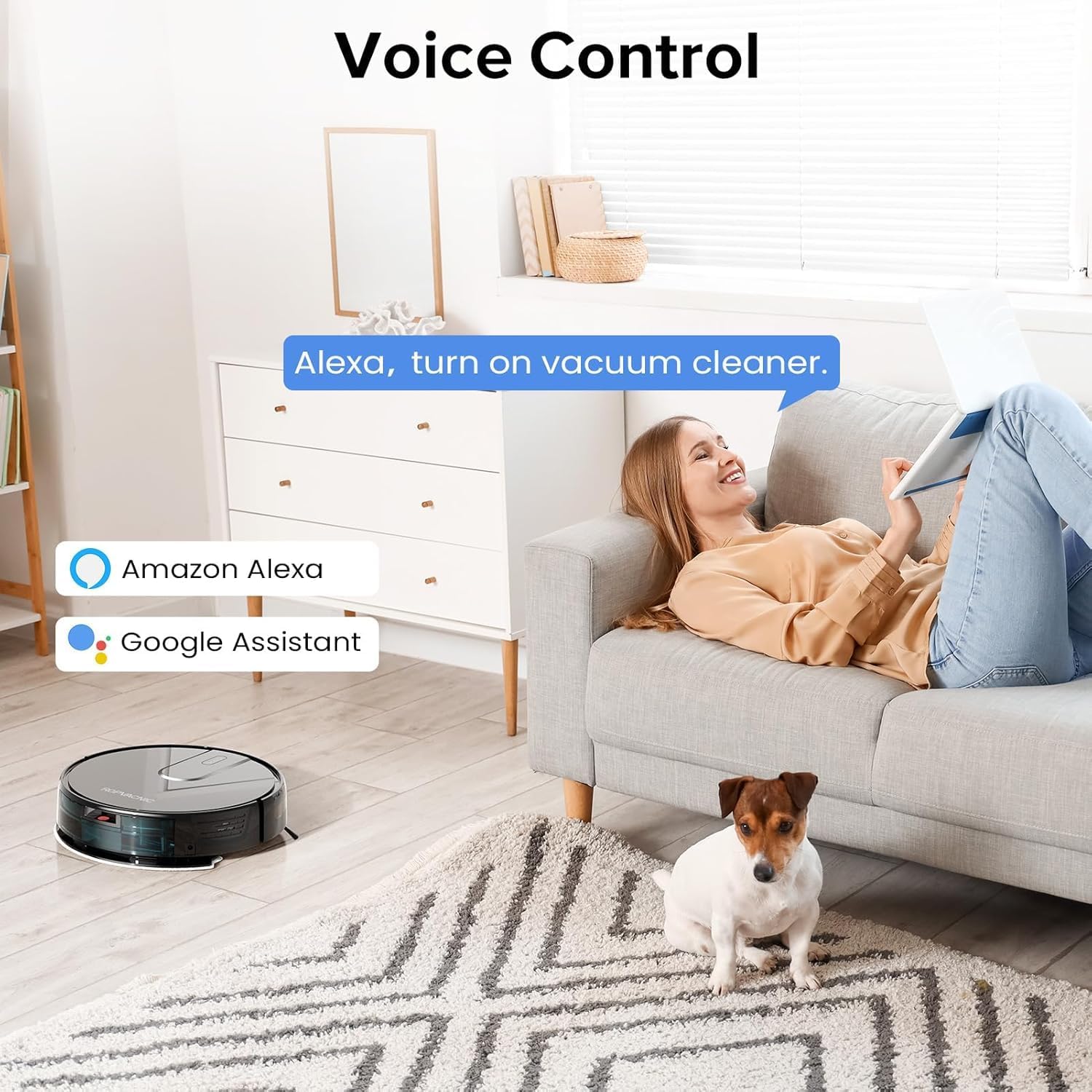
Image: A woman relaxing on a couch, using voice commands to control the robot vacuum, with Amazon Alexa and Google Assistant logos visible.

Image: A woman on a sofa with her phone, while the robot vacuum cleans, demonstrating voice-controlled cleaning with Alexa and Google Assistant.
Operating Instruction
Kuchenesa Modes
The ROPVACNIC S1 offers multiple cleaning modes to suit different needs. These can be selected via the mobile app or the included remote control.

Image: Screenshots of the mobile app interface demonstrating various cleaning modes (Smart, Edge, Scheduled, Spot, Manual) and water flow adjustment options (Low, Medium, High).
- Kuchenesa Kwakangwara: Robhoti iri rinofamba-famba uye rinochenesa nzvimbo yese nekuchenjera.
- Spot Cleaning: Inotarisa pane imwe nzvimbo yakasviba, kuchenesa mune spiral pattern.
- Edge Cleaning: Inochenesa mumadziro nemapendero efenicha.
- Kucheneswa Kwakarongwa: Seta nguva dzakatarwa dzekuti robhoti ritange kuchenesa.
- Manual Control: Use the app or remote control to manually steer the robot.
Suction Level Adjustment
Adjust the suction power based on your cleaning needs and floor type (e.g., higher suction for carpets, lower for hard floors). This can be done through the mobile app.

Image: The robot vacuum cleaning a floor, with an illustration of 4000Pa suction power pulling in dust, hair, snacks, and particles.

Image: The ROPVACNIC S1 robot vacuum demonstrating its 4000Pa powerful suction, effectively cleaning various debris from the floor.
Water Flow Adjustment (Mopping)
The S1 features an upgraded high-capacity water tank with a four-stage personalized water adjustment system. Adjust the water flow for mopping via the app to suit different floor types and stain levels.

Image: The robot vacuum simultaneously performing vacuuming and mopping functions, with indicators for multi-stage water flow setting and mopping area.

Image: The robot vacuum mopping a floor, highlighting its electric mopping technology, 250ml built-in water tank, and maximum mopping range of 2683 sqft.

Image: A detailed diagram showing the internal structure of the efficient composite cleaning module, including the electrically controlled water tank and mopping pad.
Kutanga uye Kumisa Kuchenesa
- Tanga: Press the power button on the robot, use the "Clean" button on the remote control, or initiate cleaning via the mobile app.
- Kumbomira/Mira: Press the power button again, use the pause button on the remote, or stop via the app. The robot will return to its charging base automatically when cleaning is complete or battery is low.
Intelligent Navigation and Obstacle Avoidance
The S1 is equipped with an advanced high-coverage sensing system and multiple algorithmic data points. This enables it to navigate autonomously, detect obstacles, adjust direction, and switch modes as needed. Its slim design allows it to clean under furniture effectively.

Image: The robot vacuum navigating a room, illustrating its intelligent automation and advanced sensing system for obstacle detection.

Image: A visual representation of the robot vacuum's intelligent instant sensing system, showing how it detects and navigates around furniture and obstacles.
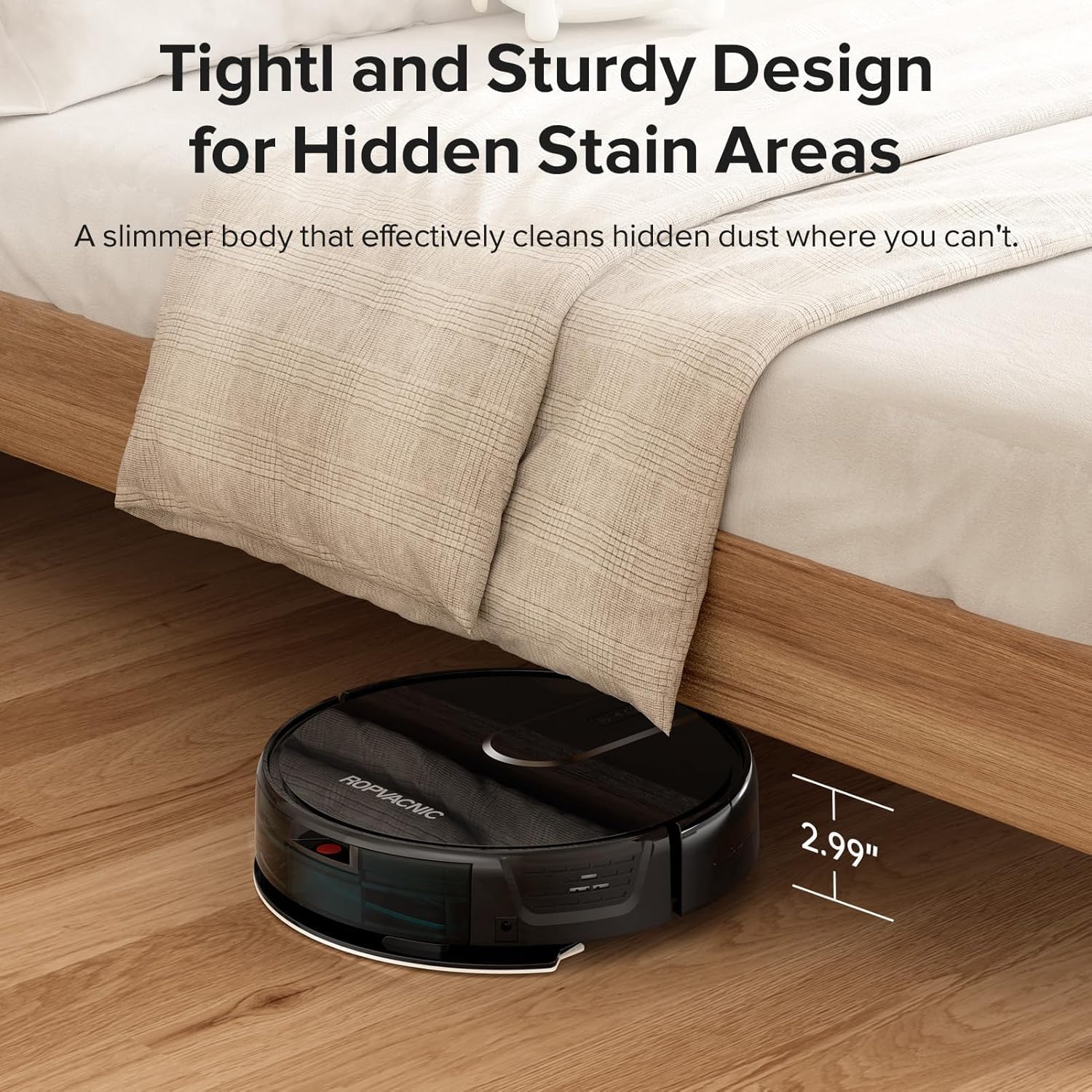
Image: The robot vacuum cleaning under a bed, demonstrating its slim 2.99-inch height for accessing hard-to-reach areas.

Image: The robot vacuum cleaning under a piece of furniture, emphasizing its compact design for reaching hidden areas.
Remote Control Kushandisa
An extra remote control is included for convenient operation without needing your smartphone. Refer to the APP instruction manual for detailed functions of each button on the remote.

Image: A child sitting on the floor, using the remote control to operate the robot vacuum, illustrating the ease of use.
Maintenance
Regular maintenance ensures optimal performance and extends the lifespan of your ROPVACNIC S1. Always turn off the robot and disconnect it from the charging base before performing any maintenance.
1. Kubvisa Dust Bin
Empty the dust bin after each cleaning cycle or when the "dust bin full" indicator appears. Open the top cover of the robot, remove the dust bin, open its lid, and discard the collected debris. Rinse the dust bin with water if necessary, and ensure it is completely dry before reinserting.
2. Cleaning/Replacing the Filter
The S1 uses a multi-layer optimized high-efficiency filtration system. Tap off excess dirt from the HEPA filter after every 1-2 uses. Replace the HEPA filter every 3-6 months, or more frequently depending on usage and pet hair presence. Do not wash the HEPA filter with water.
3. Cleaning/Replacing Side Brushes
Inspect the side brushes regularly for tangled hair or debris. Use the included cleaning brush to remove any tangles. If brushes are worn or damaged, replace them with new ones (4 spare side brushes are included).

Image: The robot vacuum cleaning pet hair from a carpet, emphasizing its no-entanglement design specifically for pet owners.
4. Cleaning the Mopping Cloth and Water Tank
After mopping, remove the mopping cloth from the holder and wash it thoroughly. Allow it to air dry completely before reattaching. Empty any remaining water from the electrically controlled water tank and rinse it. Ensure the tank is dry before storage or next use.
5. MaSensor Ekuchenesa uye MaContact Ekuchaja
Wipe the cliff sensors, wall sensors, and charging contacts on both the robot and the charging base with a clean, dry cloth. This ensures proper navigation and charging.
Kugadzirisa matambudziko
| Dambudziko | Zvinogona Kukonzera | Solution |
|---|---|---|
| Robhoti haribatike. | Bhatiri rakaderera; Kudzima kwemagetsi. | Charge the robot; Ensure power switch is ON. |
| Robot cannot charge. | Charging contacts dirty; Charging base not powered. | Clean charging contacts; Ensure charging base is plugged in and powered. |
| Robhoti inonamira kazhinji. | Too many obstacles; Sensors dirty. | Bvisa zvipingamupinyi kubva pakuchenesa nzira; Chenesa masensa ese. |
| Kusaita zvakanaka kwekuchenesa. | Dust bin full; Filter clogged; Brushes tangled/worn. | Empty dust bin; Clean/replace filter; Clean/replace side brushes. |
| Haikwanisi kubatana neWi-Fi/App. | Incorrect Wi-Fi password; Not 2.4GHz network; Robot not in pairing mode. | Verify password; Connect to 2.4GHz Wi-Fi; Re-enter pairing mode (long press power and home buttons). |
Zvinotsanangurwa
| Feature | Detail |
|---|---|
| Brand | ROPVACNIC |
| Model Name | S1 |
| Special Features | Adjustable Electric Mopping, Intelligent Auto Docking, Advanced Obstacle Avoidance, 4000Pa Powerful Suction Power, Personalized Intensity Settings, Multiple Cleaning Modes, Specially Designed for Pet Hair, App & Remote & Voice Control |
| Color | Chiedza Chitema |
| Product Dimensions | 12"L x 12"W x 2.99"H |
| Rudzi rwesefa | Multi-layer Optimized High-Efficiency Filtration |
| Hupenyu hwebhatiri | 120 kwemaminitsi |
| Simba Source | Battery Powered |
| Inowirirana Devices | Amazon Echo, Google Home, Remote Control, Smartphones |
| UPC | 762765895337 |
| Item Weight | 7.26 makirogiramu |
| Mabhatiri | 1 12V bhatiri (rinosanganisirwa) |
Safety Information
Please read all safety instructions carefully before using the ROPVACNIC S1 to prevent injury or damage.
- Do not use the robot in wet environments or near water.
- Chengetedza tambo dzisina kuvharwa, maketeni, uye zvimwe zvinhu zvinogona kupinza robhoti kubva munzira yaro.
- Do not allow children or pets to operate the robot without supervision.
- Ensure the charging base is placed on a flat, stable surface.
- Usashandise robhoti kunhonga marara makuru, zvinwiwa, kana zvinhu zvinopisa.
- Shandisa adapta yemagetsi yekutanga uye hwaro hwekuchaja hwakapihwa nemudziyo chete.
- If the robot is not functioning correctly, refer to the troubleshooting section or contact customer support. Do not attempt to repair it yourself.
Warranty uye Support
For warranty information, please refer to the warranty card included in your product packaging or contact ROPVACNIC customer support. For technical assistance, troubleshooting, or spare parts, please visit the official ROPVACNIC website or contact their customer service team. Keep your purchase receipt as proof of purchase for warranty claims.
Zvirongwa zvekudzivirira zviripo kune yakawedzera kufukidzwa:
- 2-Yegore Dziviriro Chirongwa
- 3-Yegore Dziviriro Chirongwa
- Zadzisa Dziviriro (chirongwa chemwedzi wega wega)
These plans offer additional peace of mind beyond the standard manufacturer's warranty.


