1. Nhanganyaya
Ndatenda nekutengaasing the Ehaho EBS-616 7-inch UTV Sound Bar. This manual provides essential information for the safe and efficient operation of your device. Please read it thoroughly before use and retain it for future reference.
2. Safety Information
- Do not expose the sound bar to extreme temperatures, direct sunlight, or high humidity.
- Ita shuwa kuti kune ventilation yakakodzera kutenderedza unit.
- Use only the power adapter and cables provided or specified by the manufacturer.
- Usaedze kuparadzanisa kana kugadzirisa iyo unit. Tumira masevhisi ese kuvashandi vanokwanisa.
- Chengetedza chikwata kure nemvura uye zvimwe zvinwiwa.
- Dzivisa kuteerera kwenguva refu uchirira zvakanyanya kuti usakanganise kunzwa.
3. Package Zviri mukati
Tarisa uone kuti zvinhu zvese zviripo mupakeji:
- Ehaho EBS-616 UTV Sound Bar
- Remote Control
- Kuisa Mabhureki uye Hardware
- Power Cable
- Yekubatsira Audio Cable
- Mushandisi Chinyorwa (gwaro iri)
4. Chigadzirwa Pamusoroview
The Ehaho EBS-616 is a compact 7-inch UTV sound bar designed for outdoor environments, featuring dual subwoofers, Bluetooth 5.0 connectivity, and a Party Sync function for enhanced audio experience.
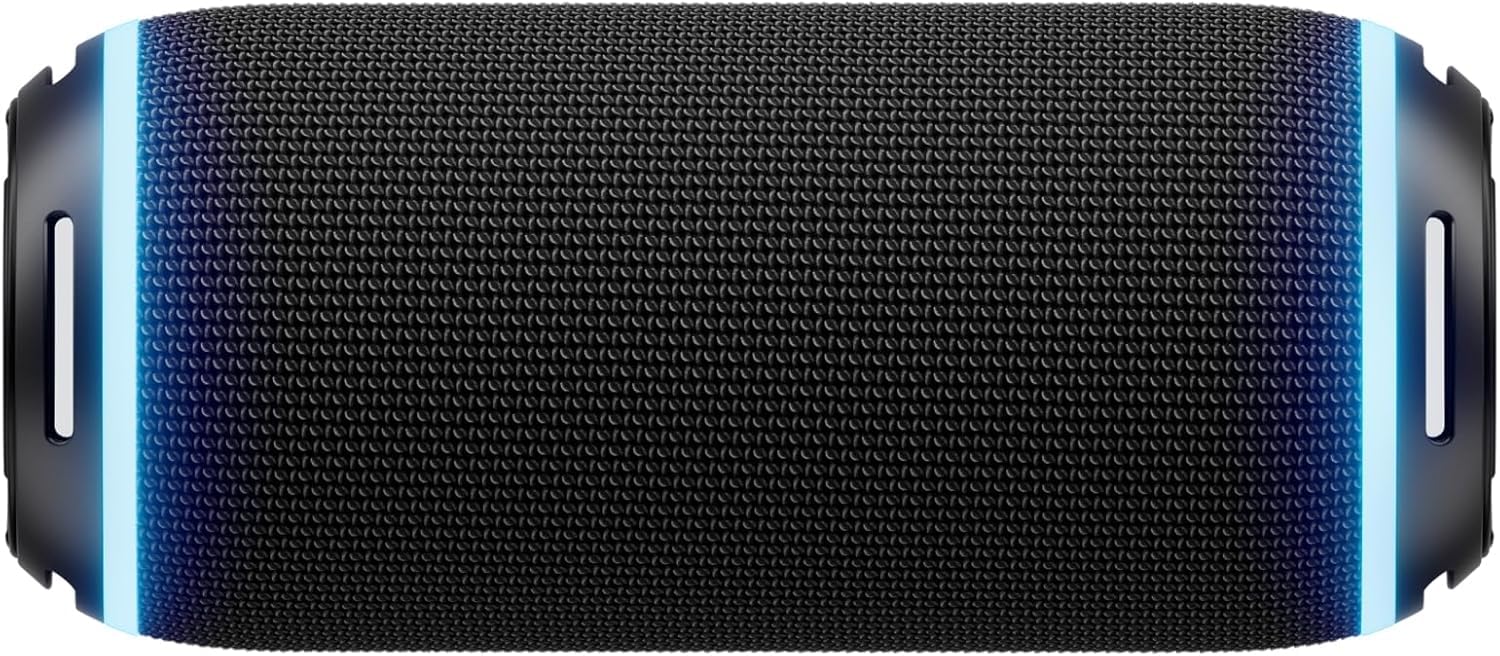
Mufananidzo 4.1: Mberi view of the Ehaho EBS-616 UTV Sound Bar, showing the speaker grille and control panel.
4.1. Kudzora uye Madhoo
- Bhatani reSimba: Inobatidza kana kudzima unit.
- Vhoriyamu kumusoro/Kudzika: Inogadzirisa vhoriyamu yekuteerera.
- Bhatani reModhi: Inochinja pakati peBluetooth, USB, uye AUX input modes.
- Bhatani reTamba/Kumbomira: Kudzora midhiya kutamba.
- Mabhatani ekuti Skip: Anosvetukira kunziyo inotevera kana yapfuura.
- Party Sync Button: Activates or deactivates Party Sync mode.
- USB Port: Yekutamba midhiya yeUSB.
- AUX Input: Jeki ye3.5mm yemidziyo yekunze yeaudio.
- Power Input: DC simba rekubatanidza.
5. Setup
5.1. Mounting the Sound Bar
- Select a suitable mounting location on your UTV that provides clear sound projection and does not obstruct your view kana zvinodzora.
- Attach the mounting brackets to the sound bar using the provided screws.
- Securely fasten the sound bar with the attached brackets to the UTV frame using the appropriate hardware. Ensure all connections are tight to prevent vibration.

Mufananidzo 5.1: Illustration of mounting brackets and hardware for securing the sound bar.
5.2. Simba Connection
- Connect the provided power cable to the DC power input port on the sound bar.
- Connect the other end of the power cable to a suitable 12V DC power source on your UTV. Ensure the connection is secure and properly fused.
5.3. Pakutanga Bluetooth Pairing
- Iva nechokwadi chekuti bhaa reruzha rakabatidzwa.
- The sound bar will automatically enter Bluetooth pairing mode, indicated by a flashing LED light.
- Panharembozha yako, shandisa Bluetooth uye tsvaga zvishandiso zviripo.
- Select "Ehaho EBS-616" from the list.
- Once paired, the LED indicator will become solid, and you will hear a confirmation tone.
6. Operating Instructions
6.1. Simba On / Off
Dzvanya uye ubate iyo Bhatani reSimba on the sound bar or the remote control to turn the unit on or off.
6.2. Mode Selection
Press the Bhatani reModhi repeatedly to cycle through available input sources: Bluetooth, USB, and AUX.
6.3. Kubatana kweBluetooth
After initial pairing, the sound bar will automatically attempt to reconnect to the last paired device when powered on and in Bluetooth mode. If reconnection fails, manually select "Ehaho EBS-616" from your device's Bluetooth settings.
6.4. USB Playback
Insert a USB flash drive containing MP3/WMA audio files into the USB port. The sound bar will automatically switch to USB mode and begin playback. Use the Tamba/Misa uye Track Skip mabhatani ekudzora kutamba.
6.5. Inobatsira
Connect an external audio device (e.g., MP3 player, smartphone) to the AUX input port using the provided 3.5mm audio cable. Switch the sound bar to AUX mode using the Bhatani reModhi. Audio will be played from the connected device.
6.6. Volume Control
Press the Volume Up or Volume Down buttons on the sound bar or remote control to adjust the listening volume.
6.7. Party Sync Function
The Party Sync feature allows multiple compatible Ehaho sound bars to connect and play audio simultaneously. To activate:
- Ensure all sound bars are powered on and in Bluetooth mode.
- On the primary sound bar (the one connected to your device), press the Party Sync Button. It will enter pairing mode.
- On the secondary sound bars, also press the Party Sync Button. They will search for the primary unit.
- Once connected, all sound bars will play the same audio.
6.8. Remote Control Kushandiswa
The included remote control provides convenient access to all functions. Point the remote control directly at the front of the sound bar for optimal response.

Mufananidzo 6.1: Layout of the Ehaho EBS-616 remote control, showing various function buttons.
7. Kuchengeta
7.1. Kuchenesa
Wipe the exterior of the sound bar with a soft, dry cloth. Do not use abrasive cleaners, waxes, or solvents. Ensure no liquids enter the ports or speaker grilles.
7.2. Kuchengeta
When not in use for extended periods, store the sound bar in a cool, dry place, away from direct sunlight and extreme temperatures. Disconnect it from the power source.
8. Kugadzirisa matambudziko
| Dambudziko | Zvinogona Kukonzera | Solution |
|---|---|---|
| Hapana simba | Power cable not connected; Power source issue | Check power cable connection; Verify power source is active. |
| Hapana ruzha | Volume too low; Incorrect input mode; Device not playing | Increase volume; Select correct input mode (Bluetooth/USB/AUX); Ensure connected device is playing audio. |
| Kubatana kweBluetooth kwakundikana | Ruzha rwemuchina haruna kuenderana; Mudziyo uri kure zvakanyanya; Kupindira | Ensure sound bar is in pairing mode; Move device closer; Restart both devices. |
| Remote control haisi kushanda | Battery depleted; Obstruction; Remote not pointed correctly | Replace remote battery; Remove obstructions; Point remote directly at sound bar. |
9. Zvinotsanangurwa
| Feature | Tsanangudzo |
|---|---|
| Model | EBS-616 |
| Dimensions (L x W x H) | 8.5D x 8.5W x 20H centimetres (approx. 8.48 x 8.48 x 19.99 cm) |
| Kubatana Technology | Bluetooth, USB, 3.5mm Auxiliary |
| Mutauri AmpLification Type | Active |
| Frequency Response | 40 Hz |
| Audio Output Mode | Surround |
| Mounting Type | Chikomboredzo Kubhururuka |
| Inosanganisirwa Zvikamu | Remote, UTV Sound Bar |
10. Warranty uye Tsigiro
Ehaho products are designed for reliability and performance. For warranty information, please refer to the warranty card included with your purchase or contact Ehaho customer support. For technical assistance or inquiries, please visit the official Ehaho websaiti kana kubata dhipatimendi ravo rebasa revatengi.


