1. Nhanganyaya
Thank you for choosing the HTC TWS12 True Wireless Earbuds. These earbuds are designed to provide a high-quality audio experience with advanced features such as Bluetooth 5.3 connectivity, environmental noise cancellation, and intelligent touch controls. This manual will guide you through the setup, operation, and maintenance of your new earbuds.
Zvinokosha:
- Makaralı 5.3: Ensures stable connection and faster pairing.
- Intelligent Touch Control: Manage music, calls, and volume directly from the earbuds.
- Environmental Noise Cancellation (ENC): Reduces background noise for clearer calls.
- Low Latency Game Mode: 45ms low latency for an optimized gaming experience.
- Yakawedzerwa Nguva Yekutamba: Up to 6 hours on a single charge, 26 hours with the charging case.
- Waterproof Design: Inopa dziviriro kubva pakupfapfaidzwa nedikita.
2. Chii chiri muBhokisi
Ndapota tarisa zviri mupakeji yako kuti uve nechokwadi chekuti zvinhu zvese zviripo:
- 2 x HTC TWS12 Earbuds
- 1 x Kuchaja Nyaya
- 1 x USB-C Yekuchaja Cable
- 2 Pairs x Rubber Eartips (S/L, M pre-installed)
- 1 x Chinyorwa cheMushandisi (gwaro iri)

Image: HTC TWS12 True Wireless Earbuds, charging case, and included accessories.
3. Setup
3.1 Kuchaja maEarbuds uye Case
Usati watanga kushandisa, chaja zvizere maearbud nekesi yekuchaja.
- Batanidza USB-C yekuchaja tambo kune yekuchaja chiteshi pane kesi uye sosi yemagetsi.
- Chiratidziro che LED chedhijitari chiri pabhokisi rekuchaja chicharatidza huwandu hwebhatiritagchikamu chekesi uye mamiriro ekuchaja earbud yega yega.
- Isa maearbuds muchesi yekuchaja. Vanozotanga kuchaja.

Image: The charging case features an LED display indicating the battery level of the case and the charging status of each earbud (L and R).

Image: Diagram illustrating the battery life: 6.5 hours listening time per earbud (40mAh) and the charging case (400mAh) provides 3 full recharges for a total of 26 hours playtime.
3.2 Bluetooth Pairing
The HTC TWS12 earbuds utilize Bluetooth 5.3 for a stable and quick connection.
- Vhura kesi yekuchaja. Maearbuds anozopinda otomatiki maitiro ekubatanidza.
- Pamudziyo wako (smartphone, piritsi, laptop), shandisa Bluetooth.
- Tsvaga "HTC TWS12" in the list of available Bluetooth devices.
- Select "HTC TWS12" to connect. Once connected, you will hear a confirmation tone.
3.3 Kupfeka maEarbuds
Kuti uwane mhando yeruzha rwakakwana uye kunyaradza, sarudza saizi chaiyo ye eartip uye simbisa yakachengeteka kukwana.
- The earbuds come with Small (S), Medium (M), and Large (L) eartips. Try different sizes to find the best fit for your ears.
- Isa zvinyoro nyoro maearbuds munzeve yako woatenderedza zvishoma kuti anyatsobatirira.

Image: Illustration of the ergonomic design of the earbuds and the three available eartip sizes (S, M, L) for a comfortable and secure fit.
4. Operating Instructions
4.1 Intelligent Touch Controls
The HTC TWS12 earbuds feature intuitive touch controls on each earbud:

Image: Diagram showing the various touch control functions on the earbud, including Volume +/-, Play Previous/Next, Voice Assistant, Play/Pause, Answer Call, End Call, Decline Call, and Game Mode.
- Tamba/Kumbomira: Tokonya chero earbud kamwe.
- Rwiyo Runotevera: Tokonya earbud yekurudyi katatu.
- Rwiyo Rwapfuura: Tokonya earbud yekuruboshwe katatu.
- Vhoriyamu Kumusoro: Tokonya earbud yekuruboshwe kaviri.
- Vhoriyamu Pasi: Tokonya earbud yekurudyi kaviri.
- Pindura Call: Tokonya chero earbud kamwe.
- Pedzisa Kufona: Tokonya chero earbud kaviri.
- Kuramba Kufona: Dzvanya uye bata chero earbud kwemasekonzi maviri.
- Shandisa Izwi Mubatsiri: Dzvanya wobata chero earbud kwemasekonzi maviri (kana usiri parunhare).
4.2 Game Mode (Yakaderera Latency)
Activate Game Mode for a reduced audio delay, ideal for gaming.
- Activate/Deactivate Game Mode: Dzvanya chero earbud katatu.
- When Game Mode is active, the earbuds' blue indicator light will remain on.
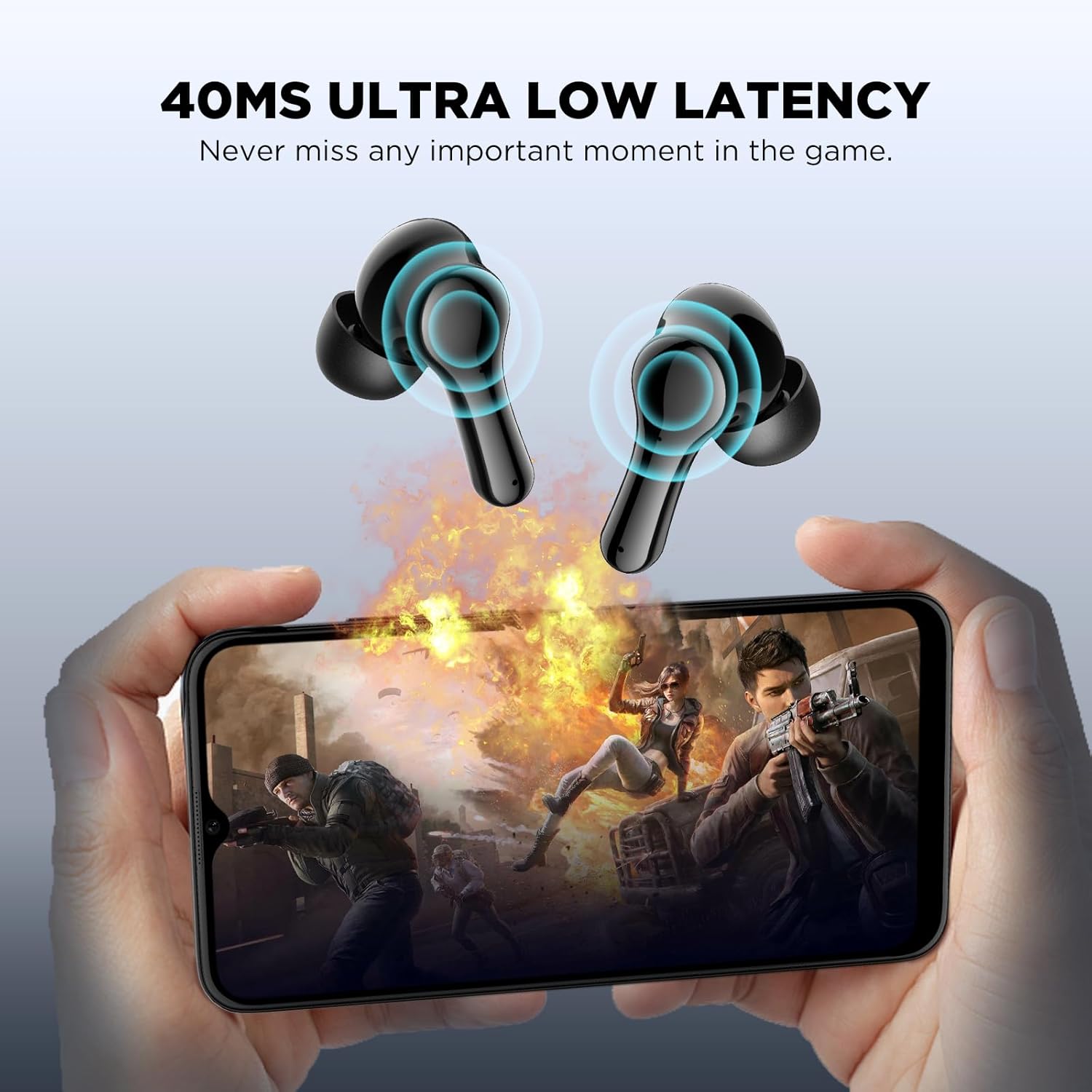
Image: Visual representation of the 45ms ultra-low latency feature, enhancing the gaming experience by minimizing audio delay.
4.3 Environmental Noise Cancellation (ENC)
The earbuds feature a single microphone Environmental Noise Cancellation system. This technology collects ambient noise and generates a reverse wave to cancel out background sounds, such as human voices and wind noise, improving call clarity by suppressing up to 90% of environmental noise.
5. Kuchengeta
To ensure the longevity and optimal performance of your HTC TWS12 earbuds, follow these maintenance guidelines:
- Kuchenesa: Garai kuchenesa maearbud nekesi yekuchaja nejira rakapfava, rakaoma, risina lint. Dzivisa kushandisa abrasive zvinhu kana makemikari ane hasha.
- Nzeve: Bvisa uye kuchenesa nzeve nguva nenguva nemvura uye sipo yakapfava. Ita shuwa kuti dzaoma zvachose usati wabatanidza zvakare.
- Kuramba Mvura: The earbuds are waterproof. While they can withstand splashes and sweat, avoid submerging them in water for extended periods. Ensure the charging port is dry before charging.
- Kuchengeta: Kana isiri kushandiswa, chengeta maearbuds mukesi yavo yekuchaja kuti uzvidzivirire uye ugare wakachajwa.
- Tembiricha: Dzivisa kuisa maearbuds pakupisa kwakanyanya (kunopisa kana kutonhora) kana kuti pazuva rakananga.
Video: This video demonstrates the unboxing, wearing, and water resistance of the HTC TWS12 earbuds, showcasing their durability and fit.
6. Kugadzirisa matambudziko
If you encounter any issues with your HTC TWS12 earbuds, please refer to the following common solutions:
- Maearbuds haana kubatanidza: Ensure both earbuds are in the charging case, then open the lid to activate pairing mode. Turn off and on your device's Bluetooth, then try searching again.
- Imwe chete earbud inoshanda: Dzorera maearbud ese ari maviri muchivharo chekuchaja, vhara chivharo, mirira kwemasekonzi mashoma, wozovhurazve. Izvi zvinowanzo gadzirisa kubatana.
- Hapana ruzha: Check the volume level on your connected device and on the earbuds. Ensure the earbuds are properly paired and selected as the audio output device.
- Kuchaja nyaya: Verify the USB-C cable is securely connected to both the case and the power source. Ensure the charging contacts on the earbuds and inside the case are clean and free of debris.
- Hunhu husina kunaka: Ensure the eartips provide a good seal in your ear. Try different eartip sizes. Move closer to your connected device to avoid interference.
7. Zvinotsanangurwa
| Feature | Tsanangudzo |
|---|---|
| Model Name | TWS12 |
| Kubatana Technology | Wireless (Bluetooth 5.3) |
| Bluetooth Range | 10 Mamita |
| Hupenyu hwebhatiri (Earbuds) | 6 Maawa |
| Yese Yekutamba (neNyaya) | 26 Maawa |
| Kudzora Nzira | Bata |
| Noise Control | Environmental Ruzha Kanzura (ENC) |
| Low Latency | 45ms (Game Mode) |
| Mvura Resistance Level | Isingapindi mvura |
| Inowirirana Devices | Mafoni, Mahwendefa, Malaptop |
| Item Weight | 2.89 ounces |
| UPC | 734257573863 |
8. Warranty uye Tsigiro
Your HTC TWS12 True Wireless Earbuds come with a standard warranty. Additionally, you are eligible for a 90-day Warranty Extension. For any product-related inquiries, technical assistance, or warranty claims, please utilize our 7*24 Live Chat Support.
Kuti uwane rumwe ruzivo nerutsigiro, ndapota shanyira mukuru HTC Store on Amazon.


