Nhanganyaya
Thank you for choosing the MLOVE E90 Bluetooth Speaker. This manual provides detailed instructions for setting up, operating, and maintaining your speaker to ensure optimal performance and longevity. Please read this manual thoroughly before using the product and retain it for future reference.
Product Overview
Chii chiri muBhokisi
- MLOVE E90 Bluetooth Speaker
- USB-C Kuchaja Cable
- Shaulder Strap
- Quick Start Guide
Key Features
- 80W Powerful Stereo Sound: Delivers robust audio output for an immersive listening experience.
- Dynamic RGB Mwenje: Features customizable RGB lights that sync with music, enhancing the ambiance.
- IP65 Dustproof uye Mvura: Yakagadzirirwa kushandiswa panze, inodzivirira guruva nemvura inopfachukira.
- Yechokwadi Wireless Stereo (TWS) Basa: Allows pairing two E90 speakers for enhanced stereo sound.
- Multiple Playback Modes: Supports Bluetooth, AUX-in, USB drive, and MicroSD card playback.
- Hupenyu Hurefu Hwebhatiri: Equipped with a large capacity battery for extended playtime.
- Portable Design: Includes a shoulder strap for easy transport.
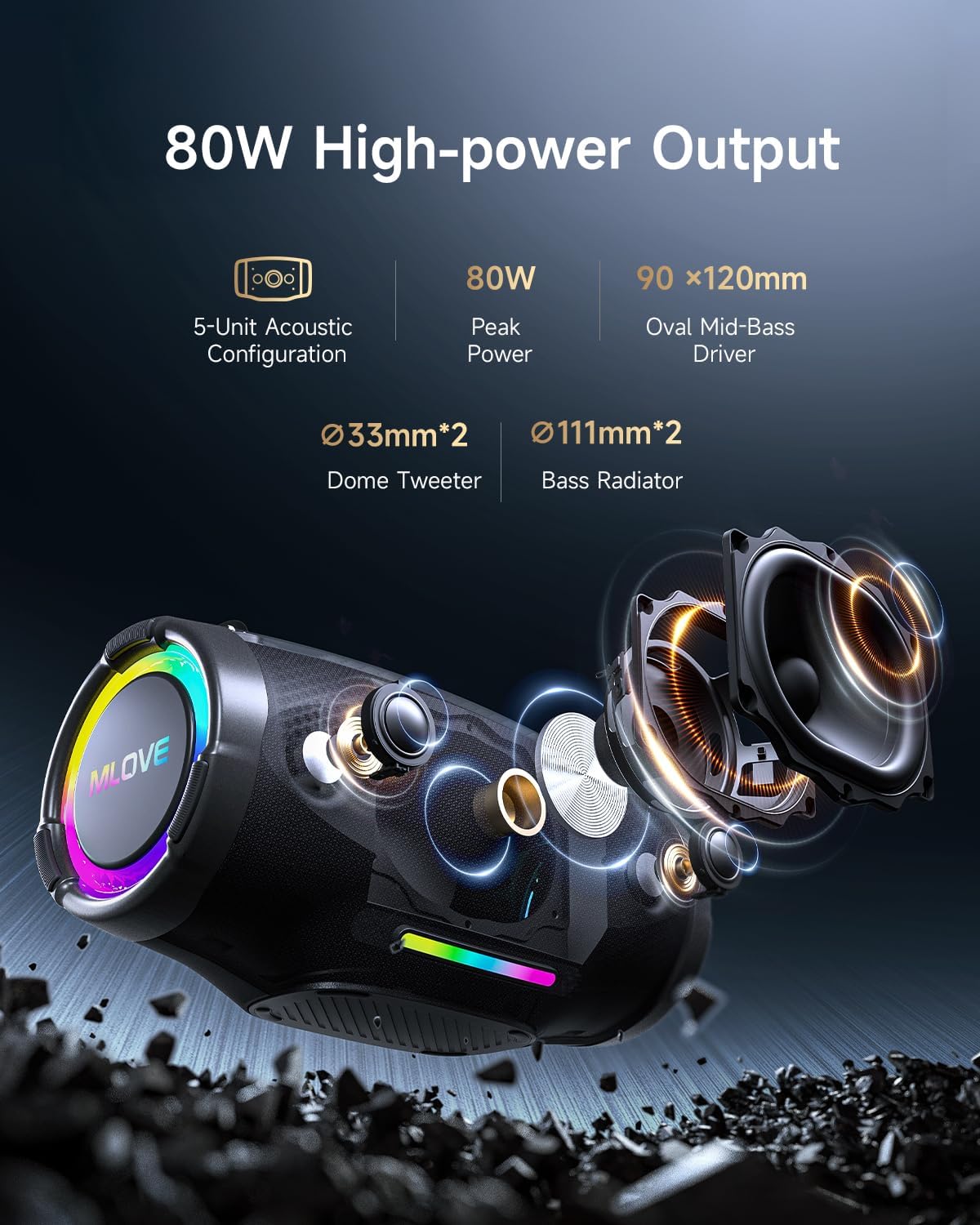
Image: Internal components of the MLOVE E90 speaker, highlighting its 80W peak power output, 5-unit acoustic configuration, including two 33mm dome tweeters, two 111mm bass radiators, and a 90x120mm oval mid-bass driver.

Image: The MLOVE E90 speaker illustrating its powerful battery life, emphasizing its large capacity and Type-C quick charge capability for uninterrupted listening.
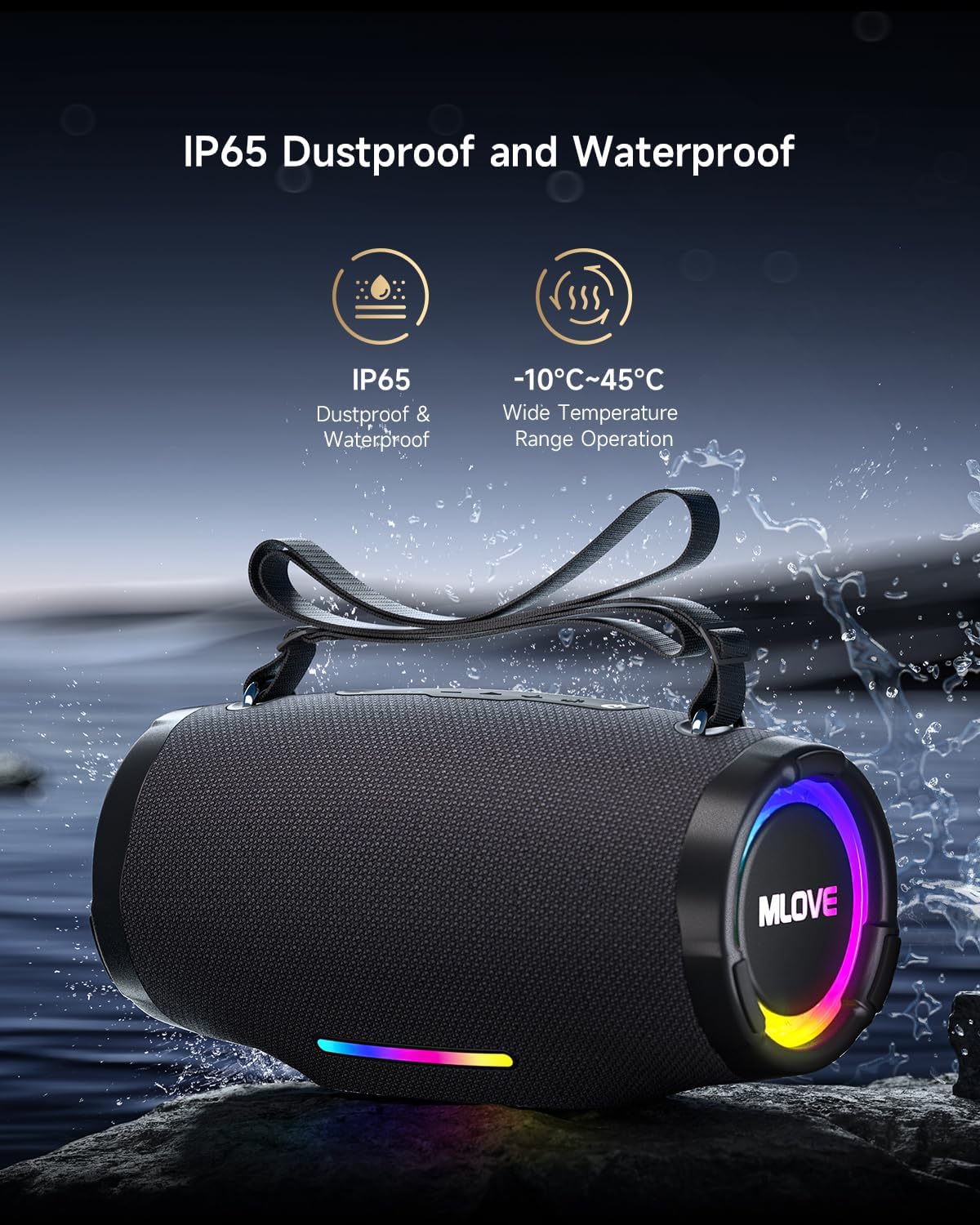
Image: The MLOVE E90 speaker shown with water splashing around it, highlighting its IP65 dustproof and waterproof rating, making it suitable for various outdoor environments and temperatures from -10°C to 45°C.
Setup Guide
1. Kubhadharisa Mutauri
- Locate the USB-C charging port, usually protected by a rubber flap on the back or side of the speaker.
- Connect the provided USB-C cable to the speaker's charging port.
- Batanidza imwe magumo etambo ye-USB-C kune inoenderana USB magetsi adapta (isina kuisirwa) kana USB port yekombuta.
- The charging indicator lights will illuminate, typically showing charging progress. A full charge may take approximately 4.5 hours with a 3A charger.
- Once fully charged, disconnect the charging cable and ensure the rubber flap is securely closed to maintain water resistance.
2. Powering On / Off
- Kubatidza: Press and hold the Power button for a few seconds until you hear an audible prompt or see the indicator lights activate.
- Kudzima: Press and hold the Power button again for a few seconds until you hear an audible prompt or the indicator lights turn off.
3. Bluetooth Kubatanidza
- Iva nechokwadi chekuti sipika yakabatidzwa uye iri muBluetooth pairing mode. Chiedza cheBluetooth chinopenya kazhinji.
- Pamudziyo wako (smartphone, piritsi, komputa), gonesa Bluetooth uye tsvaga zvishandiso zviripo.
- Select "MLOVE E90" from the list of found devices.
- Once paired, the speaker will emit an audible confirmation, and the Bluetooth indicator light will become solid.
- The speaker supports Bluetooth 5.4 for stable and efficient connection.

Image: The MLOVE E90 speaker demonstrating its ability to connect to two devices simultaneously (e.g., a smartphone and a tablet) with seamless switching, utilizing Bluetooth 5.4 for stable playback.
4. Chokwadi Wireless Stereo (TWS) Pairing
To achieve a true stereo sound experience, you can pair two MLOVE E90 speakers together.
- Ensure both MLOVE E90 speakers are powered on and not connected to any Bluetooth device.
- On one speaker (this will be the primary speaker), press the TWS button (refer to your Quick Start Guide for button location). The TWS indicator light will flash.
- The primary speaker will automatically search for the secondary speaker.
- Once connected, both speakers will emit an audible confirmation, and the TWS indicator lights will become solid.
- Now, connect your device to the primary speaker via Bluetooth as described in step 3. Audio will play in stereo through both speakers.

Image: Two MLOVE E90 speakers shown wirelessly connected, demonstrating the True Wireless Stereo (TWS) function which allows them to play audio in synchronized stereo for an enhanced listening experience.
Operating Instruction
Basic Controls
- Bhatani reSimba: Dzvanya uye ubate kuti ubatisise/kudzima.
- Bhatani reTamba/Kumbomira: Dzvanya kamwe chete kuridza kana kumbomira mumhanzi.
- Kukwidza inzwi (+): Press once to increase volume. Press and hold to skip to the next track.
- Vhoriyamu Pasi (-): Press once to decrease volume. Press and hold to skip to the previous track.
- Bhatani reModhi (M): Press to switch between playback modes (Bluetooth, AUX, USB, MicroSD).
- Chiedza Bhatani: Press to cycle through RGB light modes. Press and hold to turn lights off/on.
- Bhatani reBass Boost: Press to activate/deactivate enhanced bass.
RGB Mwenje Modes
The MLOVE E90 features dynamic RGB lighting with 16.8 million colors. Use the Light button to cycle through various modes, including beat-sync and dynamic flowing light effects. Press and hold the Light button to turn the lights off or on.
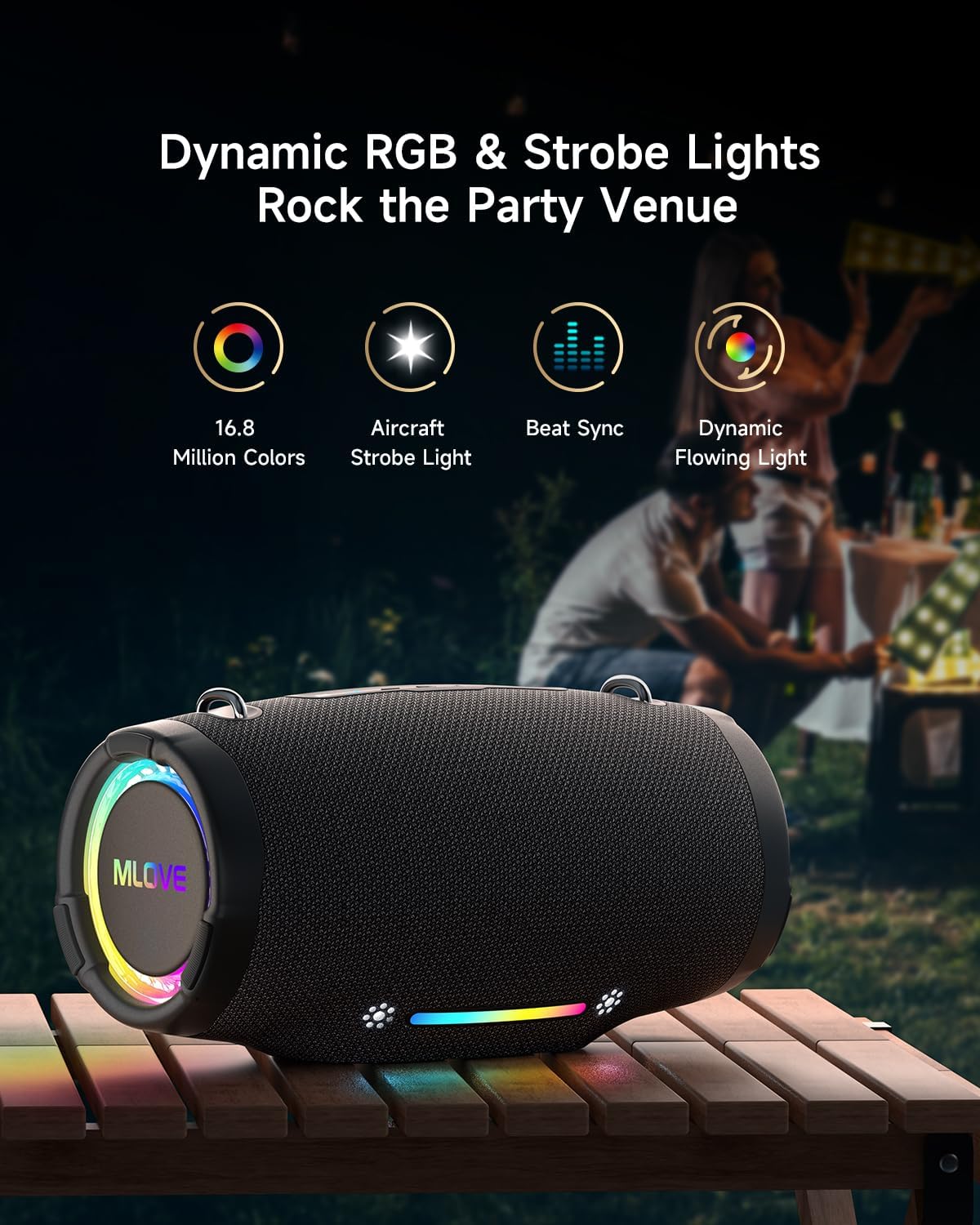
Image: The MLOVE E90 speaker displaying its dynamic RGB and strobe lights in an outdoor party setting, illustrating features like 16.8 million colors, aircraft strobe light effects, beat synchronization, and dynamic flowing light patterns.
Multiple Playback Modes
The speaker supports various audio input methods:
- Makaralı 5.4: Wireless connection to compatible devices.
- AUX-in: Batanidza zvishandiso zvekunze zveaudio uchishandisa waya ye3.5mm audio (haina kuiswa).
- USB Playing: Isa USB flash drive ine audio files (WAV, WMA, MP3 formats supported).
- MicroSD Card Playing: Insert a MicroSD card with audio files (WAV, WMA, MP3 formats supported).
Use the Mode button to switch between these input sources. The speaker will automatically detect and switch to an inserted USB drive or MicroSD card.
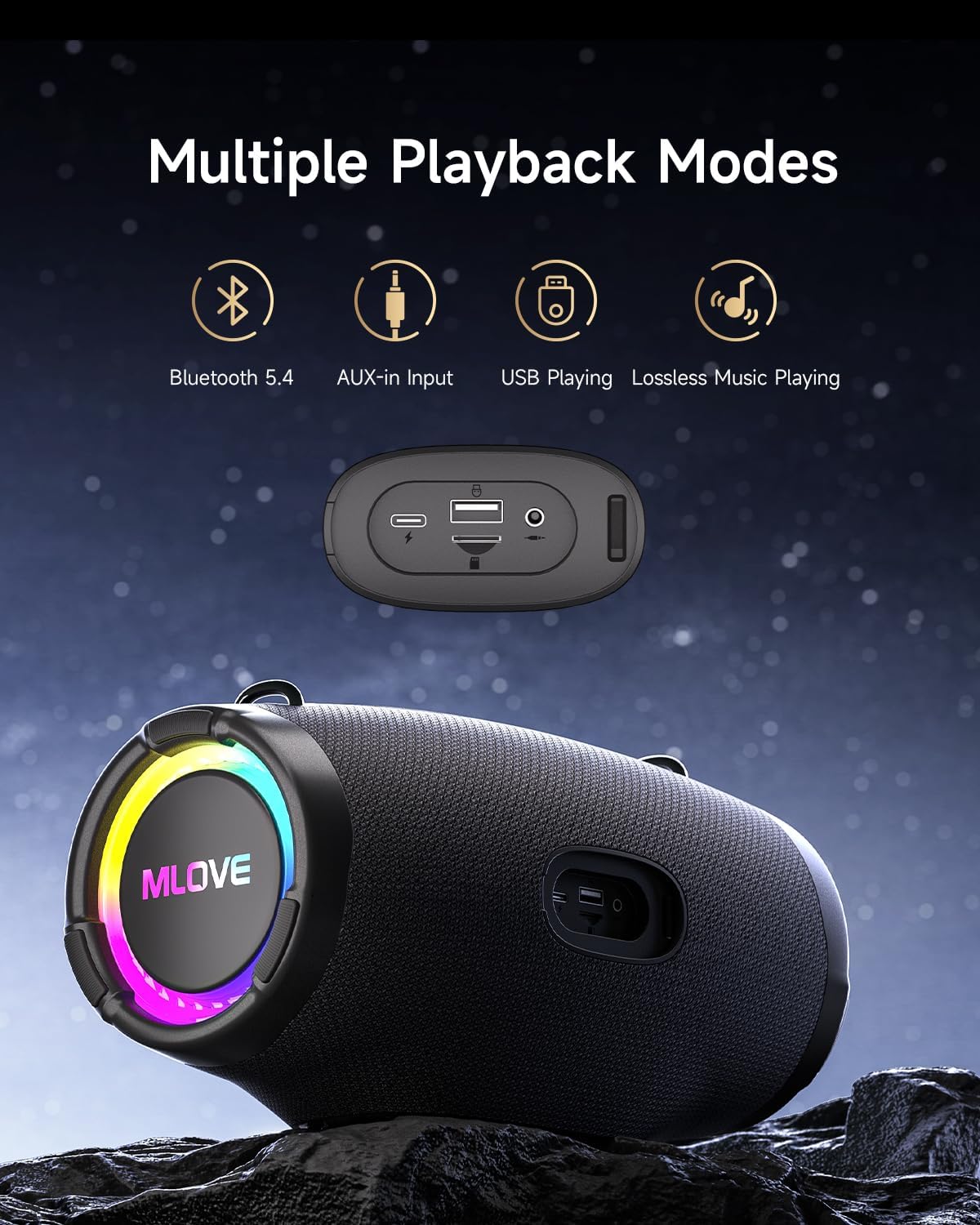
Image: The MLOVE E90 speaker displaying its connectivity panel with ports for USB-C charging, USB-A for playing music from a USB drive and power bank functionality, and a 3.5mm AUX-in port, alongside icons for Bluetooth 5.4, AUX-in, USB Playing, and Lossless Music Playing.
Maintenance
Kuchenesa
- Pukuta mutauri nekanyoro, damp jira.
- Usashandise zvinochenesa zvinokuvadza, doro, kana zvinonyungudutsa makemikari, sezvo izvi zvinogona kukuvadza pamusoro.
- Ensure all port covers are securely closed before cleaning with a damp jira.
Kuramba Mvura (IP65)
- The MLOVE E90 is rated IP65, meaning it is protected against dust ingress and low-pressure water jets from any direction.
- This speaker is suitable for use in light rain or near water, but it should not be submerged in water.
- Always ensure the rubber flap covering the charging and input ports is securely closed to maintain water resistance.
- Do not expose the speaker to saltwater or other corrosive liquids. If exposed, rinse with fresh water and dry thoroughly.
Storage
- Chengetedza mukurukuri munzvimbo inotonhorera, yakaoma kure nechiedza chezuva uye tembiricha yakanyanyisa.
- If storing for an extended period, charge the battery to approximately 50% every few months to preserve battery health.
Kugadzirisa matambudziko
| Dambudziko | Zvinogona Kukonzera | Solution |
|---|---|---|
| Mutauri haabati simba. | Bhatiri rakaderera. | Chaja mutauri uchishandisa tambo ye USB-C yakapihwa. |
| Haikwanise kubatanidza kuburikidza neBluetooth. | Chipika hachisi muchimiro chekupairira; Bluetooth yemudziyo yakadzimwa; kure zvakanyanya nechipika. | Ensure speaker is in pairing mode (flashing Bluetooth light). Turn Bluetooth on your device. Move device closer to speaker (within 10 meters). Forget "MLOVE E90" on your device and try pairing again. |
| Hapana ruzha kana vhoriyamu yakaderera. | Volume too low on speaker or device; incorrect input mode. | Increase volume on both the speaker and your connected device. Press the Mode button to ensure the correct input source is selected. |
| TWS pairing inotadza. | Speakers already connected to another device; speakers too far apart. | Ensure both speakers are disconnected from any Bluetooth devices. Place speakers close to each other. Follow TWS pairing instructions carefully. |
| Mwenje yeRGB haisi kushanda. | Mwenje yadzima; sipika haisi kushanda zvakanaka. | Press the Light button to cycle through modes or press and hold to turn them on. If issue persists, contact support. |
| Inzwi rakavhiringika pamwero wepamusoro. | Vhoriyamu yakakwira zvakanyanya; mhando yeruzha. | Reduce the volume. Ensure the audio source is of good quality. |
Zvinotsanangurwa
| Brand | MLOVE |
| Model Name | E90 |
| Mutauri Rudzi | Inotakurika Bluetooth Mutauri |
| Maximum Speaker Output Power | 80 Watts |
| Audio Output Mode | Stereo |
| Wireless Communication Technology | Bluetooth 5.4 |
| Frequency Response | 20000 Hz (Note: Typically a range, e.g., 20Hz-20kHz) |
| Simba Source | Battery Powered |
| Waterproof Rating | IP65 |
| Zviyero zveChigadzirwa (D x W x H) | 15.4 x 30.5 x 15.8 cm |
| Item Weight | 2000 magiramu |
| Inowirirana Devices | Personal computer, Smartphone, Tablet, Television |
| Inokurudzirwa Zvishandiso | For smartphone or tablet, For ambient sound system |
| Kudzora Nzira | Application (Physical buttons also available) |
| Inosanganisirwa Zvikamu | Quick Start Guide, USB-C Charging Cable, Shoulder Strap |
Warranty uye Support
The MLOVE E90 Bluetooth Speaker comes with a Waranti yemakore maviri yemugadziri kubva pazuva rawakatenga. Waranti iyi inovhara zvikanganiso zvekugadzira uye hunyanzvi hwekugadzira pasi pekushandiswa kwakajairika.
Waranti haibhadhare kukuvara kunokonzerwa nekushandiswa zvisina kunaka, tsaona, shanduko dzisina mvumo, kana kusakara kwakajairika. Ndapota chengetai humbowo hwekutenga kwenyu kuti muwane zvikumbiro zvewarandi.
Mutengi Support
For technical assistance, warranty claims, or any questions regarding your MLOVE E90 speaker, please contact our customer support team. Refer to the contact information provided in your Quick Start Guide or on the official MLOVE website.
Note: Specific contact details may vary by region.


