Nhanganyaya
This manual provides essential information for setting up, operating, maintaining, and troubleshooting your Apple Watch Series 11 GPS 42mm. Please read these instructions carefully to ensure proper use and to maximize the features of your device. The Apple Watch Series 11 is designed to enhance your daily life with advanced health monitoring, fitness tracking, and seamless connectivity.
Mufananidzo: Munhu ari kumhanya, achiratidzaasing the Apple Watch Series 11 in use during physical activity.
Chii chiri muBhokisi
Kana wabvisa Apple Watch Series 11 yako mubhokisi, iva nechokwadi chekuti zvese zviripo:
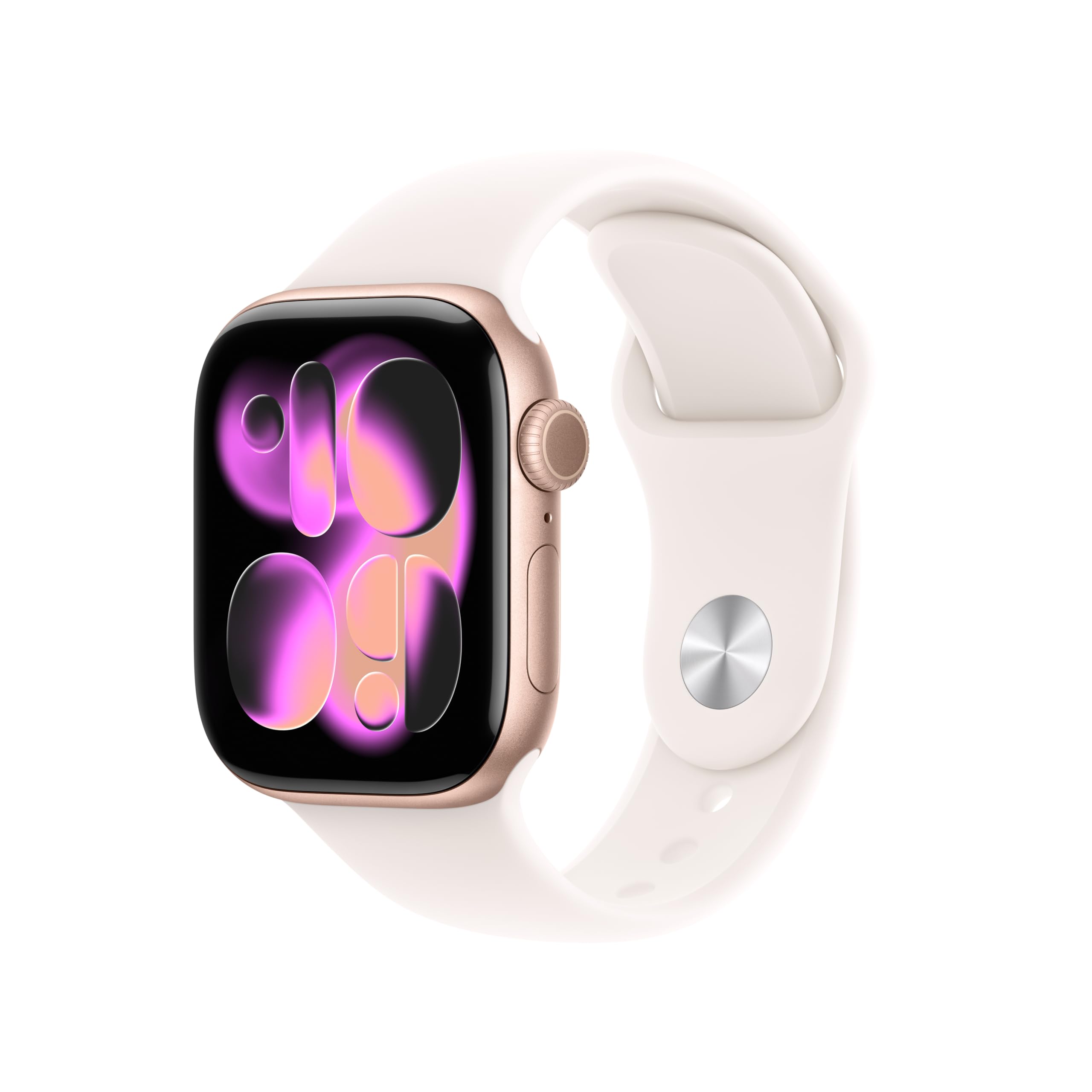
- Apple Watch Series 11 GPS 42mm Rose Gold Aluminium Case
- Light Blush Sport Band
- 1m Magnetic Kuchaja Cable

Image: The Apple Watch Series 11, a Light Blush Sport Band, and a USB-C Magnetic Fast Charging Cable, illustrating the package contents.
Gadzirira
Initial Pairing with iPhone
- Chaja Yako Apple Watch: Connect the magnetic charging cable to your Apple Watch and a power adapter. Allow it to charge until it powers on.
- Power On: Dzvanya uye ubate bhatani rekudivi kusvika Apple logo yaonekwa.
- Open Apple Watch App: On your iPhone, open the Apple Watch app. If you don't have it, download it from the App Store.
- Pairing process: Tap 'Start Pairing' on your iPhone. Position your iPhone so that the Apple Watch appears in the viewmuwana muApple Watch app.
- Tevera On-Screen Instructions: Complete the setup by following the prompts on both your iPhone and Apple Watch. This includes setting up a passcode, installing apps, and configuring health and activity settings.
Band Attachment
To attach the Sport Band, slide each band piece into the watch case until you hear a click. Ensure the bands are securely fastened before wearing the watch.
Kushandisa Apple Watch Yako
Health Monitoring
The Apple Watch Series 11 offers comprehensive health insights:
- Hypertension Notifications: The watch can detect signs of chronic high blood pressure and provide notifications.
- Nhamba Yekurara: Track and understand your sleep quality with detailed sleep scores and stages.
- ECG app: Tora electrocardiogram chero nguva kuti uone kana paine zviratidzo zve atrial fibrillation.
- YeMoyo Rate Kuongorora: Gamuchira zviziviso zvekurova kwemoyo kwakakwira, kwakaderera, kana kusina kurongeka.
- App yeOkisijeni yeRopa: Measure your blood oxygen levels on demand.
- App yeVitals: View overnight health metrics for a holistic view of your well-being.
- Cycle Tracking: Monitor your menstrual cycle with retrospective ovulation estimates.

Image: The Apple Watch Series 11 showing current heart rate (68 BPM) and an 'Overnight Vitals' screen with typical sleep data.
Fitness Tracking
Apple Watch yako ishamwari ine simba pakurovedza muviri:
- Chiitiko Rings: Track your daily movement, exercise, and stand goals.
- App yekurovedza muviri: Access advanced metrics for various workouts, including Pacer, Heart Rate Zones, and training load.
- Apple Fitness+: Nakidzwa nemwedzi mitatu yeApple Fitness+ yemahara nekutenga kwako.

Image: The Apple Watch Series 11 displaying activity rings (Move, Exercise, Stand) and a screen for an 'Outdoor Run' workout.
Kubatana uye Kukurukurirana
Ramba wakabatana uri munzira:
- GPS: Built-in GPS for accurate location tracking during workouts and navigation.
- Zviziviso: Receive texts, calls, and app notifications directly on your wrist.
- Siri: Use Siri with on-device processing for quick commands and information.
- Mumhanzi: Listen to music stored on your watch or streamed from your iPhone.
- Wi-Fi uye Bluetooth: Connects to your iPhone via Bluetooth 5.3 and Wi-Fi 4 (802.11n).

Image: A close-up of a person's hand adjusting the Apple Watch Series 11 on their wrist, demonstrating interaction with the device's interface.
Display and Battery
The Apple Watch Series 11 features a stunning and durable display with extended battery life:
- Kuratidzwa kweRetina Kunogara Kuripo: Wide-angle OLEDs and LTPO3 technology provide up to 2,000 nits maximum brightness.
- Durability: Ion-X front glass with 2x scratch resistance (aluminum cases).
- Hupenyu hwebhatiri: Up to 24 hours of normal use.
- Kurumidza Kubhadharisa: Achieve up to 80% charge in about 30 minutes, or 8 hours of normal use in just 15 minutes.

Image: A collage showing four key features: hypertension notifications, 24-hour battery life indicator, sleep score display, and the superdurable display of the Apple Watch Series 11.
Safety Features
Your Apple Watch includes important safety functions:
- Emergency SOS: Quickly call emergency services.
- Kuona Crash: Automatically detects severe car crashes and connects you with emergency services.
- Kuwira Kuwana: Detects hard falls and can initiate an emergency call if you are unresponsive.
- Pinda: Automatically notifies a loved one when you arrive at your destination.
Maintenance
Kuchenesa yako Apple Watch
- Power Off: Dzima Apple Watch yako woibvisa kubva kuchaja.
- Wipe Clean: Use a soft, lint-free cloth to wipe the watch. If necessary, lightly dampen jira nemvura yakachena.
- Avoid Soaps: Usashandise sipo, zvigadzirwa zvekuchenesa, zvinhu zvinokurisa, kana mhepo yakamanikidzwa.
- Nyatsoomesa: Ensure the watch is completely dry before charging or wearing.
Kuramba Mvura
The Apple Watch Series 11 has a water resistance rating of 50m and is swimproof. It is also IP6X dust resistant. While designed for water exposure during activities like swimming, it is not recommended for scuba diving, waterskiing, or other activities involving high-velocity water or submersion below shallow depths. Water resistance is not a permanent condition and may diminish over time.
Kugadzirisa matambudziko
Matambudziko Anowanikwa uye Mhinduro
- Watch Not Batidza: Ensure the watch is charged. Connect it to the magnetic charging cable and a power source. If it still doesn't turn on, try a force restart (press and hold both the side button and Digital Crown for at least 10 seconds until you see the Apple logo).
- Kubatanidza Matambudziko: Ensure your iPhone's Bluetooth is on and both devices are close to each other. Restart both your iPhone and Apple Watch. If issues persist, unpair the watch from your iPhone (if previously paired) and attempt to pair again.
- Hutano Hhusina Kurongeka: Ensure the watch is worn snugly on your wrist, but not too tight. Clean the back of the watch regularly to ensure proper sensor contact. Update watchOS to the latest version.
- Hupenyu Husina Hwebhatiri: Check for apps running in the background. Reduce screen brightness or enable Low Power Mode. Ensure watchOS is up to date.
- Mapurogiramu Asiri Kupindura: Force quit the app by pressing the side button, then swipe the app to the left and tap the 'X' button. Reopen the app. If the issue continues, restart your Apple Watch.
Zvinotsanangurwa
| Feature | Detail |
|---|---|
| Model Number | MEU04LW/A |
| Product Dimensions | 9.4 x 3 x 1.2 inches |
| Item Weight | 1.12 ounces |
| Mugadziri | Apple |
| Operating System | watchOS |
| Memory Storage Capacity | 64 GB |
| Special Features | Activity Tracker, Always On Display, Cycle Tracking, GPS, Heart Rate Monitor |
| Kubatana Technology | GPS |
| Wireless Kutaurirana Standard | 802.11a/g/n/ac, Bluetooth 5.3 |
| Battery Cell Kuumbwa | Lithium Ion |
| GPS | Built-in GPS (L1 GPS, GNSS, Galileo, QZSS and BeiDou) |
| Screen Size | 42 mamirimita |
| Material | Aluminium case (Rose Gold) |
| Display | Always-On Retina display with wide-angle OLEDs and LTPO3, Ion-X front glass with 2x scratch resistance, Up to 2,000 nits max brightness |
| Chip | S10 SiP ine 64-bit dual-core processor, 4-core Apple Neural Engine |
| Health and Wellness Sensors | Electrical heart sensor, Third-generation optical heart sensor, Blood oxygen sensor, Temperature sensor |
| Kugara kwenguva refu | Kudzivirira mvura 50m (kushambira), Kudzivirira guruva IP6X |
| Simba uye Bhatiri Hupenyu | Up to 24 hours normal use, Up to 38 hours in Low Power Mode, Fast-charge capable |
Warranty uye Support
Warranty Information
Your Apple Watch Series 11 is covered by Apple's standard limited warranty. This warranty typically covers manufacturing defects for a specified period from the date of purchase. For detailed terms and conditions, including coverage duration and limitations, please refer to the warranty documentation included with your product or visit the official Apple website.
Mutengi Support
For technical assistance, service, or additional information, please contact Apple Support. You can find support resources, including online guides, FAQs, and contact options, on the official Apple Support website. It is recommended to have your device's serial number available when contacting support.
Rutsigiro rwepamhepo: support.apple.com/watch


