1. Chigadzirwa Pamusoroview
The Comfytemp Air Compression Therapy Device K1065 is a cordless full arm massager designed to provide temporary relief from minor muscle aches in the arm, wrist, hand, and forearm. It utilizes rhythmic air compression to gently squeeze and release arm muscles, aiming to increase circulation and alleviate discomfort. This portable device features a built-in 2500 mAh battery for cordless operation and can be controlled via integrated buttons or a dedicated mobile application.

Image 1.1: Comfytemp Cordless Arm Massager, highlighting its portability and ease of use.
2. Yakakosha Mirayiridzo Yekuchengetedza
Please read all instructions carefully before using the Comfytemp Air Compression Therapy Device K1065. Failure to follow these instructions may result in injury or damage to the device.
- Consult your physician before using this device if you have any pre-existing medical conditions, including but not limited to, circulatory disorders, heart conditions, diabetes, or if you are pregnant.
- Do not use the device on swollen, inflamed, or injured areas of the skin.
- Avoid using the device while sleeping or if you are under the influence of alcohol or sedatives.
- Chengetedza mudziyo kure nemvura uye tembiricha yakakwirira.
- Usaedze kudimbura kana kugadzirisa mudziyo wega. Bata rutsigiro rwevatengi kuti ubatsirwe.
- Ensure the power adapter and cable are not damaged before use.
- Chengetedza pasingasvikirwi nevana.
- If you experience any discomfort or pain during use, discontinue immediately and consult a medical professional.
3. Setup uye Kutanga Kushandisa
3.1 Kuburitsa Chishandiso
Carefully remove all components from the packaging. Ensure all parts are present and undamaged. Retain the packaging for future storage or transport.
3.2 Kuchaja Chishandiso
Before first use, fully charge the device. Connect the charging cable to the device's charging port and plug the adapter into a power outlet. The indicator light will show charging status.
3.3 Wearing the Arm Massager
The device is designed for universal fit, accommodating upper arm circumferences up to 16.5 inches and lengths up to 24.5 inches. Use the zipper closure to secure the massager around your arm.

Image 3.1: Visual guide for measuring arm circumference and the device's dimensions.
If the massage feels light on specific areas, such as the wrist, adjust the position of the massager on your arm to achieve better coverage and pressure.
4. Operating Instructions
4.1 Basic Control Panel Operation
The device features an integrated control panel for basic functions:
- Bhatani reSimba: Press and hold to turn the device ON/OFF.
- Bhatani reModhi (M): Cycle through 3 massage modes (M1: Whole Massage, M2: Cyclical Massage, M3: Sequential Massage).
- Intensity Button (|||): Adjust between 5 intensity levels.
- Timer Button (Q): Set the massage duration.

Image 4.1: Control panel with power, mode, intensity, and timer buttons.
4.2 Smart App Kudzora
For enhanced customization, download the Comfytemp app on your smartphone. The app allows you to:
- Adjust intensity levels with greater precision.
- Switch between massage modes.
- Set custom timers.
- Fine-tune individual air chambers for a personalized experience.
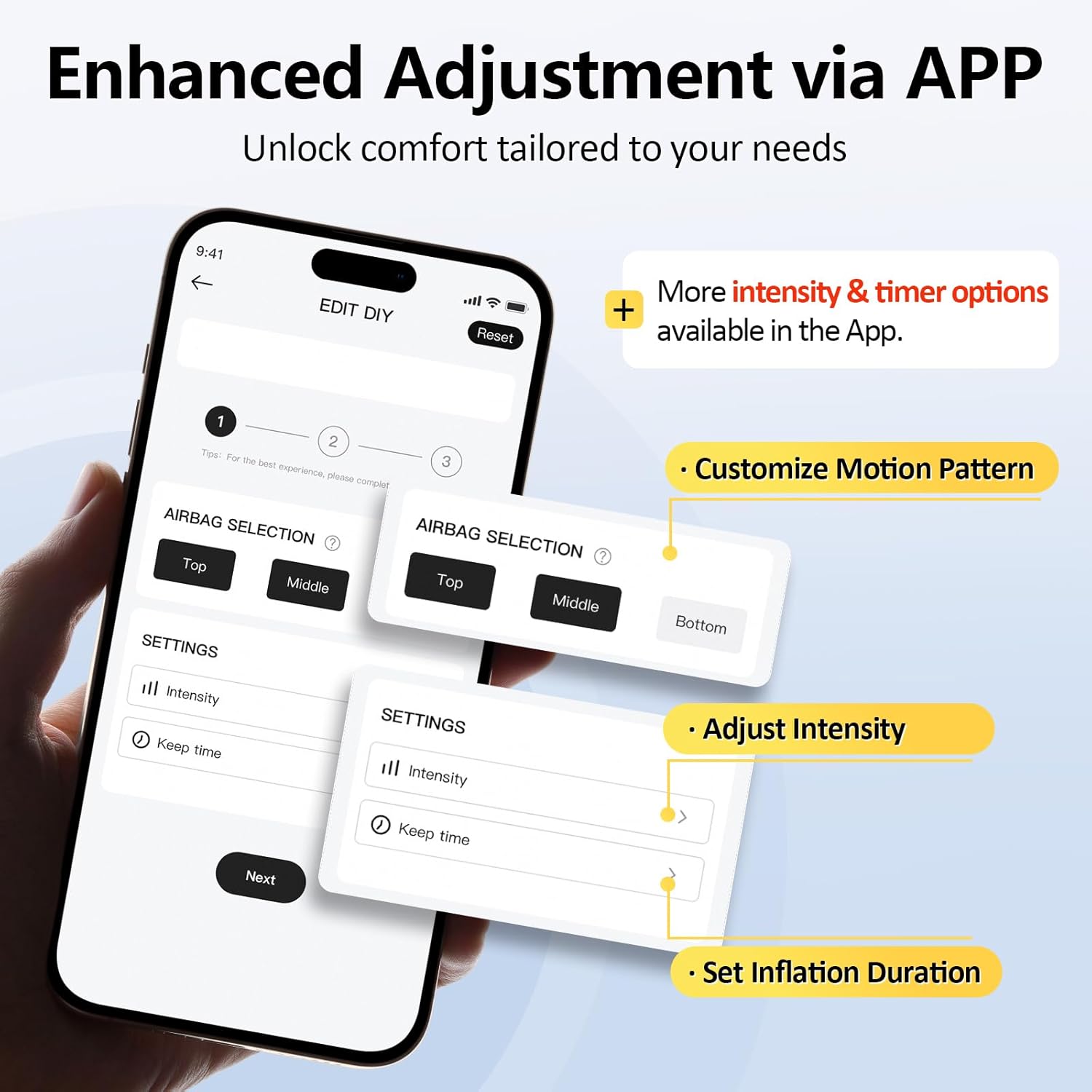
Image 4.2: Comfytemp app interface for advanced control.
4.3 Smart Pressure Sensor
The device incorporates an intelligent pressure sensor that adapts to your arm's shape. This ensures consistent and stable compression, preventing it from being too tight or too loose, thereby optimizing each massage session.

Image 4.3: Smart pressure sensor technology for adaptive compression.
4.4 Benefits of Air Compression
The air compression massage technique helps to:
- Reduce pain and soreness.
- Wedzera kutenderera.
- Relax muscles.
- Improve mobility.
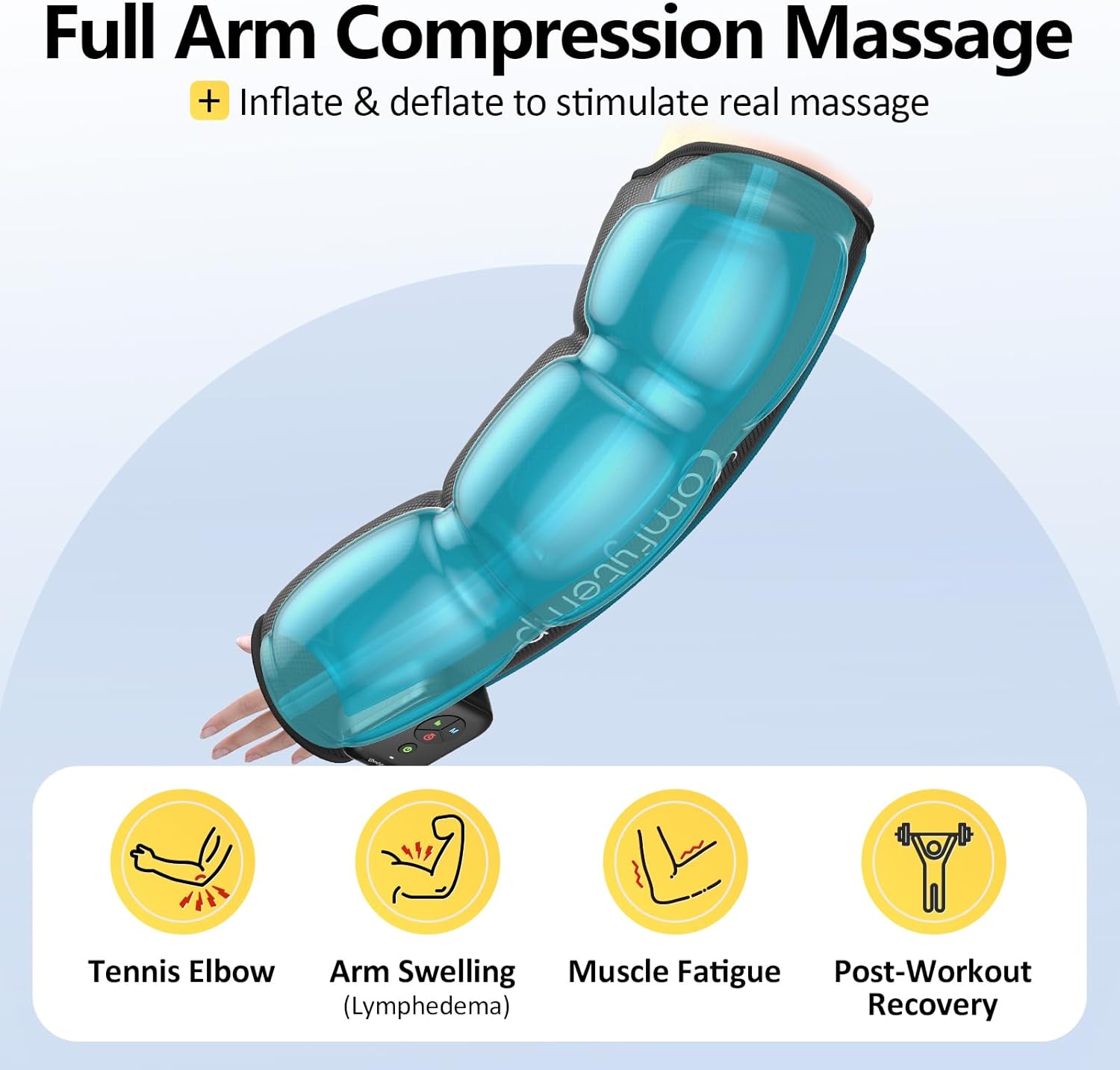
Image 4.4: Benefits of full arm compression massage.
5. Kuchengeta uye Kuchengeta
5.1 Kuchenesa
To clean the device, wipe the exterior with a soft, damp jira. Usashandise zvinochenesa zvinogumbura kana kunyudza mudziyo mumvura. Iva nechokwadi chekuti mudziyo wacho waoma zvachose usati wachengeta kana kushandisa zvakare.
5.2 Kuchengeta
Store the device in a cool, dry place away from direct sunlight and extreme temperatures. When not in use, it is recommended to store it in its original packaging or a protective bag to prevent dust accumulation and damage.

Image 5.1: The device is easy to clean and store, making it convenient for travel.
6. Kugadzirisa matambudziko
If you encounter any issues with your Comfytemp Air Compression Therapy Device K1065, please refer to the following common problems and solutions:
| Dambudziko | Zvinogona Kukonzera | Solution |
|---|---|---|
| Chigadzirwa hachishandi. | Dambudziko rebhatiri shoma kana simba. | Ensure the device is fully charged. Check the power adapter and cable for damage. |
| Hapana kudzvanya kana kudzvanya kusina simba. | Improper fit or air leakage. | Ensure the massager is securely zipped and positioned correctly on your arm. Check for any punctures or damage to the air chambers. |
| Matambudziko ekubatanidza kweApp. | Bluetooth not enabled or app error. | Ensure Bluetooth is enabled on your smartphone. Restart the app and the device. Re-pair the device if necessary. |
| Mudziyo unomira usingatarisire. | Battery depletion or safety auto-off. | Recharge the device. The device may have an automatic shut-off feature after a set time for safety. |
If the problem persists, please contact Comfytemp customer support.
7. Zvigadzirwa zveChigadzirwa
| Feature | Detail |
|---|---|
| Model Number | K1065 |
| Product Dimensions | 24.8"L x 8.6"W x 0.39"H |
| Item Weight | 0.71 Makirogiramu (1.57 Pondo) |
| Battery Capacity | 2500 mAh (approx. 2-3 hours cordless use) |
| Arm Circumference Fit | Kusvika ku16.5 inches |
| Massage Modes | 3 (Whole, Cyclical, Sequential) |
| Intensity Levels | 5 |
| Kudzora Nzira | On-device buttons, Smart App |
| Mugadziri | Shenzhen Yicai Health Technology Co., Ltd |
| Zuva Rokutanga Kuwanikwa | Gunyana 19, 2025 |
8. Vhidhiyo Guide
8.1 Comfytemp Cordless Arm Massager Overview
Vhidhiyo 8.1: An official overview of the Comfytemp Cordless Arm Massager, demonstrating its features, application, and benefits for circulation and pain relief. This video provides a visual guide to wearing the device, using its controls, and understanding its air compression technology.
9. Warranty uye Tsigiro
Comfytemp products are designed for quality and durability. For specific warranty information, please refer to the warranty card included with your product or visit the official Comfytemp website.
If you require technical assistance, have questions about product operation, or need to report a defect, please contact Comfytemp customer support through the following channels:
- Official Websaiti: Chitoro cheComfytemp paAmazon
- Email: Tarisa kurongedza kwechigadzirwa kana zviri pamutemo websaiti yeemail yekutaurirana.
- Runhare: Tarisa kurongedza kwechigadzirwa kana zviri pamutemo webwebhusaiti yenhamba yefoni yekutaurirana.
Please have your model number (K1065) and purchase date available when contacting support.