Nhanganyaya
Thank you for choosing the NOUUI NU-HS012 Open Ear Headphones. These headphones are designed to provide high-definition stereo sound while allowing you to remain aware of your surroundings. Featuring an AI noise-cancelling microphone, Bluetooth 5.3, and dual device connectivity, they are suitable for various activities including work, workouts, and calls. This manual provides essential instructions for setup, operation, and maintenance to ensure optimal performance and longevity of your device.
Package Zviri mukati
- NOUUI NU-HS012 Open Ear Headphones
- Chaja yeMagineti Inopinda Mukati
- User Manual
Product Overview
Familiarize yourself with the components of your NOUUI NU-HS012 headphones.

Mufananidzo 1: NOUUI NU-HS012 Open Ear Headphones. This image displays the overall design of the headphones, highlighting the open-ear hooks and the adjustable microphone boom.
- Open-Ear Hooks: Designed to rest gently on the outer ear, providing comfort and situational awareness.
- Adjustable Microphone: A 270° rotatable boom microphone with AI noise cancellation for clear voice pickup.
- Multifunction Bhatani (MFB): Controls power, calls, and music playback.
- Kudzora Kwevhoriyamu: Buttons located on the side for adjusting audio levels.
- Kuchaja Port: For connecting the magnetic induction charger.
Gadzirira
1. Kuchaja mahedhifoni
Before first use, fully charge your NOUUI NU-HS012 headphones.
- Connect the magnetic induction charger to a USB power source.
- Place the headphones onto the charging base, ensuring the magnetic contacts align.
- The indicator light on the headphones will show charging status (refer to LED indicator section for details).
- A full charge takes approximately 2 hours and provides up to 14 hours of playback time.
2. Bluetooth Kubatanidza
Pair your headphones with your device (smartphone, tablet, laptop, etc.) via Bluetooth.
- Ita shuwa kuti mahedhifoni akadzimwa.
- Press and hold the Multifunction Button (MFB) until the LED indicator flashes blue and red, indicating pairing mode.
- Pamudziyo wako, shandisa Bluetooth uye tsvaga zvishandiso zviripo.
- Select "NOUUI NU-HS012" from the list.
- Kana yangobatana chete, iyo LED chiratidzo ichapenya bhuruu zvishoma nezvishoma.
Cherechedza: The effective Bluetooth range is up to 15 meters (49 feet).
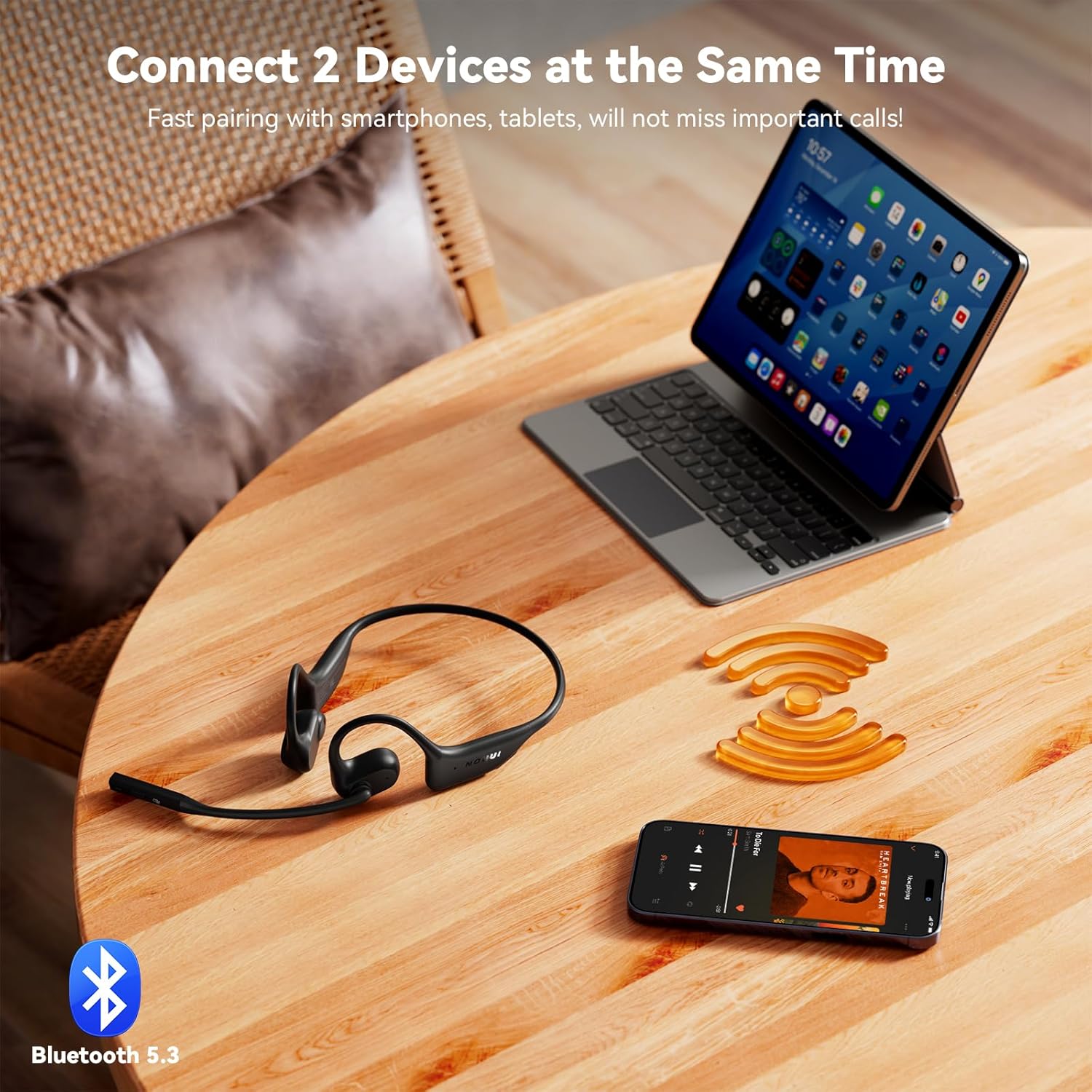
Mufananidzo 2: NOUUI NU-HS012 Headphones demonstrating dual connection. The headphones are shown wirelessly connected to both a smartphone and a tablet, illustrating the ability to pair with two devices simultaneously.
Operating Instruction
Simba On/Kudzima
- Power On: Press and hold the MFB for 3 seconds. The LED indicator will flash blue.
- Power Off: Press and hold the MFB for 5 seconds. The LED indicator will flash red and then turn off.
Fonera Management
- Pindura/Pedzisa Kufona: Dzvanya iyo MFB kamwe chete.
- Ramba Kufona: Dzvanya uye ubate iyo MFB kwemasekonzi mashanu.
- Nyamudza Maikorofoni: During a call, press the dedicated mute button on the microphone boom. Press again to unmute.
- Adjust Microphone: The microphone boom can be rotated 270° to position it optimally for clear voice pickup.

Mufananidzo 3: Illustration of AI Noise Cancelling for clear calls. This image shows a person using the headphones while running, with a graphic demonstrating how background noise is reduced for clearer communication.
Music Playback
- Tamba/Kumbomira: Dzvanya iyo MFB kamwe chete.
- Next Track: Dzvanya kaviri MFB.
- Previous Track: Triple-press the MFB.
Volume Control
- Wedzera Vhoriyamu: Dzvanya bhatani reVolume Up.
- Deredza Vhoriyamu: Dzvanya bhatani reVolume Down.
Dual Device Connection
The NOUUI NU-HS012 headphones can be connected to two Bluetooth devices simultaneously.
- Batanidza mahedhifoni nemudziyo wekutanga sezvakatsanangurwa muchikamu che "Bluetooth Pairing".
- Dzima Bluetooth pamudziyo wekutanga. Mahedhifoni achapinda zvakare mumodhi yekuwiriranisa.
- Batanidza mahedhifoni nemudziyo wechipiri.
- Vhura Bluetooth zvakare pamudziyo wekutanga. Mahedhifoni anofanira kubatana otomatiki kumidziyo yese miviri.
- Ruzha ruchachinja kubva pamudziyo zvichienda pakuti ndeupi ari kutamba midhiya kana kugamuchira runhare.
Maintenance
Kuchenesa
- Pukuta mahedhifoni nemucheka wakapfava, wakaoma, usina lint.
- Usashandise abrasive cleaners, solvents, kana aerosol sprays.
Storage
- Chengetedza mahedhifoni munzvimbo inotonhorera, yakaoma kure nechiedza chezuva uye tembiricha yakanyanyisa.
- Dzivisa kuisa zvinhu zvinorema pamahedhifoni.
Kuramba Mvura
Zvakakosha: The NOUUI NU-HS012 headphones are kwete kudzivirira mvuraDzivisa kusangana nemvura, mvura, ziya, kana zvimwe zvinwiwa kuti udzivise kukuvara.
Kugadzirisa matambudziko
| Dambudziko | Solution |
|---|---|
| Mahedhifoni haabatike. | Ensure the headphones are fully charged. Connect to the magnetic charger for at least 30 minutes. |
| Haikwanise kubatanidzwa nemudziyo. |
|
| Hapana ruzha kana vhoriyamu yakaderera. |
|
| Maikorofoni haisi kushanda. |
|
Zvinotsanangurwa
| Feature | Detail |
|---|---|
| Model Name | NU-HS012 |
| Brand | NOUUI |
| Kubatana Technology | Wireless (Bluetooth 5.3) |
| Bluetooth Range | Kusvika kumamita gumi (15 tsoka) |
| Kuiswa Nzeve | Vhura Nzeve |
| Maikorofoni | AI Noise Cancelling, 270° Rotating |
| Hupenyu hwebhatiri | Kusvikira kumaawa makumi maviri nemashanu |
| Kuchaja Nguva | Anenge maawa maviri |
| Kurema | 29 gramu (0.99 ounces) |
| Kuramba Mvura | Kwete Kudzivirira Mvura |
| Inosanganisirwa Zvikamu | Headphones, Magnetic Induction Charger, User Manual |
Warranty uye Support
NOUUI products are designed and manufactured to the highest quality standards. For information regarding warranty coverage, technical support, or customer service, please refer to the warranty card included with your product or visit the official NOUUI website.
Optional protection plans may be available for purchase separately. Please check with your retailer for details.
Safety Information
- Usabvisa, kugadzirisa, kana kugadzirisa chigadzirwa.
- Keep the product away from extreme temperatures, humidity, and corrosive environments.
- Dzivisa kudonhedza kana kuisa chigadzirwa kune simba rakasimba.
- Usaisa chigadzirwa kumvura kana zvimwe zvinwiwa.
- Rasa chigadzirwa uye bhatiri rayo zvine hungwaru maererano nemitemo yenzvimbo.
- Using headphones at high volume for extended periods can cause permanent hearing damage.
- Maintain awareness of your surroundings when using open-ear headphones, especially in traffic or other potentially hazardous situations.

Mufananidzo 4: A man driving a car while wearing NOUUI NU-HS012 headphones. This image emphasizes the importance of maintaining situational awareness, especially when driving, even with open-ear headphones.


