1. Nhanganyaya
Thank you for choosing the KTC H25T7-3 24.5 Inch 240Hz FHD Gaming Monitor. This manual provides essential information for setting up, operating, and maintaining your monitor. Please read it thoroughly before use to ensure optimal performance and safety.
Safety Information
- Usaisa chemoni kunaya kana mwando kudzivirira moto kana magetsi.
- Usavhura monitor casing. Iko hakuna zvikamu zvinoshandisika mushandisi mukati. Tumira masevhisi ese kuvashandi vanokwanisa.
- Isa cheki panzvimbo yakatsiga, yakati sandara kuti isadonha.
- Ita shuwa kufefetera kwakaringana kwakatenderedza cheki kudzivirira kupisa.
- Use only the power adapter and cables provided by KTC.
2. Chii chiri muBhokisi
Iva nechokwadi chekuti zvinhu zvese zvinotevera zviripo mupakeji yako:
- KTC H25T7-3 24.5" FHD 240Hz Monitor (x1)
- Monitor Stand (x1)
- Quick Start Guide (QSG) (x1)
- DisplayPort (DP) Cable (x1)
- Adapter yemagetsi (x1)
- Tambo Yemagetsi (x1)
3. Chigadzirwa Pamusoroview
The KTC H25T7-3 is a 24.5-inch Full HD (1920x1080) gaming monitor featuring a Fast IPS panel, 240Hz refresh rate, and 1ms MPRT response time for smooth visuals. It supports HDR400 and Adaptive-Sync technology to enhance your viewing uye ruzivo rwekutamba.
Key Features
- 24.5" FHD Fast IPS Panel: Delivers crisp 1080p resolution with wide 178° viewing angles.
- 240Hz Refresh Rate & 1ms MPRT: Ensures ultra-smooth motion and minimal ghosting.
- Adaptive-Sync Technology: Synchronizes the monitor's refresh rate with your GPU for tear-free gameplay.
- HDR400 Tsigiro: Inopa kusiyanisa kwakawedzerwa uye kudzika kwemavara kuti uone zvinhu zvinonyatsooneka.
- Ergonomic Stand: Offers tilt, pivot, and height adjustments for personalized viewing comfort.
- Eye Care Features: Low blue light and flicker-free technology reduce eye strain during extended use.
- Multiple Connectivity Options: Includes 2x HDMI 2.0, 1x DisplayPort 1.4, and 1x USB 2.0.

Mufananidzo 3.1: Kupfuuraview of KTC H25T7-3 monitor features including Fast IPS, 240Hz, HDR400, and adjustable stand.
4. Setup
4.1 Kuunganidza Chigadziko
- Nyatsobvisa chekutarisa uye kumira zvikamu kubva pakurongedza.
- Batanidza stand base kugotsi yekumira uchishandisa screws dzakapihwa.
- Align the assembled stand with the mounting slot on the back of the monitor and secure it firmly.

Mufananidzo 4.1: Mberi view of the KTC H25T7-3 monitor with its stand assembled.
4.2 Kuisa madziro eVESA (Sarudzo)
The monitor supports a 100x100mm VESA mount. To wall mount the monitor:
- Bvisa chigadziko kubva pachitarisiko kana chatobatanidzwa.
- Attach your VESA-compatible wall mount bracket to the four screw holes on the back of the monitor. Ensure the screws are appropriate for the VESA standard and do not overtighten.
- Tevedzera mirairo yakapihwa neVESA mount yako kuti iiswe zvakachengeteka.

Mufananidzo 4.2: Kumashure view of the KTC H25T7-3 monitor, highlighting the input ports and VESA mounting area.
4.3 Kubatanidza Cables
Connect the necessary cables to the corresponding ports on the monitor and your computer/device:
- Simba: Connect the power adapter to the monitor's DC input and then plug the power cord into a power outlet.
- DisplayPort (DP): For optimal performance (240Hz, Adaptive-Sync), connect the provided DisplayPort cable from your graphics card to the monitor's DP 1.4 port.
- HDMI: Alternatively, connect an HDMI cable from your device to one of the monitor's HDMI 2.0 ports.
- USB: The USB 2.0 port can be used for firmware upgrades or connecting peripherals.
5. Operating Instructions
5.1 Simba On/Kudzima
Press the power button (usually located on the back or bottom of the monitor) to turn the monitor on or off. The power indicator light will illuminate when the monitor is on.
5.2 OSD Menu Navigation
The On-Screen Display (OSD) menu is controlled by a joystick button, typically located on the back of the monitor. Use the joystick to navigate through the menu options and adjust settings.
- Push In: Isa/Simbisa sarudzo.
- Kumusoro/Kudzika: Navigate kubudikidza menyu sarudzo.
- Kuruboshwe/Kurudyi: Gadzirisa kukosha kana famba pakati pemamenyu madiki.
5.3 Kugadzirisa Zvirongwa zvekuratidza
Access the OSD menu to configure various display settings:
- Kupenya/Kusiyanisa: Rongedza kupenya kwese uye kusiyanisa mazinga.
- Rudzi Settings: Fine-tune color tembiricha, gamma, uye yega RGB kukosha.
- Mufananidzo Mode: Select from preset modes (e.g., Standard, Game, Movie, sRGB) or customize your own.
- Refresh Rate: Ensure your graphics card output is set to 240Hz for optimal performance.
- Adaptive-Sync: Enable this feature in the OSD menu and your graphics card control panel to eliminate screen tearing.
- HDR: Activate HDR400 for compatible content to experience enhanced dynamic range.
- Low Blue Light: Adjust the blue light filter to reduce eye strain.

Figure 5.1: Visual representation of the 240Hz refresh rate for smooth motion.
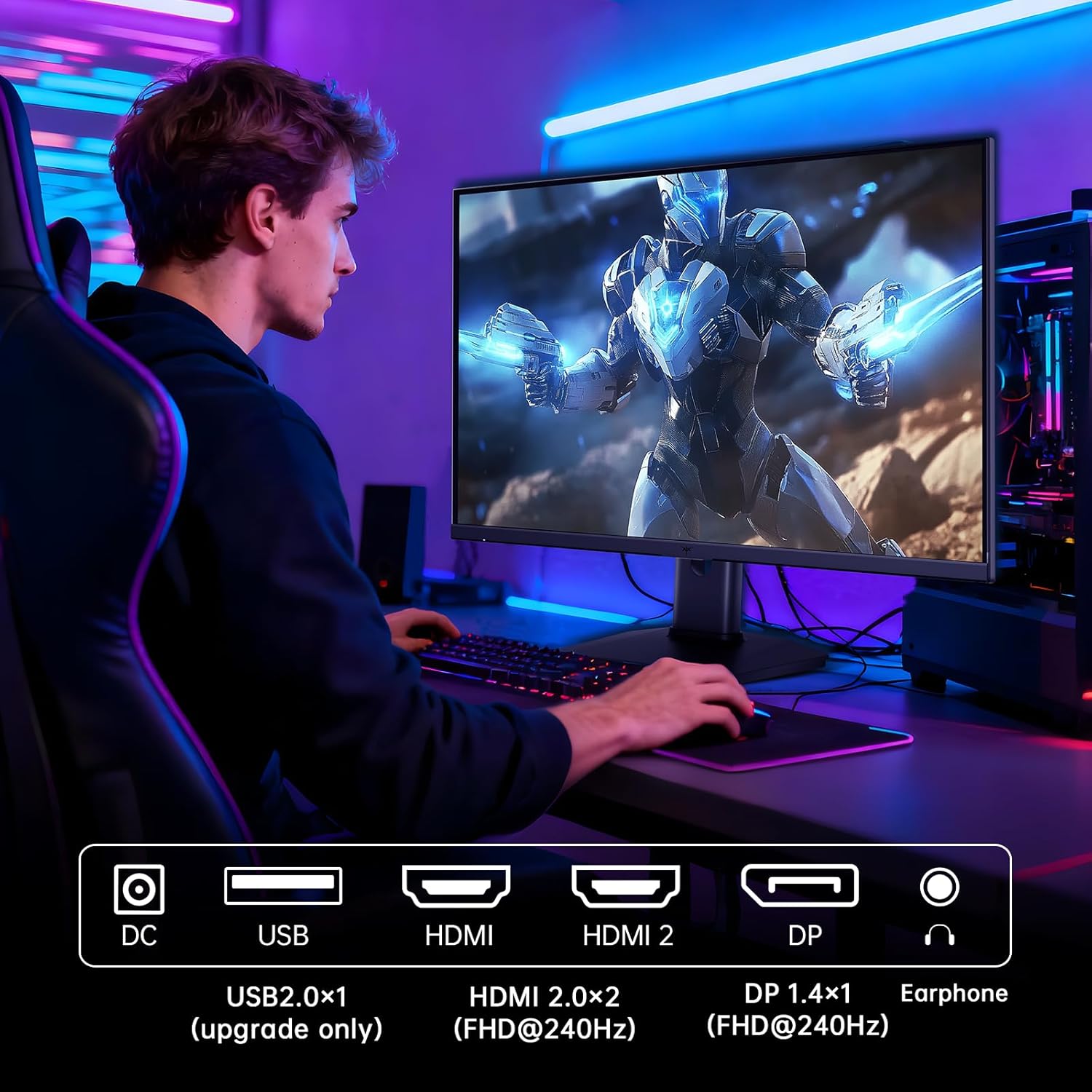
Figure 5.2: Comparison showing the effect of Adaptive-Sync on reducing stuttering and screen tearing.

Figure 5.3: Illustration of HDR400 technology delivering clear details in dark areas compared to HDR10.

Figure 5.4: Diagram illustrating hardware blue light reduction technology to filter harmful blue light bands.
5.4 Ergonomic Kugadziriswa
Iyo yekumira yekutarisa inobvumira kwakasiyana zvigadziriso kuti ukwidze yako viewing position:
- Tilt: Adjust the screen angle forward or backward (-5° to 20°).
- Pivot: Rotate the screen 90° for portrait mode.
- Kugadzirisa Hurefu: Raise or lower the screen by up to 110mm.
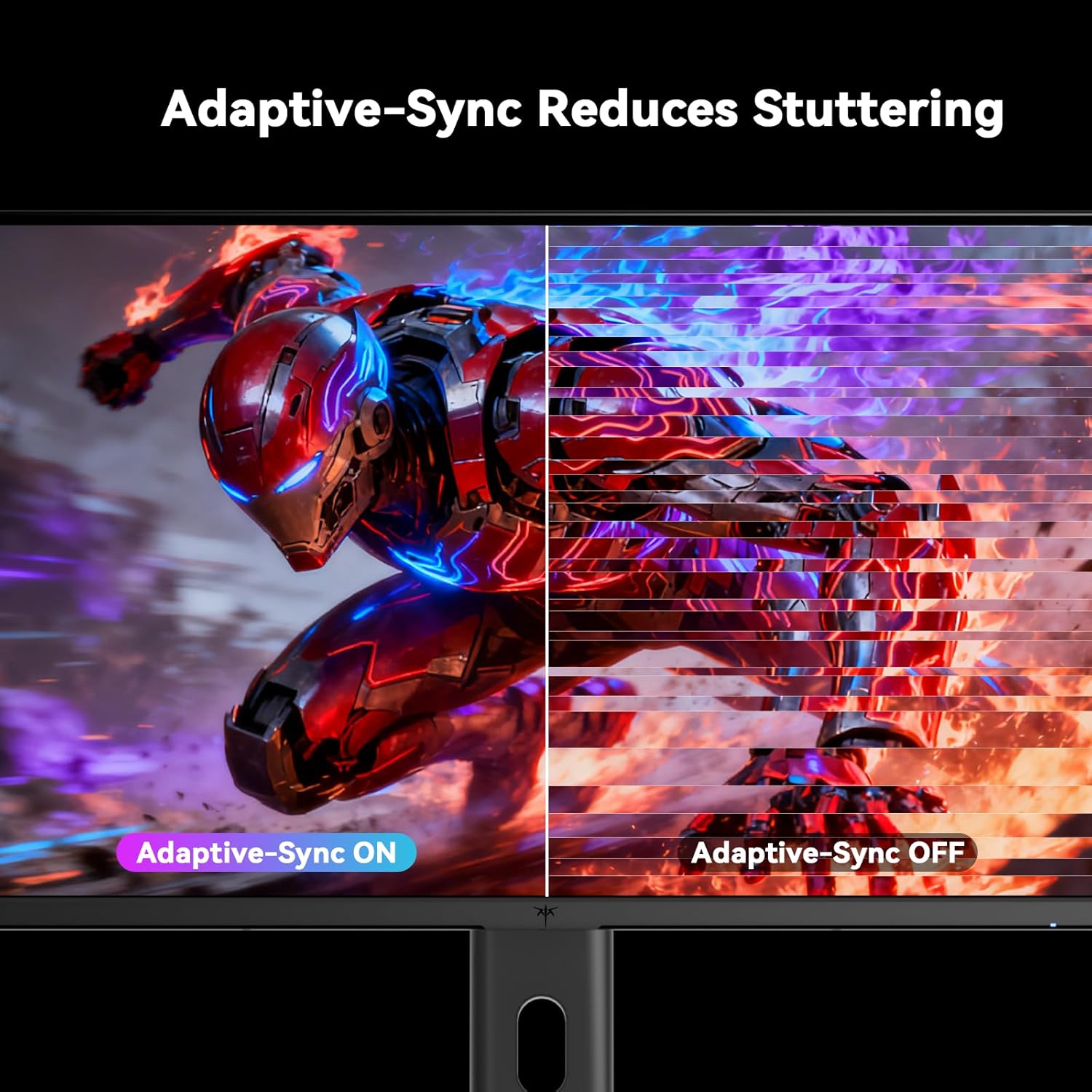
Figure 5.5: Diagram showing the tilt, pivot, and height adjustment capabilities of the monitor stand.
5.5 Vhidhiyo Yepamutemo Yechigadzirwa
Video 5.1: An official product video from KTC-Official showcasing the 24.5 Inch FHD 240Hz Gaming Monitor, demonstrating its features and performance.
6. Kuchengeta
6.1 Kuchenesa Monitor
Kuchenesa skrini yekutarisa uye casing:
- Gara uchibvisa cheki kubva pamagetsi usati wachenesa.
- Shandisa jira rakapfava, risina jira zvinyoro dampyakavharirwa nemvura kana isina-abrasive screen cleaner.
- Usapfapfaidza chekuchenesa zvakananga pachiratidziri.
- Rega kushandisa benzene, thinner, ammonia-based cleaners, kana mabrasive materials.
6.2 Kutarisira Kwese
- Keep the monitor away from direct sunlight, excessive heat, or cold.
- Dzivisa kuisa zvinhu zvinorema pamonitor kana tambo dzayo.
- Usavhare kuvhurika kwemhepo pamonitor.
7. Kugadzirisa matambudziko
Kana ukasangana nematambudziko nemonitor yako, tarisa kune anotevera akajairika matambudziko uye mhinduro:
| Dambudziko | Zvinogona Kukonzera | Solution |
|---|---|---|
| Hapana simba | Power cable isina kubatana; Simba remagetsi harisi kushanda | Ensure power cable is securely connected. Test the power outlet with another device. |
| Hapana chiratidzo | Video cable not connected; Incorrect input source selected; Computer/device not powered on | Check video cable connections. Select the correct input source via the OSD menu. Ensure your computer/device is on. |
| Flickering skrini | Incorrect refresh rate; Cable issue; Adaptive-Sync not enabled | Set refresh rate to 240Hz. Try a different video cable. Enable Adaptive-Sync in OSD and GPU settings. |
| Image distortion/poor quality | Incorrect resolution; Graphics driver issue; Monitor settings | Set resolution to 1920x1080. Update graphics drivers. Adjust OSD settings (brightness, contrast, color). |
7.1 Factory Reset
If problems persist, you may perform a factory reset through the OSD menu. This will revert all monitor settings to their default values.
8. Zvinotsanangurwa
Detailed technical specifications for the KTC H25T7-3 monitor:
| Feature | Tsanangudzo |
|---|---|
| Model Number | H25T7-3 |
| Screen Size | 24.5 inches |
| Panel Type | Fast IPS |
| Resolution | FHD 1080p (1920 x 1080 Pixels) |
| Aspect ratio | 16:9 |
| Refresh Rate | 240Hz |
| Nguva Yekupindura | 1ms (MPRT) |
| Adaptive Sync | Ehe |
| HDR Tsigiro | HDR400 |
| Color Gamut | 114% sRGB |
| Kusiyanisa Ratio | 1000:1 |
| Ratidza Mavara | 16.7 Mamiriyoni |
| Kupenya | 350 cd/m² |
| Viewing Angle | 178° (H/V) |
| Kubatana | 2x HDMI 2.0, 1x DisplayPort 1.4, 1x USB 2.0 |
| VESA Mount Compatibility | 100x100mm |
| Ergonomic Adjustments | Tilt, Pivot, Height |
| Zviyero zvechigadzirwa (ne stand) | 7.6 x 21.97 x 18.23 inches |
| Item Weight (ine stand) | 11.58 makirogiramu |
| Voltage | 12 Volts (DC) |
9. Warranty uye Tsigiro
9.1 Ruzivo rweWaranti
KTC monitors are designed and manufactured to the highest quality standards. For specific warranty terms and conditions, please refer to the warranty card included with your product or visit the official KTC website. Chengetedza risiti yako yekutenga sehumbowo hwekutenga kwezvichemo zvewaranti.
9.2 Mutengi Tsigiro
If you have any questions, require technical assistance, or experience issues not covered in this manual, please contact KTC customer support. Contact details can typically be found on the official KTC websaiti kana mu Quick Start Guide.


