Nhanganyaya
The TELESIN Master Grip Kit for iPhone 17 Pro is designed to enhance your mobile photography and videography experience. This kit provides a magnetic phone camera grip with wireless charging capabilities, a C03 Selfie Light, UV Filter, Black Mist 1/4 Filter, and a Graphene Case for iPhone 17 Pro. It offers DSLR-like stability and control, integrated app functionality, and expandable accessory options.
Package Zviri mukati
Ndokumbira utarise kuti zvinhu zvese zvakanyorwa pazasi zvinosanganisirwa mupakeji yako:
- TELESIN Master Grip x 1
- C03 Selfie Light x 1
- UV Filter x 1
- Black Mist 1/4 Filter x 1
- Graphene Case for iPhone 17 Pro x 1
- tambo yeruoko x 1
- Kuchaja tambo x 1
- Murairo Chinyorwa x 1

Figure 1: Complete package contents of the TELESIN Master Grip Kit.
Gadzirira
1. Attaching the Graphene Case and Master Grip
Place your iPhone 17 Pro into the provided Graphene Case. The Master Grip attaches magnetically to the back of the Graphene Case, ensuring a secure connection and proper alignment for wireless charging and control.
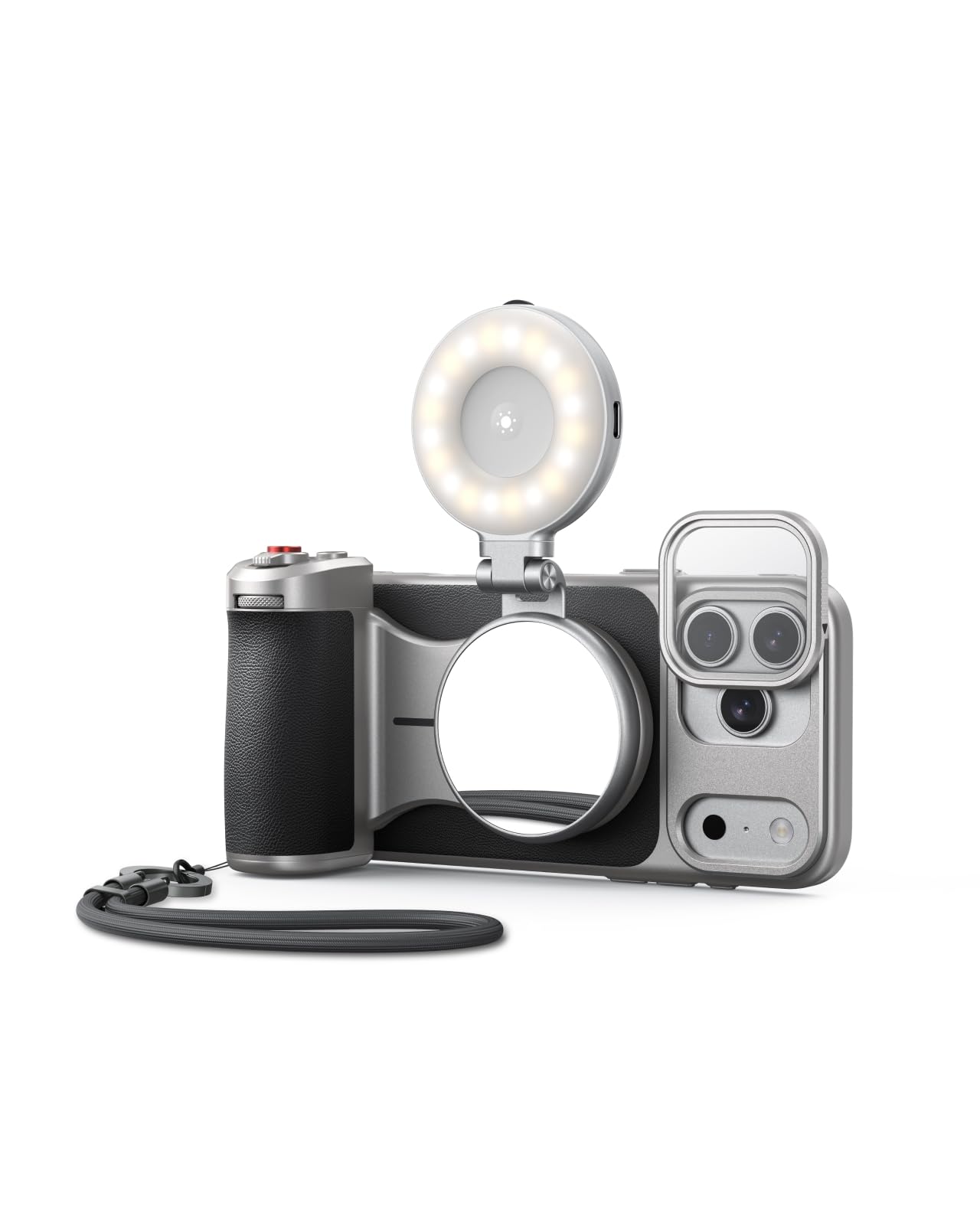
Figure 2: Master Grip attached to the iPhone 17 Pro with Graphene Case.
2. Wireless Kuchaja
The Master Grip features a built-in 3200mAh battery for fast wireless charging of your iPhone 17 Pro. It can also power another device simultaneously via a cable. Ensure the grip is securely attached for optimal wireless charging.
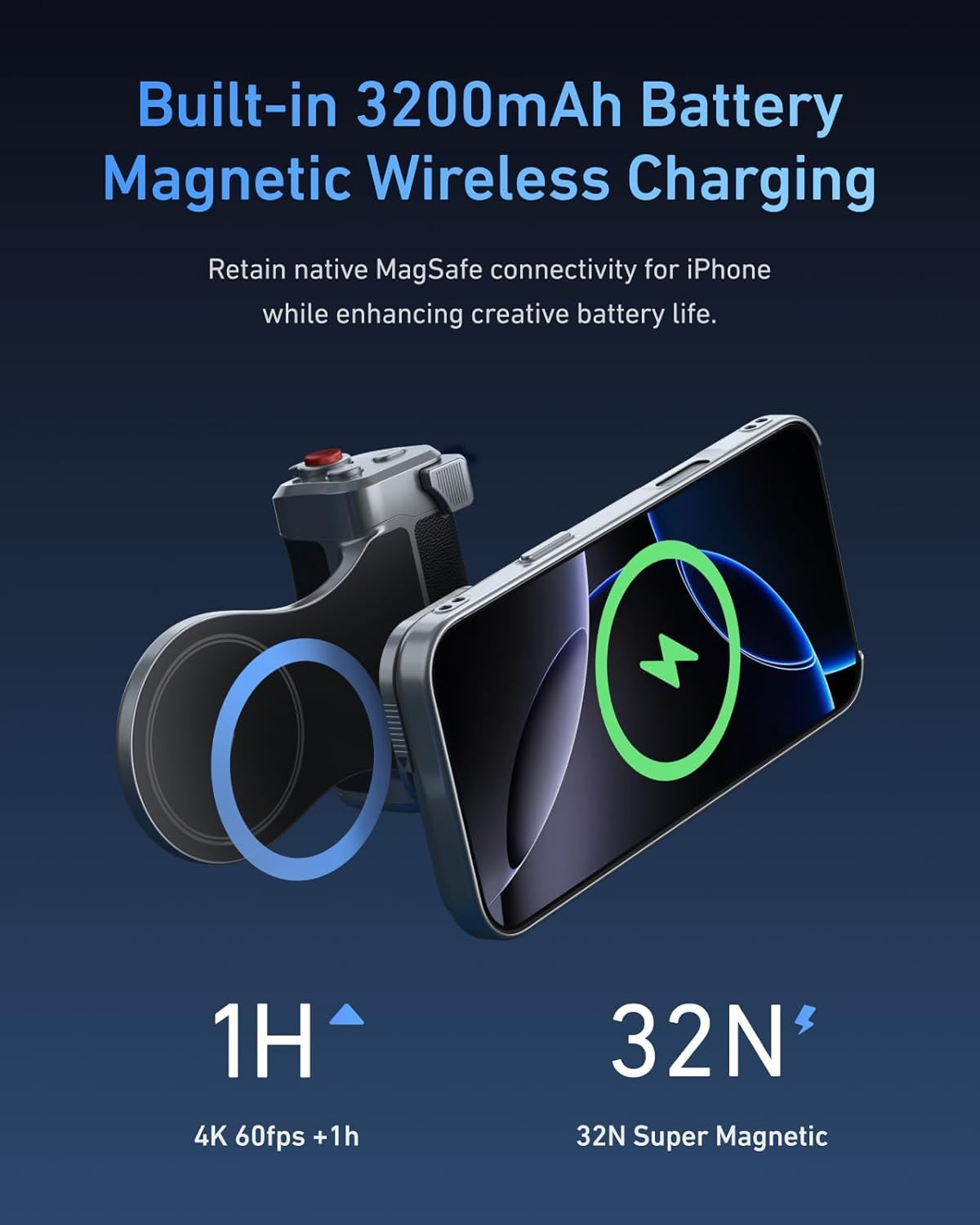
Figure 3: Wireless charging functionality of the Master Grip.
3. ReefColor App Installation and Connection
Download and install the "ReefColor" app on your iPhone. This app is essential for controlling the Master Grip and accessing advanced features. Follow the on-screen instructions within the app for initial device connection and pairing via Bluetooth.
Video 1: TELESIN Master Grip App Operation Guide. This video demonstrates how to install the ReefColor app, allow necessary permissions, and connect the Master Grip controller to your iPhone via Bluetooth for the first time.

Figure 4: First Connection Guide for the Master Grip and ReefColor App.
4. Attaching Magnetic Filters
The Master Grip kit includes a UV Filter and a Black Mist 1/4 Filter. These filters attach magnetically to the lens area of the Graphene Case, allowing for quick changes and creative effects. Ensure the filters are clean and properly seated.
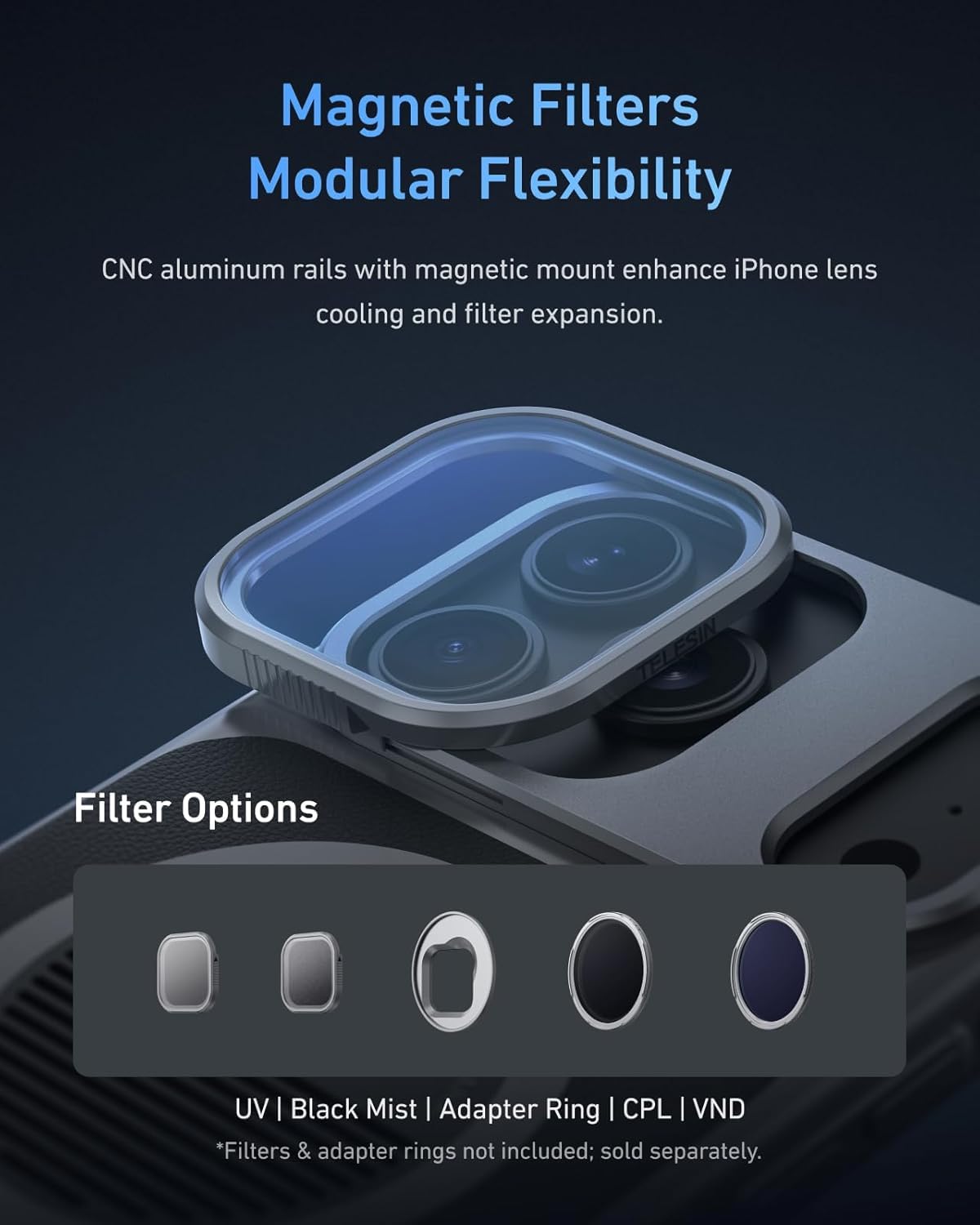
Figure 5: Magnetic Filters for modular flexibility.
Operating Instruction
1. Basic Controls
The Master Grip provides physical controls for photography and videography. These include a two-stage mechanical shutter button and an adaptive zoom dial.
- Vaviri-Stage Mechanical Shutter: Half-press to focus and lock exposure; full-press to capture a photo or start/stop video recording.
- Adaptive Zoom Dial: Provides 0.1x precision adjustments in photo mode and 1-3x cinematic smooth zoom in video mode.
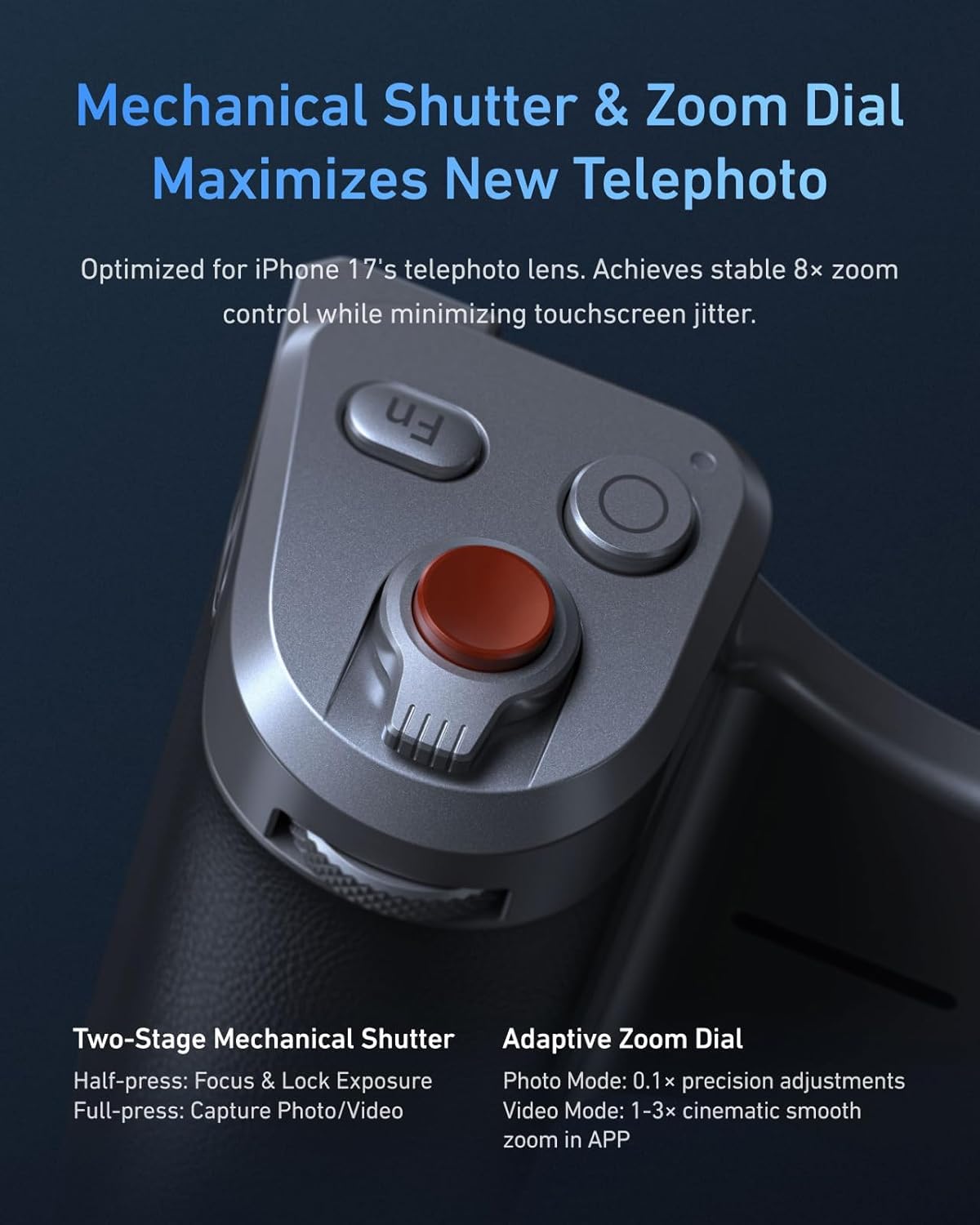
Figure 6: Mechanical Shutter and Zoom Dial for precise control.

Mufananidzo 7: Kupfuuraview of Master Grip features and controls.

Mufananidzo 8: Detailed view of Master Grip ports and charging features.
2. Using the ReefColor App
The ReefColor App unlocks the full potential of the Master Grip. It allows for continuous OTA firmware updates and integrates eight master-level filters to enhance your iPhone imaging. The app provides professional parameter adjustments and addresses shortcomings of the original camera design.
- AI Master Filters: Real-time ambient sensing auto-optimizes parameters, allowing for pro-grade styles without expertise.
- Custom Keys: Customize Fn buttons via the app. Bind filter intensity, EV, shutter speed, ISO, or WB to the dial.
Video 2: TELESIN Master Grip App Operation Guide. This video demonstrates how to use the Master Grip to control photography, zooming, and exposure adjustment, and how to customize button functions within the ReefColor app.
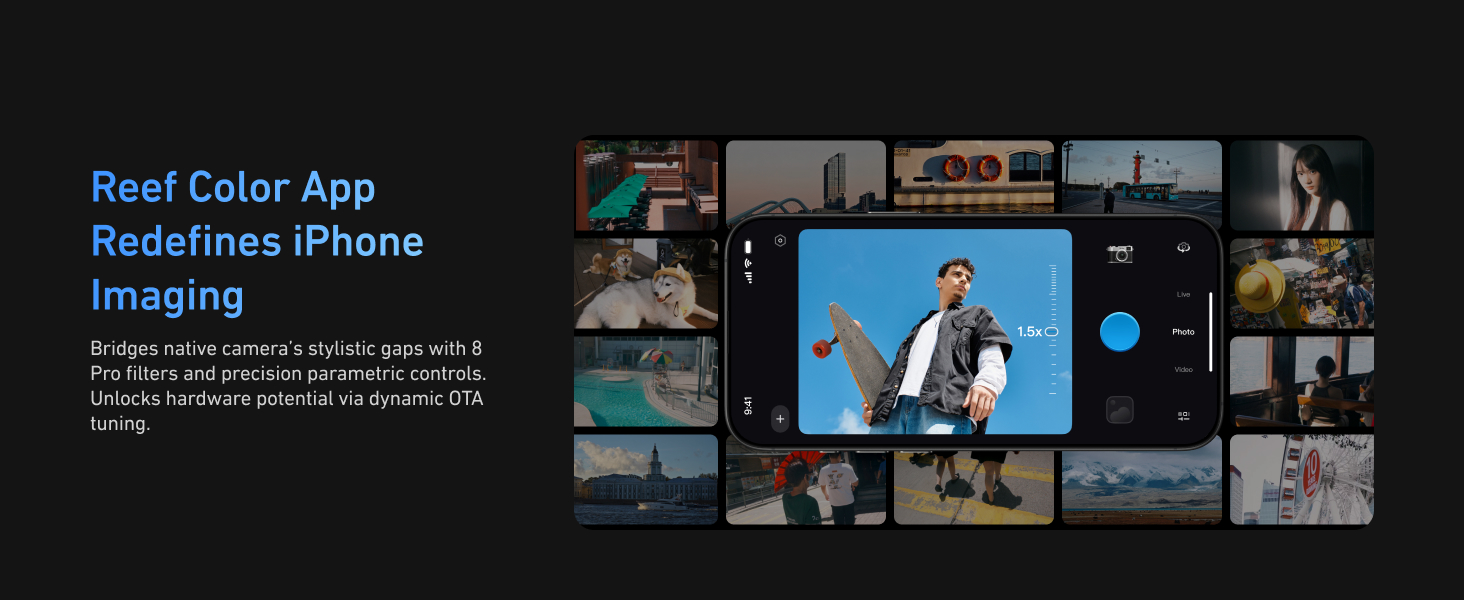
Figure 9: ReefColor App interface for advanced imaging.

Figure 10: AI Master Filters for effortless pro-grade styles.

Figure 11: Custom Key functionality for personalized control.
3. Ergonomics and Stability
The Magsafe phone camera grip is designed for DSLR-like balance and stability. Its compact ergonomic finger-hook design enhances your handle, making it comfortable for extended use and easy to carry.
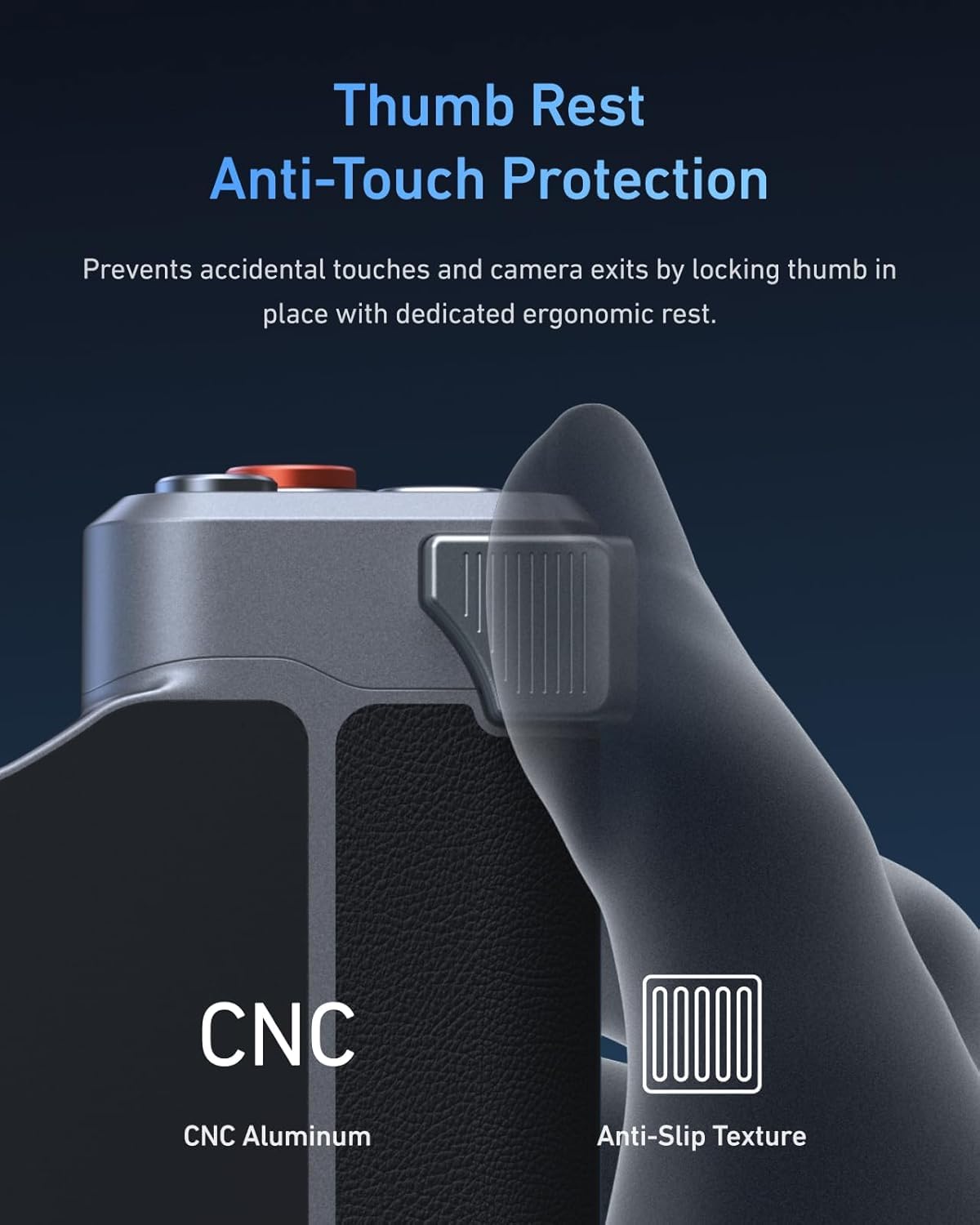
Figure 12: Ergonomic design with thumb rest for anti-touch protection.
Maintenance
1. Kuchenesa
Wipe the Master Grip and Graphene Case with a soft, dry cloth. Avoid using harsh chemicals or abrasive materials that could damage the surfaces. Ensure filters are kept clean for optimal image quality.
2. Firmware Updates
The ReefColor App allows for continuous OTA (Over-The-Air) firmware updates. Regularly check the app for available updates to ensure your Master Grip has the latest features and performance enhancements. Follow the in-app instructions for firmware updates.

Figure 13: Steps to update your device firmware.
3. Kuchengeta
Store the Master Grip Kit in a cool, dry place away from direct sunlight and extreme temperatures when not in use. Keep filters in their protective cases to prevent scratches.
Kugadzirisa matambudziko
- Mudziyo haubatanidzi kuburikidza neBluetooth: Ensure the Master Grip is powered on and its indicator light is flashing green. Check your iPhone's Bluetooth settings and the ReefColor app for pairing options. Restart both devices if necessary.
- Kuchaja pasina waya hakusi kushanda: Verify the Master Grip is securely attached to the Graphene Case and your iPhone. Ensure the grip itself is charged. Check for any obstructions between the grip and the phone.
- Mabhatani haapinduri: Confirm the Master Grip is connected to the ReefColor app. Check the app's custom key settings to ensure buttons are assigned correctly.
- Poor image quality with filters: Ensure filters are clean and free of smudges or dust. Check that they are correctly aligned over the iPhone's camera lenses.
Zvinotsanangurwa
| Brand | TELEIN |
| Model | Master Grip Kit for iPhone 17 Pro |
| Special Feature | Ergonomic Design, Wireless Charging, App Control |
| Material | Acrylonitrile Butadiene Styrene (ABS) |
| Grip Type | Phone Grip |
| Item Weight | 200 magiramu |
| Yakavakwa-In Media | TELESIN Master Grip Kit |
Warranty Information
The TELESIN Master Grip Kit comes with a 1-makore waranti. Please retain your proof of purchase for warranty claims. For specific terms and conditions, refer to the warranty card included in your package or contact TELESIN customer support.
Support
For further assistance, technical support, or inquiries regarding your TELESIN Master Grip Kit, please visit the official TELESIN website or refer to the contact information provided in your product packaging. You can also check the ReefColor App for FAQs and additional resources.
Video 3: TELESIN Master Grip for iPhone 17 Pro Max/Pro OverviewVhidhiyo iyi inopa ruzivo rwakakwana pamusoroview of the product's features and capabilities, which may be helpful for understanding its full potential.


