Nhanganyaya
Thank you for choosing the Klinsmann KRV306 Robotic Vacuum and Mop. This 2-in-1 intelligent cleaning robot is designed to provide efficient and convenient floor cleaning for your home. Please read this manual carefully before use to ensure proper operation, maintenance, and to maximize the lifespan of your device.
Mirayiridzo Yekuchengetedza
To reduce the risk of injury or damage, read and follow all safety precautions when setting up, using, and maintaining your robot. Keep this manual in a safe place for future reference.
- Mudziyo uyu unogona kushandiswa nevana vane makore masere zvichikwira uye vanhu vane simba rakadzikira mumuviri, pfungwa kana pfungwa kana kushaya ruzivo neruzivo kana vakatariswa kana kurairwa nezvekushandisa mudziyo nenzira isina njodzi uye vanonzwisisa njodzi dziripo. .
- Vana vanofanira kutariswa kuti vaone kuti havasi kutamba nemudziyo wacho.
- Kucheneswa nekuchengetedzwa kwevashandisi hakuitwe nevana pasina vatariri.
- Shandisa adapta yemagetsi yekutanga yakapihwa nemugadziri chete.
- Do not operate the robot in areas with open flames or fragile objects.
- Ensure all cables and small objects are cleared from the floor before operation to prevent entanglement.
- Do not immerse the robot or its charging base in water.
- Usashandise robhoti kunhonga marara makuru, zvinwiwa, kana zvinhu zvinopisa.
Package Zviri mukati
Tarisa kuti zvese zvirimo zviripo mupakeji:
- Klinsmann KRV306 Robotic Vacuum and Mop
- Adapter yekuchaja
- Side Brushes (2 pairs)
- Guruva
- Mopping Mucheka
- User Manual
Gadzirira
- Bvisa Robot: Carefully remove the robot and all accessories from the packaging.
- Isa Side Brushes: Attach the side brushes to the designated slots on the bottom of the robot until they click into place.
- Chaja iyo Robot:
- Connect the charging adapter to a power outlet and to the charging port on the robot.
- Ensure the robot is fully charged before its first use. A full charge takes approximately 3-4 hours. The indicator light will change to signal a full charge.
- Prepare the Cleaning Area: Remove any obstacles, loose cables, or small items from the floor to prevent the robot from getting stuck or damaging items.
Operating Instruction
Simba On/Kudzima
- Kubatidza: Dzvanya wobata bhatani rekudzima magetsi parobhoti kusvika rambi rechiratidzo ravheneka.
- Kudzima: Dzvanya wobata bhatani rekudzima kusvika rambi rechiratidzo radzima.
Kuchenesa Modes
The KRV306 offers three cleaning modes:
- Automatic (Zigzag) Mode: Press the power button once to start cleaning in an automatic zigzag pattern. This mode is suitable for general cleaning of open areas.
- Spot Kuchenesa Mode: Place the robot in a specific dirty area and press the spot cleaning button (if available, or cycle through modes). The robot will clean in a spiral pattern to concentrate on that area.
- Edge Kuchenesa Mode: Activate this mode to have the robot clean along walls and furniture edges.
Kupomba Basa
Kushandisa basa re mopping:
- Fill the water tank (if separate) or attach the damp mopping cloth to the designated area on the robot.
- Tanga kutsvaira. Robhoti rinobvisa tsvina uye rinopukuta tsvina panguva imwe chete.
- Remove the mopping cloth and empty the water tank after each use.
Kufamba uye MaSensor
The KRV306 is equipped with intelligent navigation features:
- Anti-drop Infrared Sensors: These sensors detect stairs and elevated surfaces, preventing the robot from falling.
- Mechanical Bumper: The bumper allows the robot to gently detect and navigate around obstacles like furniture without causing damage.
- Threshold Climbing: The robot can easily slide over thresholds up to 10mm high, ensuring continuous cleaning across different rooms.
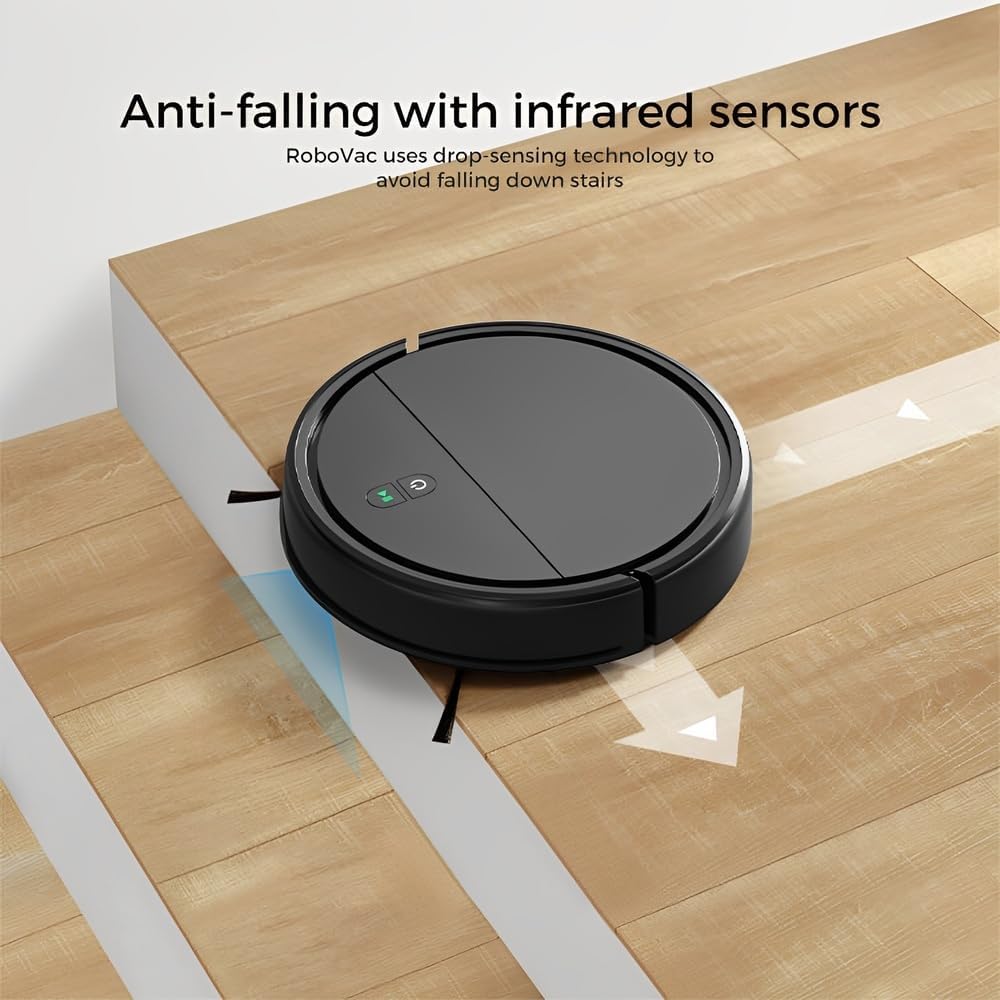
Image: Anti-falling infrared sensors prevent the robot from falling down stairs.

Image: The mechanical bumper allows the robot to navigate around furniture without damage.
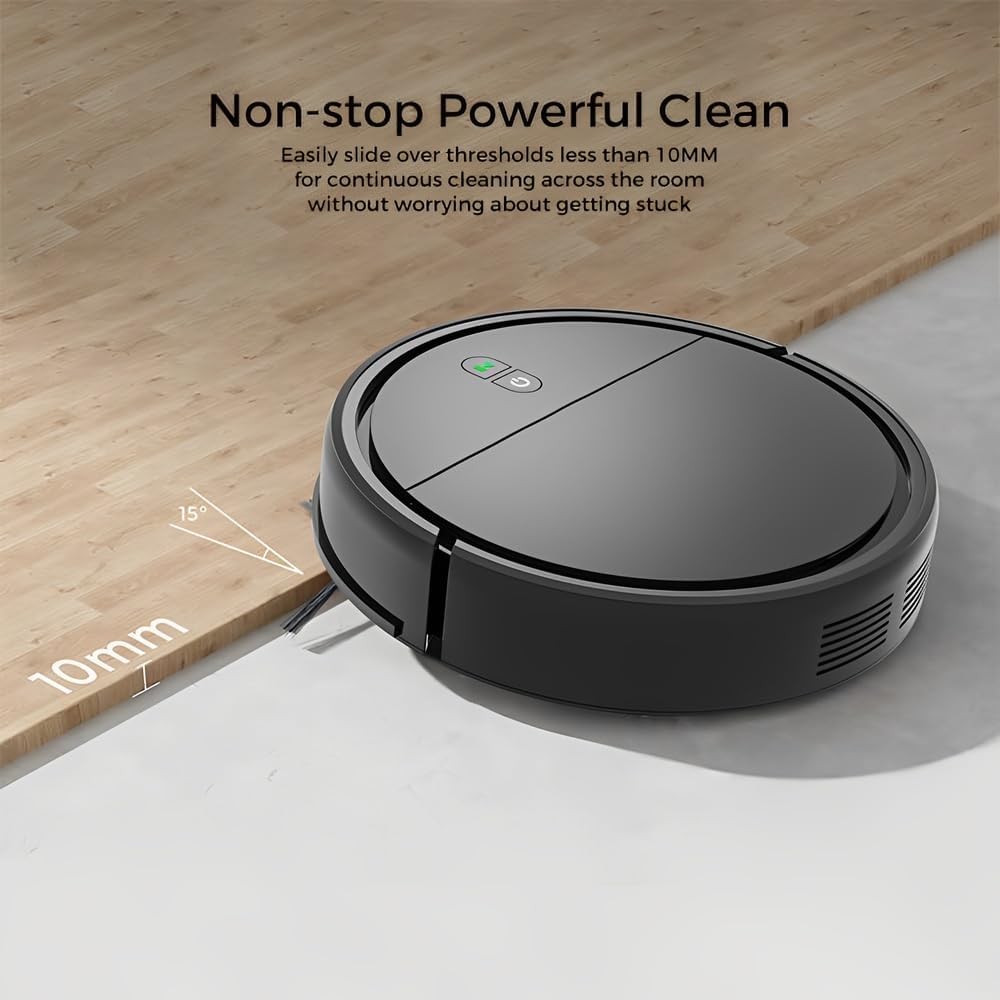
Image: The robot can easily overcome thresholds up to 10mm for continuous cleaning.
Maintenance
Regular maintenance ensures optimal performance and extends the life of your robot.
Kubvisa Dustbin

Image: The large dustbin collects various types of debris, reducing the frequency of emptying.
- Dzvanya bhatani rekuburitsa dustbin wobva waburitsa dustbin.
- Open the dustbin cover and empty its contents into a trash can.
- Clean the filter inside the dustbin with the provided cleaning tool or a soft brush. Replace the filter if necessary.
- Rinse the dustbin with water if needed, ensuring it is completely dry before reinserting.
Kuchenesa Side Brushes
- Regularly check side brushes for tangled hair or debris.
- Carefully remove any tangled material. If brushes are worn, replace them with new ones.
Kuchenesa Sensors
- Wipe the anti-drop sensors and charging contacts on the bottom of the robot with a clean, dry cloth.
- Ensure the bumper area is free of debris.
Cleaning Mopping Cloth
- Remove the mopping cloth after each use.
- Wash the cloth by hand or machine. Allow it to air dry completely before reattaching.
Kugadzirisa matambudziko
| Dambudziko | Zvinogona Kukonzera | Solution |
|---|---|---|
| Robhoti haribatike. | Bhatiri rakaderera; Bhatani remagetsi harina kudzvanywa zvakanaka. | Charge the robot; Press and hold the power button for a few seconds. |
| Robhoti inonamira kazhinji. | Obstacles (cables, rugs, small items); Dirty sensors. | Clear the cleaning area; Clean the anti-drop and bumper sensors. |
| Kusaita zvakanaka kwekuchenesa. | Full dustbin; Clogged filter; Worn side brushes. | Empty dustbin; Clean/replace filter; Clean/replace side brushes. |
| Robot falls down stairs. | Dirty anti-drop sensors; Sensors obstructed. | Clean the anti-drop sensors thoroughly. |
| Mopping basa harishandi. | Mopping cloth is dry or dirty. | Dampen the mopping cloth; Clean or replace the mopping cloth. |
Zvinotsanangurwa
| Model | KRV306 |
| Brand | Hupenyu |
| Mabasa | Vacuuming, Mopping |
| Bhatiri Type | 1500mAh Lithium-ion |
| Runtime | Kusvikira kumaminitsi makumi matatu |
| Kuchaja Nguva | 3-4 maawa |
| Suction Power | 400PA |
| Noise Level | Max. 68dB |
| Dustbin Capacity | Optimized (ample capacity) |
| Dimensions (Diameter x Urefu) | 29 x 7.2 masendimita |
| Kurema | 2.1 kg |
| Threshold Climbing Mano | Kusvika 10 mm |
| Special Features | Anti-drop Infrared Sensor, Mechanical Bumper, Low Noise, Compact, Rechargeable |
Warranty Information
The Klinsmann KRV306 Robotic Vacuum and Mop comes with a 90-mazuva waranti from the date of purchase, covering manufacturing defects. This warranty does not cover damage caused by misuse, accidents, unauthorized modifications, or normal wear and tear. Please retain your proof of purchase for warranty claims.
Mutengi Support
If you encounter any issues or have questions regarding your Klinsmann KRV306, please refer to the troubleshooting section of this manual. For further assistance, contact the retailer or manufacturer's customer service department with your product model and purchase details.


