1. Nhanganyaya
Thank you for choosing the Vieta Pro Party 220 Portable Bluetooth Speaker. This powerful and versatile speaker is designed to deliver high-quality audio for various occasions, including parties, events, and karaoke sessions. This manual provides essential information for setting up, operating, and maintaining your speaker to ensure optimal performance and longevity.
2. Chigadzirwa Pamusoroview
The Vieta Pro Party 220 is a self-amplified portable speaker featuring advanced audio technology. It boasts 500W of powerful sound, Bluetooth 5.3 connectivity, Auracast technology, and a long-lasting 10-hour battery. Designed for portability, it includes an integrated handle and trolley-style wheels. Key features include:
- 500W RMS Sound Output: Delivers robust and clear stereo sound with 2" tweeters and 8" woofers.
- Bluetooth 5.3 with Auracast: Ensures stable and fast wireless connections, allowing multiple Auracast-compatible speakers to connect simultaneously.
- Karaoke Compatibility: Includes a wireless microphone and supports additional microphones. Features LED lights that synchronize with music.
- Hupenyu hwebhatiri yemaawa makumi matanhatu: Enjoy extended music playback with the rechargeable battery.
- Multiple Connectivity Options: Mini Jack 3.5mm, AUX, Micro USB, USB MP3 player, and SD card slot.
- Chokwadi Wireless Stereo (TWS): Connect two Party 220 speakers for an immersive stereo experience.
- Portable Design: Integrated handle and wheels for easy transport.
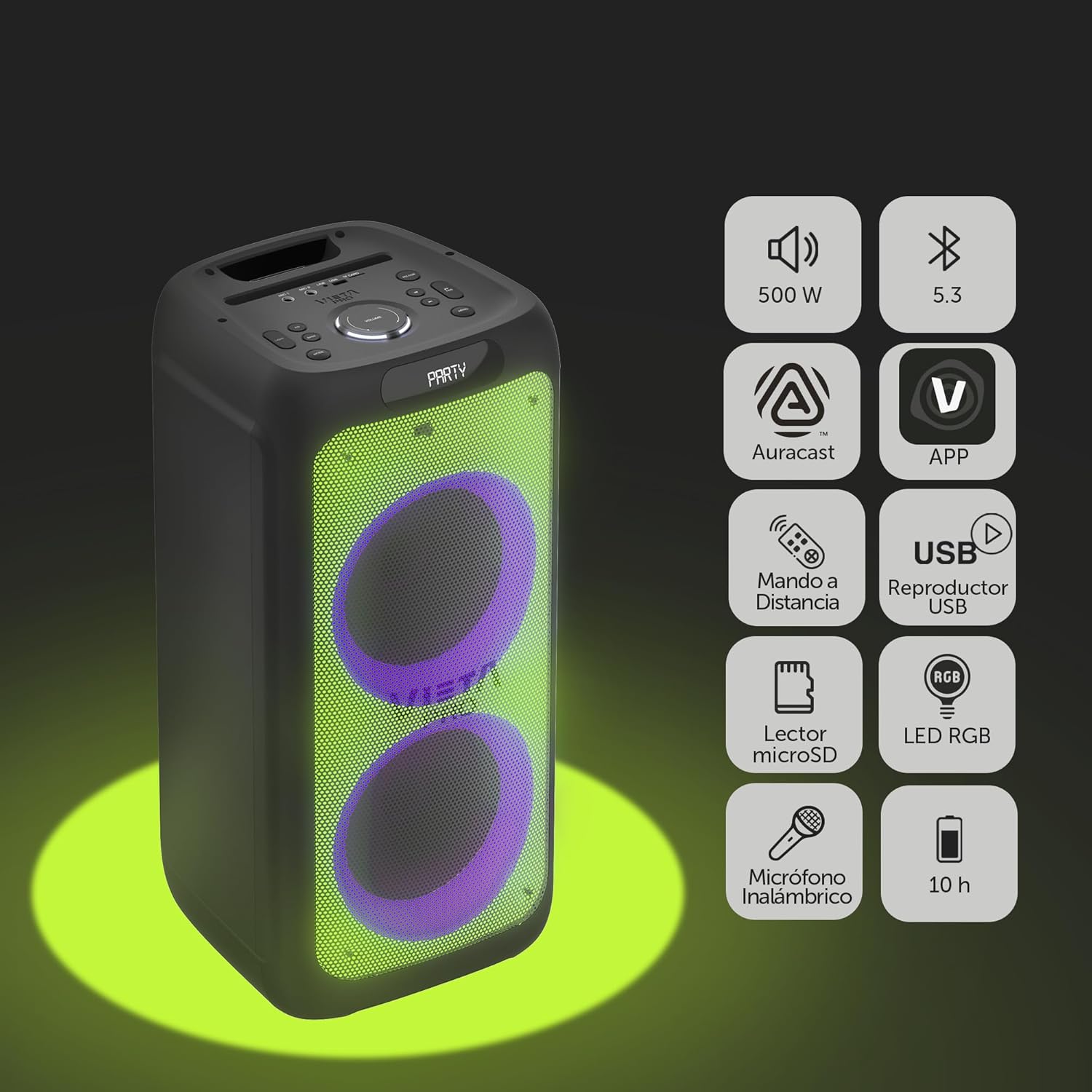
Image 2.1: The Vieta Pro Party 220 speaker highlighting its main features such as 500W power, Bluetooth 5.3, Auracast, app control, remote control, USB player, RGB LED lights, MicroSD reader, wireless microphone, and 10-hour battery life.
3. Chii chiri muBhokisi
Pakuburitsa zvinhu, ndapota iva nechokwadi chekuti zvinhu zvese zviripo uye zviri mumamiriro akanaka:
- Vieta Pro Party 220 Portable Bluetooth Speaker
- Power Cable
- Wireless Maikorofoni
- Remote Control
- Mushandisi Chinyorwa (gwaro iri)
4. Setup
4.1. Kubhadharisa Mutauri
Before first use, fully charge the speaker. Connect the provided power cable to the speaker's power input and then to a suitable power outlet. The charging indicator will illuminate. Once fully charged, the indicator may change color or turn off, depending on the model.
A full charge provides up to 10 hours of continuous playback.

Image 4.1: The Vieta Pro Party 220 speaker in a home environment, illustrating its long battery life of up to 10 hours.
4.2. Powering On / Off
Locate the Power button on the speaker's control panel. Press and hold the Power button for a few seconds to turn the speaker ON or OFF.
5. Operating Instructions
5.1. Bluetooth Kubatanidza
- Turn on the Vieta Pro Party 220 speaker. It will automatically enter Bluetooth pairing mode, indicated by a flashing LED light (usually blue).
- Bvumira Bluetooth pamudziyo wako wekuteerera (smartphone, tablet, komputa).
- Tsvaga "Vieta Pro Party 220" in the list of available Bluetooth devices.
- Select the speaker to pair. Once connected, the LED indicator will stop flashing and remain solid.
5.2. Auracast Technology
The Party 220 supports Auracast, allowing you to connect multiple compatible speakers (including other Party 220 units or different brands supporting Auracast) for a synchronized audio experience. Refer to the specific instructions for Auracast pairing, usually initiated via a dedicated button or through the Vieta Pro app (if available).
5.3. Chokwadi Wireless Stereo (TWS) Pairing
To achieve a true stereo sound experience, you can pair two Vieta Pro Party 220 speakers:
- Ensure both Party 220 speakers are turned on and not connected to any Bluetooth device.
- On one speaker (this will be the primary speaker), press and hold the TWS button (if available) or follow the TWS pairing instructions in the speaker's specific controls.
- The primary speaker will search for the secondary speaker. Once connected, you will hear an audible confirmation, and the LED indicators will reflect the TWS connection status.
- Now, connect your audio device to the primary speaker via Bluetooth as described in section 5.1. Audio will play in stereo across both speakers.
5.4. Wired Connections (AUX, USB, MicroSD)
- AUX Input: Connect an external audio device using a 3.5mm audio cable to the AUX input port. The speaker will automatically switch to AUX mode or require manual selection via the Mode button.
- USB Kutamba: Isa USB flash drive ine MP3 audio files mu USB port. Sipika inozoona yega uye inoridza files. Use the control panel or remote to navigate tracks.
- Kutamba Kadhi reMicroSD: Insert a MicroSD card with MP3 audio files into the MicroSD slot. The speaker will automatically detect and play the files.
5.5. Karaoke Function and Wireless Microphone
The Party 220 comes with a wireless microphone for karaoke. Simply turn on the microphone, and it should automatically connect to the speaker. Adjust microphone volume using the dedicated controls on the speaker or remote control. The speaker also has inputs for additional wired microphones.

Mufananidzo 5.5: A pedyo-up view of the wireless microphone included with the Vieta Pro Party 220 speaker, ready for karaoke use.
5.6. LED RGB Lights
The speaker features dynamic RGB LED lights that can enhance your audio experience. Use the dedicated button on the control panel or the remote control to cycle through different light modes, synchronize them with the music, or turn them off.

Image 5.6: The Vieta Pro Party 220 speaker showcasing its vibrant RGB LED lighting feature.
5.7. Remote Control
The included remote control allows for convenient operation of the speaker from a distance. Functions typically include power, volume, track navigation, mode selection, EQ settings, and LED light control.
6. Kuchengeta
- Kuchenesa: Shandisa jira rakapfava, rakaoma kuchenesa kunze kwemutauri. Usashandise zvinochenesa zvinogumbura, wakisi, kana zvinonyungudutsa.
- Kuchengeta: Chengetedza mukurukuri munzvimbo inotonhorera, yakaoma kure nechiedza chezuva uye tembiricha yakanyanyisa.
- Battery Care: Kurebesa bhatiri, dzivisa kuburitsa bhatiri zvakazara nguva zhinji. Chaja mukurukuri nguva dzose, kunyange kana isiri kushandiswa kwenguva yakareba.
- Kuratidzwa kwemvura: While the speaker may have some resistance, avoid direct exposure to water or excessive moisture unless explicitly stated as waterproof.
7. Kugadzirisa matambudziko
| Dambudziko | Zvinogona Kukonzera | Solution |
|---|---|---|
| Hapana simba | Bhatiri harina simba; Waya yemagetsi haina kubatana zvakanaka. | Chaja sipika; Iva nechokwadi chekuti tambo yemagetsi yakabatana zvakanaka. |
| Hapana ruzha | Vhoriyamu yakaderera zvakanyanya; Modhi yekuisa isiriyo; Mudziyo hauna kusanganiswa. | Increase volume on speaker and source device; Select correct input mode (Bluetooth, AUX, USB); Re-pair Bluetooth device. |
| Bluetooth pairing yakundikana | Mutauri asiri mukuita pairing; Mudziyo wakanyanya kureba; Kupindira. | Ensure speaker is in pairing mode; Move device closer; Turn off other Bluetooth devices. |
| Maikorofoni haisi kushanda | Microphone off; Battery low in microphone; Volume too low. | Turn on microphone; Replace microphone batteries; Increase microphone volume. |
| TWS pairing inokundikana | Speakers not in TWS pairing mode; Too far apart. | Ensure both speakers are in TWS pairing mode; Place speakers closer together. |
8. Zvinotsanangurwa
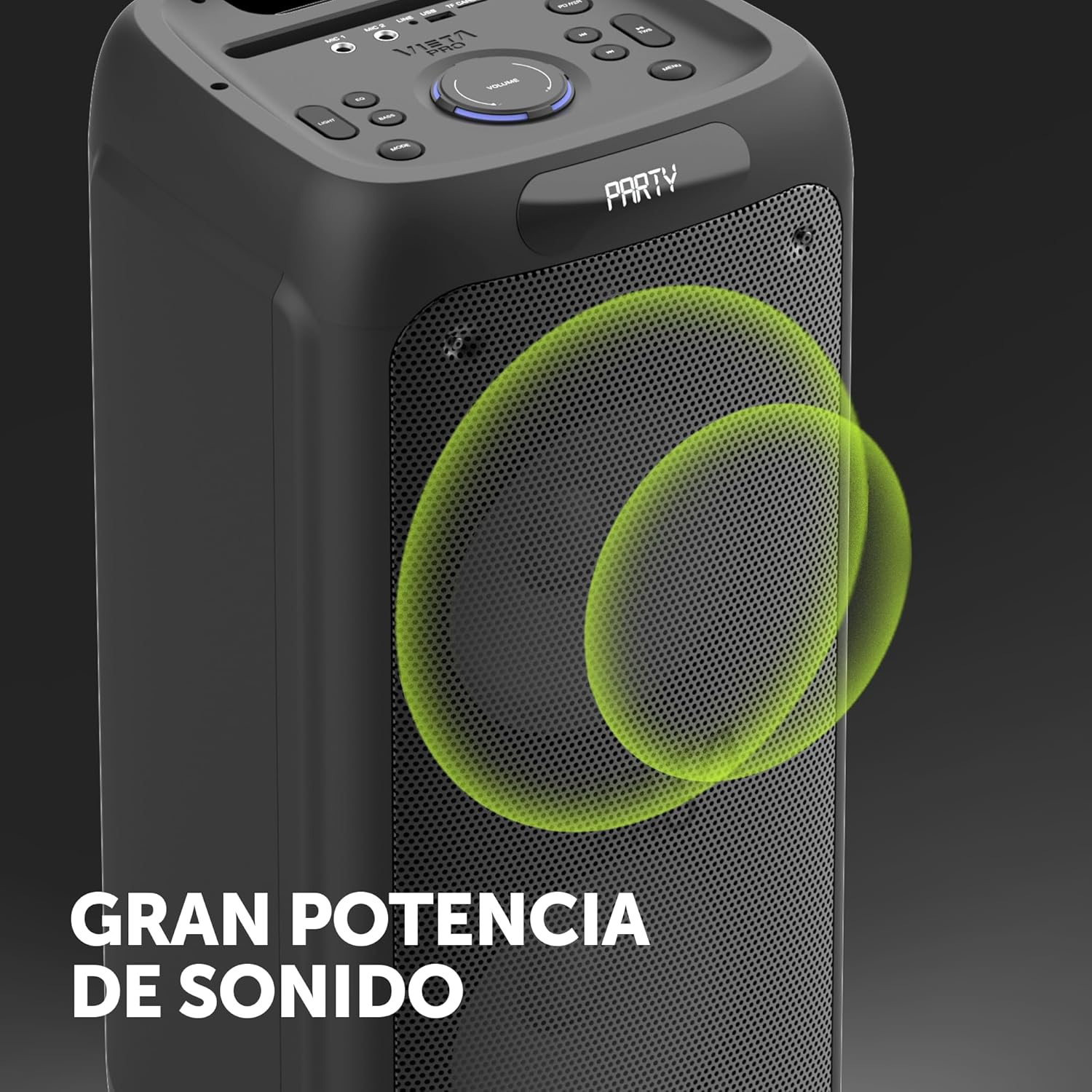
Image 8.1: The Vieta Pro Party 220 speaker, highlighting its powerful sound output.
| Feature | Detail |
|---|---|
| Model Name | Party 220 |
| Model Number | VM-HW455BK |
| Brand | Vietnam Pro |
| Mutauri Rudzi | Outdoor, Portable, Self-amplified |
| Kubatana Technology | Bluetooth 5.3, AUX, USB, MicroSD |
| Wireless Kukurukurirana | Bluetooth |
| Simba Rekubuditsa Sipika Rakanyanya | 500 Watts (RMS) |
| Audio Output Mode | Stereo (with TWS) |
| Frequency Response | 20 MHz |
| Simba Source | Battery Powered |
| Hupenyu hwebhatiri | Kusvikira kumaawa makumi maviri nemashanu |
| Kudzora Nzira | Remote Control, On-device buttons |
| Special Features | Anti-shock, USB Port, Shock resistant, Wireless speakers, Auracast, Karaoke, LED RGB lights |
| Inowirirana Devices | MP3 Player, Mobile, PC, DJ Mixer, Tablet, Television |
| Product Dimensions | 33.7D x 30W x 70.5H masendimita |
| Item Weight | 5 makirogiramu |
| Material | Plastiki |
| Color | Nhema |
9. Warranty uye Tsigiro
The Vieta Pro Party 220 speaker comes with a limited warranty. Please refer to the warranty card included in your packaging for detailed terms and conditions. For technical support, troubleshooting assistance beyond this manual, or warranty claims, please contact Vieta Pro customer service through their official websaiti kana ruzivo rwekuonana rwakapihwa nezvinyorwa zvechigadzirwa chako.
Ndapota chengetedza humbowo hwako hwekutenga nekuda kwewaranti.


