Nhanganyaya
This manual provides essential information for setting up, operating, maintaining, and troubleshooting your HP 17-cn3003dx 17.3" HD+ Laptop. Please read these instructions carefully to ensure proper use and longevity of your device.
1. Kutanga Setup
1.1 Unboxing uye Zviri mukati
Carefully remove all components from the packaging. The box should contain the following items:
- HP 17-cn3003dx 17.3" HD+ Laptop (Natural Silver)
- Power Adapter
- HP 90 Day Limited Warranty Information
1.2 Kubatanidza Simba
- Connect the power adapter cable to the power input port on the side of the laptop.
- Batanidza adapta yemagetsi mudura repamadziro.
- Bvumira Laptop ichichaja kweanenge maminetsi makumi matatu isati yatanga kushandiswa, kana kusvika chiratidzo chebhatiri charatidza kubhadharisa kwakakwana.
1.3 Kutanga Boot uye Windows 11 Setup
- Dzvanya bhatani remagetsi kuti ubatidze laptop.
- Tevedza iyo-pa-screen mirairo kuti upedze iyo Windows 11 Imba yekuseta maitiro. Izvi zvinosanganisira kusarudza dunhu rako, mutauro, kubatanidza kunetiweki yeWi-Fi, uye kugadzira account yemushandisi.
- Ensure you have an active internet connection for Windows updates and software installations during the setup.
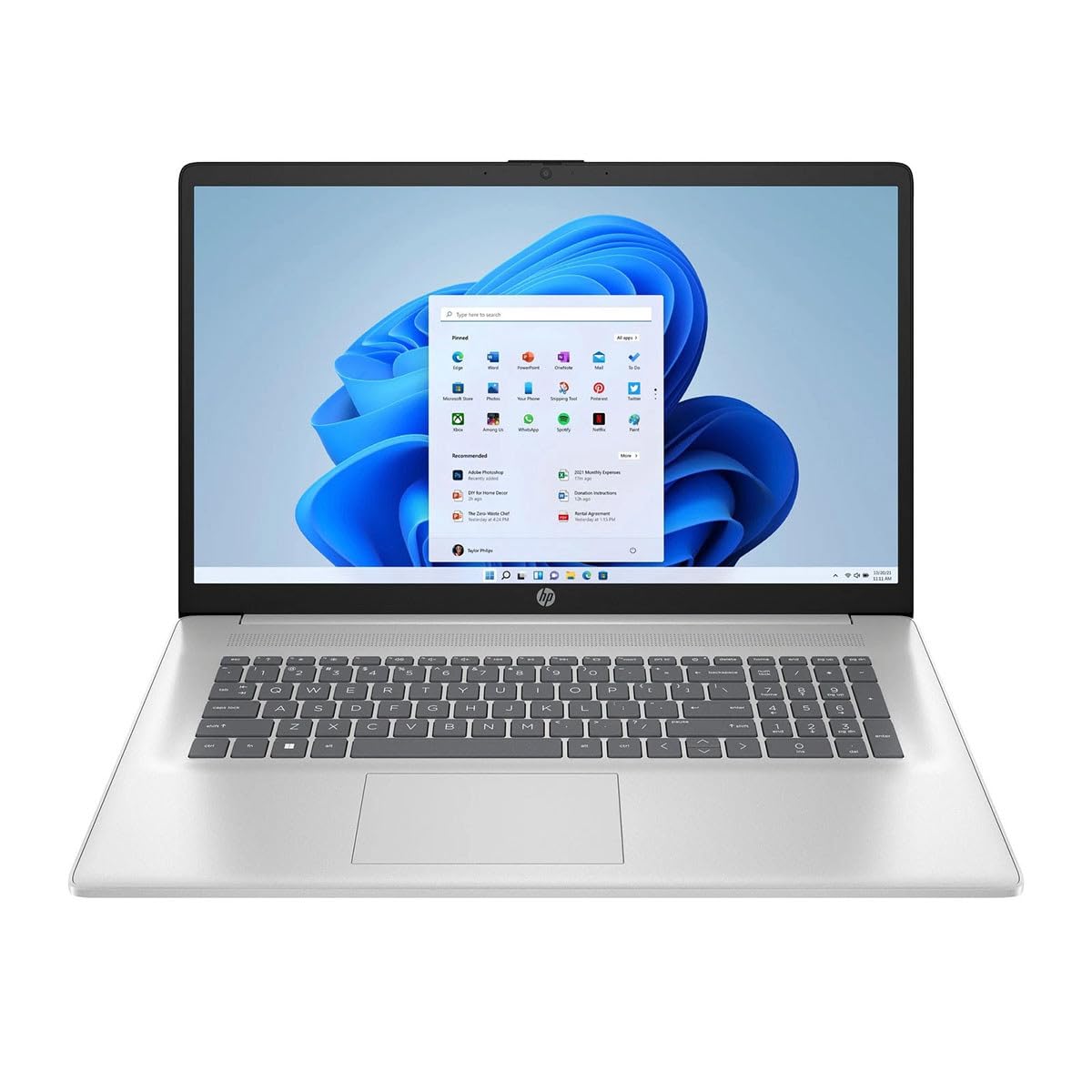
Figure 1: HP 17-cn3003dx Laptop, open view showing the screen and keyboard.
2. Operating Your HP 17-cn3003dx Laptop
2.1 Simba On / Off uye Kurara Modhi
- Power On: Dzvanya bhatani rekudzima simba riri padheki rekhibhodi.
- Vhara: Dzvanya bhatani reKutanga, wozoti Simba> Vhara pasi.
- Nzira yekurara: Close the laptop lid or click the Start button, then Power > Sleep.
2.2 Kushandisa Kiyibhodhi uye Touchpad
- The laptop features a full-size keyboard with a numeric keypad.
- The integrated touchpad supports multi-touch gestures for navigation and control. Refer to Windows settings for touchpad customization.
2.3 Kubatanidza Zvishandiso Zvekunze
Laptop iyi ine maports akasiyana-siyana ekubatanidza zvishandiso zvekunze:
- USB Ports: Use the USB 3.0 ports for connecting peripherals such as external hard drives, mice, or keyboards.
- HDMI Port: Connect an external monitor or TV using an HDMI cable for extended display options.
- Audio Jack: Unganidza mahedhifoni kana masipika ekunze.

Figure 2: Left side of the HP 17-cn3003dx laptop, showing USB port and power input.

Figure 3: Right side of the HP 17-cn3003dx laptop, showing HDMI, USB, and audio jack.
2.4 Wireless Connectivity (Wi-Fi)
Kuti ubatanidze kune network yeWi-Fi:
- Dzvanya iyo yeWi-Fi icon mune system tray (pazasi kurudyi rwechidzitiro).
- Sarudza network yako yaunoda kubva pane iyo rondedzero.
- Enter the network password if prompted and click Connect.
2.5 Battery Management
- The laptop is powered by a nonstandard battery.
- For optimal battery life, use the provided HP power adapter.
- Battery life can vary based on usage patterns and settings.
2.6 Using Microsoft Copilot
The HP 17-cn3003dx laptop includes Microsoft Copilot, an AI-powered intelligent assistant. Access Copilot by pressing the dedicated Copilot key on the keyboard. Copilot can assist with various tasks, enhance creativity, and provide relevant information.
3. Kuchengeta uye Kuchengeta
3.1 Kuchenesa Laptop Yako
- Sikirini Shandisa jira rakapfava, risina jira zvinyoro dampyakavharwa nemvura kana screen cleaner. Usafire mvura yakananga pachiratidziri.
- Kiyibhodhi uye Chassis: Shandisa jira rakapfava, rakaoma. Patsvina yakasindimara, zvishoma damp jira rinogona kushandiswa. Dzivisa kunyorova kwakanyanyisa.
- Ita shuwa kuti Laptop yakadzimwa uye kuburitswa isati yachenesa.

Mufananidzo 4: Kudzoka view of the HP 17-cn3003dx laptop, showing the HP logo.
3.2 Zvigadziriso zveSoftware
Gara uchitarisa uye kuisa Windows zvigadziriso kuti uone kuti system yako ine yazvino chengetedzo zvigamba uye kuvandudzwa kwekuita. Enda ku Zvirongwa> Windows Update kubata zvidzoreso.
3.3 Kuchengeta Kuchengeta
The laptop is equipped with a 256GB PCIe NVMe M.2 SSD. To maintain optimal performance:
- Avoid filling the SSD to its maximum capacity.
- Gara uchidzima zvisina basa files uye zvikumbiro.
- Funga kushandisa cloud storage kune hombe files to free up local space.
4. Troubleshooting Common Issues
4.1 Nyaya dzeMasimba
- Laptop haisi kubatika: Iva nechokwadi chekuti adapta yemagetsi yakabatana zvakanaka nelaptop pamwe nemagetsi ari kushanda. Tarisa kana rambi remagetsi rakabatidzwa.
- Bhatiri risiri kuchaja: Tarisa kuti adapta yemagetsi iri kushanda nemazvo. Edza imwe nzira.
4.2 Ratidza Matambudziko
- Hapana kuratidzwa: Batanidza chidzitiro chekunze uchishandisa HDMI kuti uone kana dambudziko riri pachidzitiro chemukati chelaptop. Tangazve Laptop.
- Flickering skrini: Gadziridza madhiraivha ako emifananidzo. Gadzirisa chiyero chemutsidziro muWindows marongero.
4.3 Nyaya dzeBatanidzo
- Wi-Fi haisi kubatanidza: Iva nechokwadi chekuti Wi-Fi yavhurwa. Tangazve router yako nemodem. Tarisa marongero enetwork muWindows.
- Zvishandiso zve USB hazvizivikanwe: Try connecting the device to a different USB port. Update USB drivers.
5. Zvigadzirwa zveChigadzirwa
| Feature | Tsanangudzo |
|---|---|
| Model Name | 17-cn3003dx |
| Screen Size | 17.3 Inches HD+ |
| Max Screen Resolution | 1920 x 1080 pixels |
| processor | Intel Core i3-N305 (1.8 GHz) |
| RAM | 8 GB DDR4 |
| Hard Drive | 256 GB PCIe NVMe M.2 SSD |
| Operating System | Windows 11 Home |
| Graphics Card | Yakabatanidzwa Intel Graphics |
| Wireless Type | 802.11ax (Wi-Fi 6) |
| USB Ports | Multiple USB 3.0 ports |
| HDMI Port | Ehe |
| Item Weight | 6.5 makirogiramu |
| Product Dimensions | 22 x 13.3 x 13.3 inches |
| Color | Natural Silver |
6. Warranty uye Tsigiro
6.1 Ruzivo rweWaranti
This HP 17-cn3003dx laptop comes with an HP 90 Day Limited Warranty. Please refer to the warranty documentation included in your product packaging for full terms and conditions.
6.2 Tsigiro yehunyanzvi
For technical assistance, driver downloads, or further support, please visit the official HP support websaiti:
When contacting support, please have your laptop's model number (17-cn3003dx) and serial number ready.