Nhanganyaya
Thank you for choosing the Grundig 3-in-1 Wireless Charging Station. This device is designed to provide a convenient and efficient way to charge your Qi-compatible smartphone, smartwatch, and wireless earbuds simultaneously. Please read this manual carefully before use to ensure proper operation and to maximize the lifespan of your product.
Safety Information
- Usabvisa kana kushandura mudziyo.
- Chengeta mudziyo kure nemvura, hunyoro, uye tembiricha yakakwira.
- Dzivisa kudonhedza kana kuisa mudziyo kune zvinokanganisa zvakasimba.
- Use only certified power adapters that meet the specified input requirements (5V/2A or 9V/1.67A).
- The charging station features integrated protection against overcharge, overheating, and overvoltage kuona kushanda kwakachengeteka.
- Do not place metal objects or magnetic cards on the charging surface, as this may interfere with charging or damage the device.
Package Zviri mukati
- 1x Grundig 3-in-1 Wireless Charging Station
- 1x USB-C yekuchaja Cable
- 1x Chinyorwa cheMushandisi
Product Overview
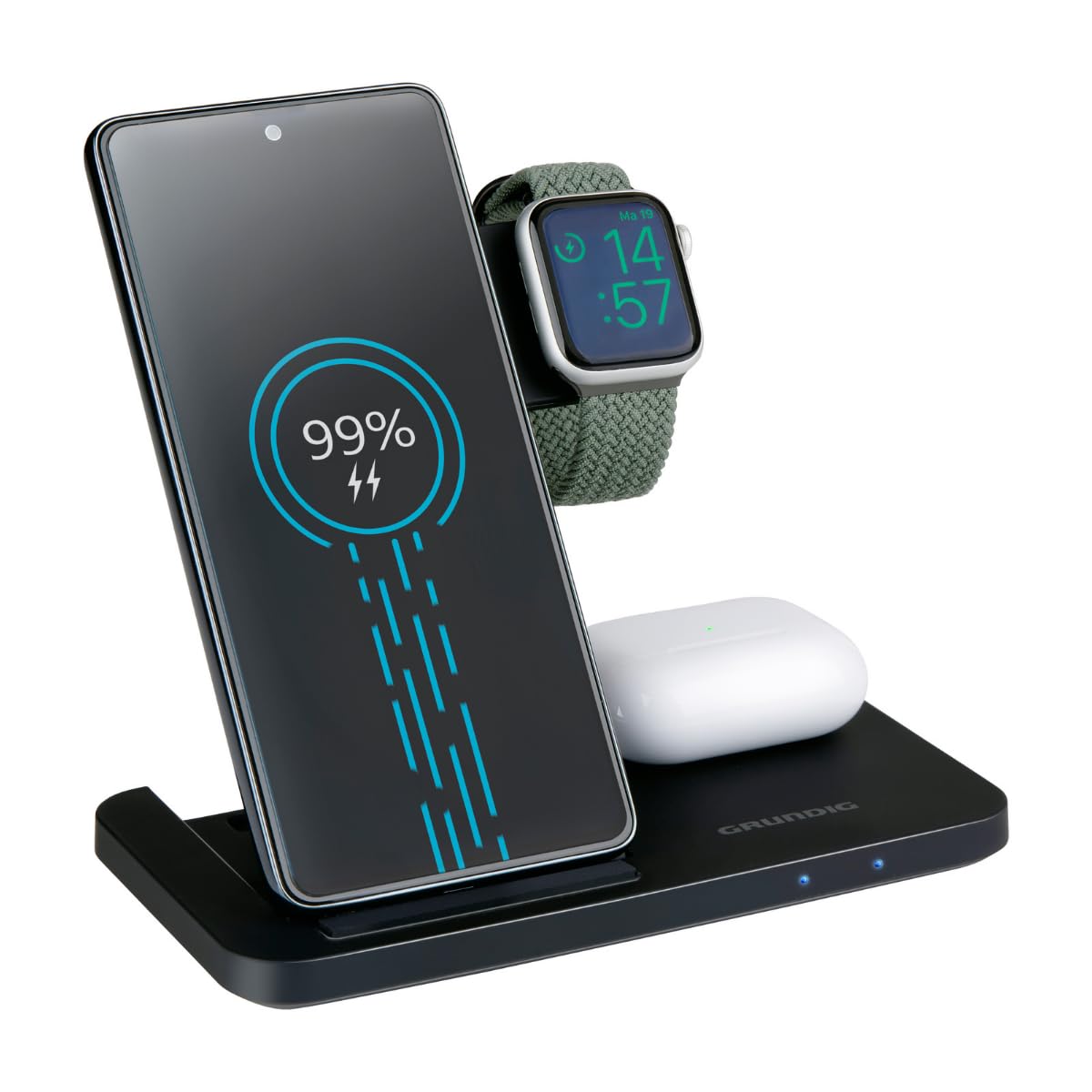
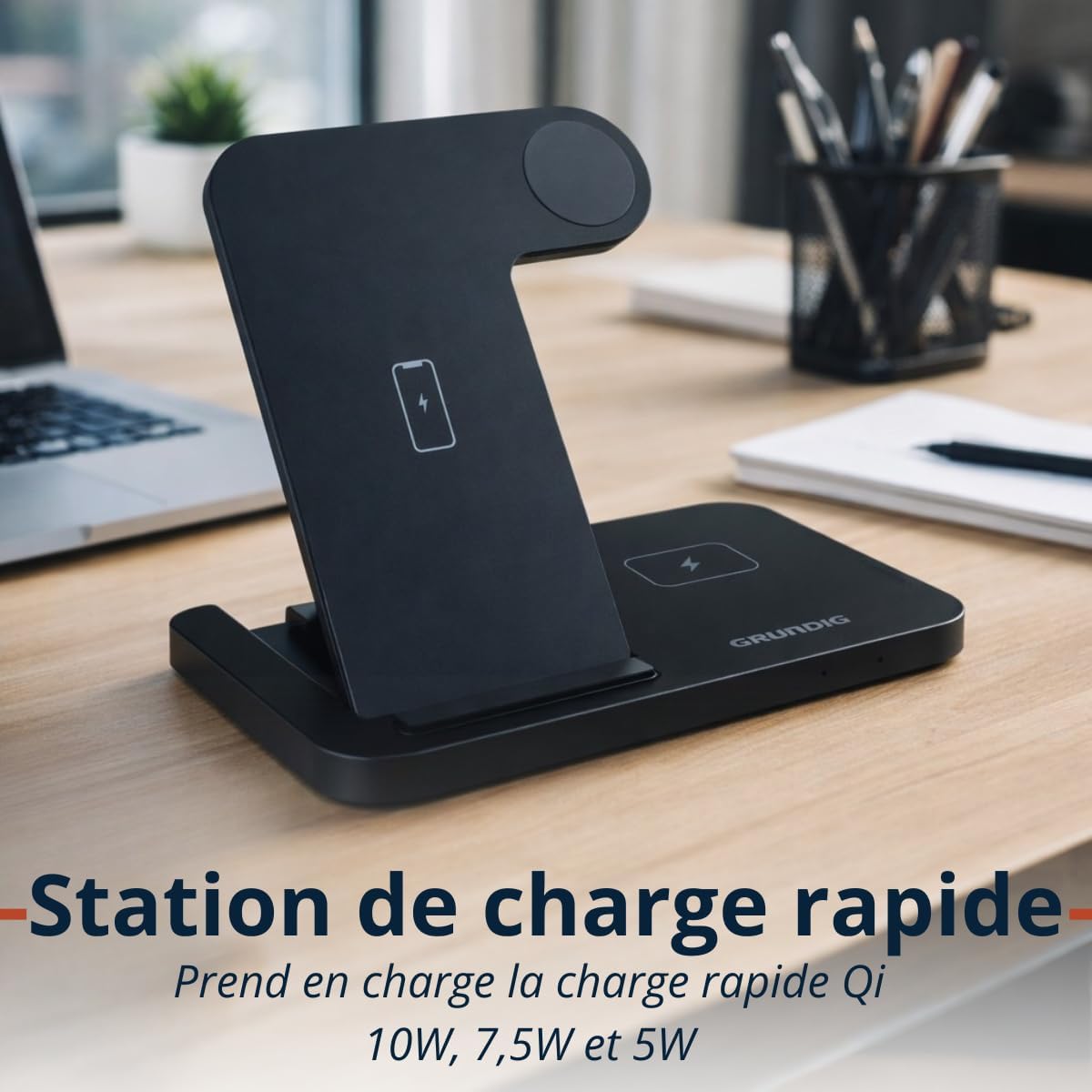
The Grundig 3-in-1 Wireless Charging Station is designed for convenience and efficiency. It features a foldable design for portability and three dedicated charging zones for your smartphone, smartwatch, and wireless earbuds.

Gadzirira
- Unpack the Grundig 3-in-1 Wireless Charging Station and the USB-C cable.
- Connect the provided USB-C cable to the input port on the charging station.
- Connect the other end of the USB-C cable to a compatible power adapter (not included). Ensure the power adapter meets the input specifications (5V/2A or 9V/1.67A) for optimal performance, especially for fast charging.
- Place the charging station on a stable, flat surface.
Operating Instruction
Kuchaja Midziyo Yako
- Kuchaja Smartphone: Place your Qi-compatible smartphone vertically on the designated smartphone charging pad. Ensure the phone is centered for proper alignment. The charging station supports 10W, 7.5W, and 5W wireless charging for smartphones.
- Kuchaja wachi yekuchenjera: Place your Apple Watch or other compatible smartwatch on the dedicated smartwatch charging module. The module provides 2W charging output.
- Kuchaja maEarbuds: Place your wireless earbuds case on the designated earbuds charging pad. This pad provides 5W charging output.
LED Indicators
The charging station is equipped with LED indicators to show the charging status of your devices. Refer to the product's specific LED behavior for detailed status information (e.g., solid light for charging, blinking for error, off for fully charged or no device).

Maintenance
- To clean the charging station, disconnect it from the power source and wipe it with a soft, dry cloth.
- Do not use abrasive cleaners, solvents, or harsh chemicals, as these may damage the surface or internal components.
- Ensure the charging pads are free from dust and debris to maintain optimal charging efficiency.
Kugadzirisa matambudziko
- Mudziyo hauchaji:
- Ensure the charging station is properly connected to a power source.
- Iva nechokwadi chekuti mudziyo wako unoenderana neQi.
- Check if the device is correctly aligned on the charging pad. Remove any thick cases that might interfere with wireless charging.
- Edza kushandisa tambo ye USB-C yakasiyana neadapter yemagetsi.
- Kuchaja kunononoka:
- Ensure you are using a power adapter that supports fast charging (e.g., a Quick Charge 3.0 or Power Delivery adapter).
- Confirm proper alignment of the device on the charging pad.
- Zviratidzo zve LED hazvisi kushanda:
- Check the power connection to the charging station.
- Kana nyaya ikaramba iripo, bata rutsigiro rwevatengi.
Zvinotsanangurwa
| Brand | grundig |
| Model | 3-in-1 Wireless Chaja Chiteshi |
| Input | USB-C 5V/2A, 9V/1.67A |
| Smartphone Output | 10W / 7.5W / 5W (Qi) |
| Smartwatch Output | 2W |
| Earbuds Output | 5W |
| Zvimiro (zvakapetwa) | Approx. 140 × 70 × 14 mm |
| Kurema | Approx. 150 g |
| Wireless Charging Zones | Smartphone, Smartwatch, Earbuds |
| Kugarisana | Qi-enabled smartphones, Apple Watch, other smartwatches, wireless earbuds |
| Dziviriro Zvimiro | Overcharge, Overheat, Overvoltage Dziviriro |
Warranty Information
This Grundig 3-in-1 Wireless Charging Station comes with a manufacturer's warranty of 2 years kubva pazuva rekutenga. Iyi waranti inovhara kukanganisa mune zvigadzirwa uye magadzirirwo pasi pekushandiswa kwakajairwa.
The warranty does not cover damage caused by misuse, accidents, unauthorized modifications, or failure to follow the instructions in this manual. Please retain your proof of purchase for warranty claims.
For full warranty terms and conditions, please refer to the official Grundig websaiti kana kubata rutsigiro rwevatengi.
Support
If you encounter any issues or have questions regarding your Grundig 3-in-1 Wireless Charging Station that are not addressed in this manual, please visit the official Grundig website for further assistance or contact their customer support.
Unogona kuwana rumwe ruzivo uye zviwanikwa zvekutsigira nekushanyira iyo GRUNDIG Brand Store.


