1. Nhanganyaya
This manual provides essential information for the proper setup, operation, and maintenance of your MESWAO 15.6-inch Android 14 Tablet (Model MES-B3). Please read this manual thoroughly before using the device to ensure optimal performance and longevity. Keep this manual for future reference.
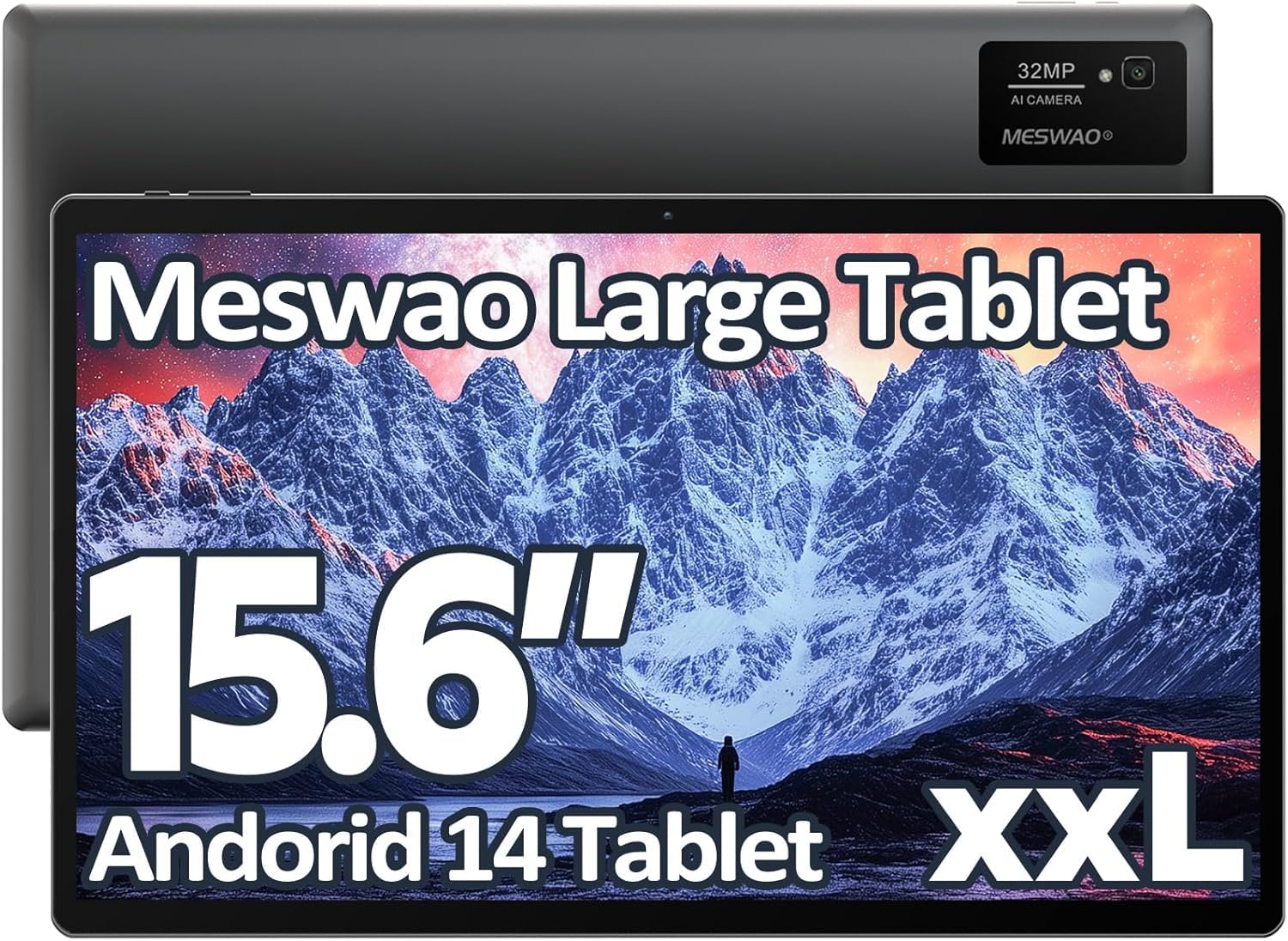
Image: The MESWAO 15.6-inch Android 14 Tablet, showcasing its large display and sleek design.
2. Setup
2.1 Unboxing uye Yekutanga Kuongorora
Carefully remove all components from the packaging. Verify that all items listed in the package contents are present and undamaged. If any items are missing or damaged, contact customer support immediately.
2.2 Kuchaja Tablet
Before first use, fully charge the tablet. Connect the provided USB-C cable to the tablet's charging port and the other end to the power adapter. Plug the power adapter into a wall outlet. The charging indicator will illuminate. A full charge typically takes approximately 3 hours with the 30W fast charging capability.
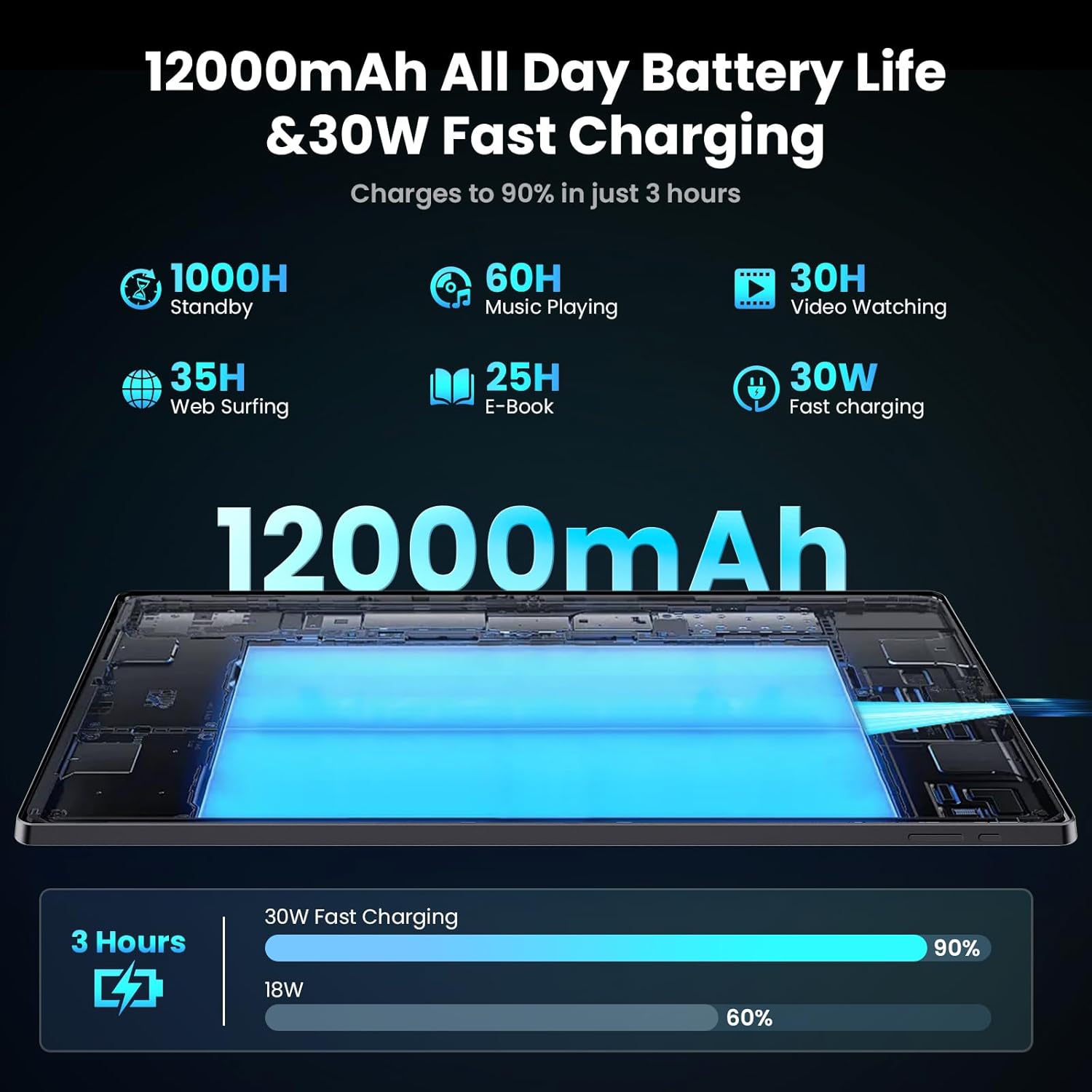
Image: Diagram illustrating the 12000mAh battery capacity and 30W fast charging feature, showing a charge to 90% in 3 hours.
2.3 Kubatidza uye Kwekutanga Configuration
- Press and hold the Power button until the MESWAO logo appears.
- Tevedzera zviri pa-skrini kuti usarudze mutauro wako, dunhu, uye ubatanidze kunetiweki yeWi-Fi.
- Pinda neakaundi yako yeGoogle kana kuti gadzira imwe itsva kuti upinde muGoogle Play Store nemamwe masevhisi.
- Complete any remaining setup steps, such as setting up a screen lock (PIN, pattern, or password) and reviewkugadzirisa marongero ekuchengetedza zvakavanzika.
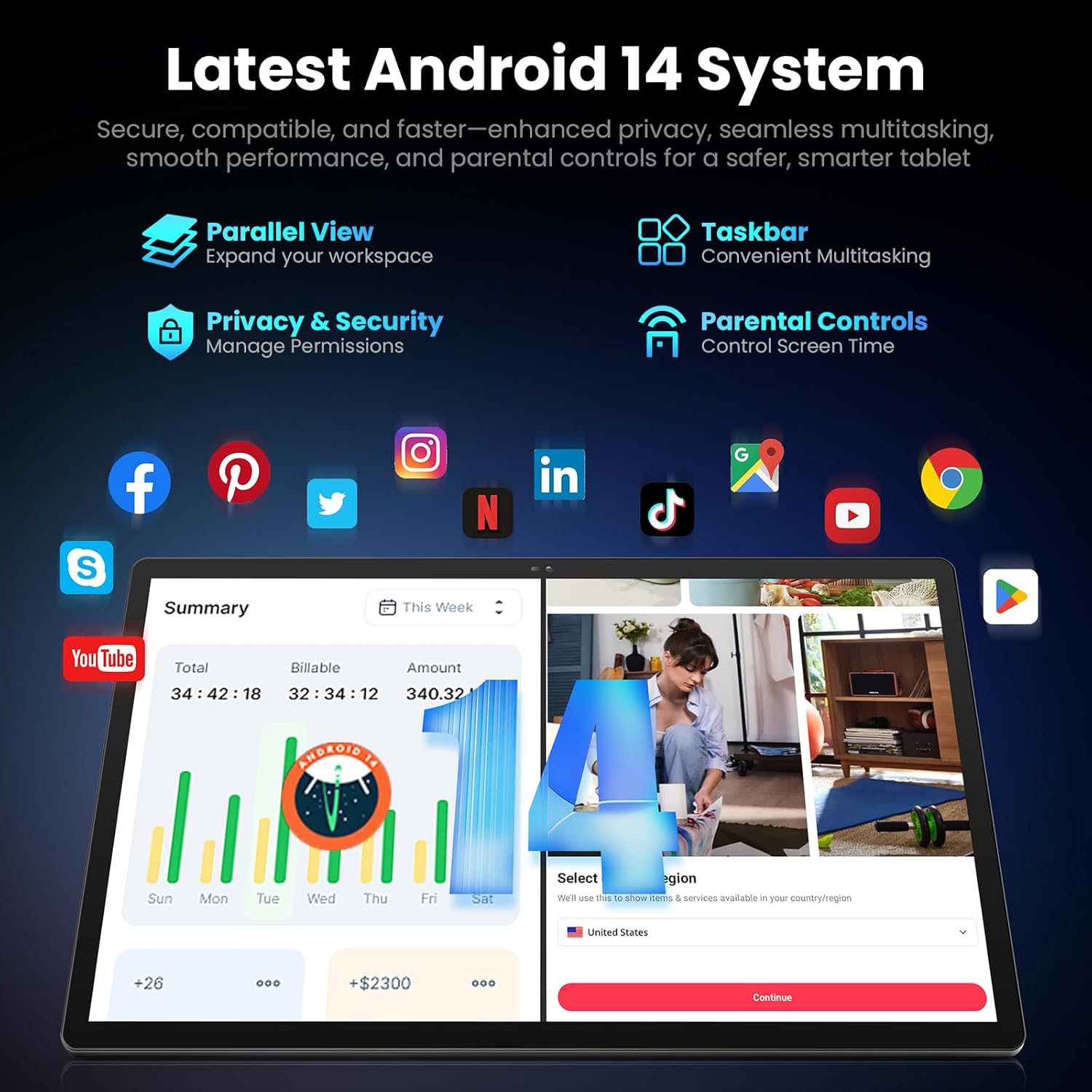
Image: Screenshot of the Android 14 system interface on the MESWAO tablet, highlighting features like Parallel View, Taskbar, Privacy & Security, and Parental Controls.
3. Operating Instructions
3.1 Basic Navigation
- Bata Gestures: Tinya kuti usarudze, swipe kupuruzira, tsikirira kuti uwedzere.
- Sikirini Yemba: Svika mapurogiramu, majeti, uye zviziviso.
- Notification Panel: Swipe pasi kubva pamusoro pechidzitiro kuenda view zviziviso uye zvigadziriso zvinokurumidza.
- App Drawer: Swipe kumusoro kubva pasi pechidzitiro kuti uwane ese akaiswa maapplication.
3.2 Kuratidzwa uye Kuona Zvakaitika
The 15.6-inch Full HD (1920x1080) IPS display offers vivid colors and wide viewing angles. Adjust brightness and display settings in the Settings menu under "Display" for optimal viewing comfort. The large screen is ideal for multitasking and immersive media consumption.

Image: The MESWAO tablet displaying a high-definition image, emphasizing the 1920x1080P Full HD IPS display with eye protection features.
3.3 Kuita uye Kuchengeta
Equipped with an Octa-Core Helio G99 processor and Android 14, the tablet provides smooth performance for various applications. It includes 8GB RAM and 256GB internal storage, expandable up to 1TB via a TF (microSD) card. To insert a TF card, locate the card slot on the side of the tablet, open the tray, and carefully place the card into the designated slot before reinserting the tray.
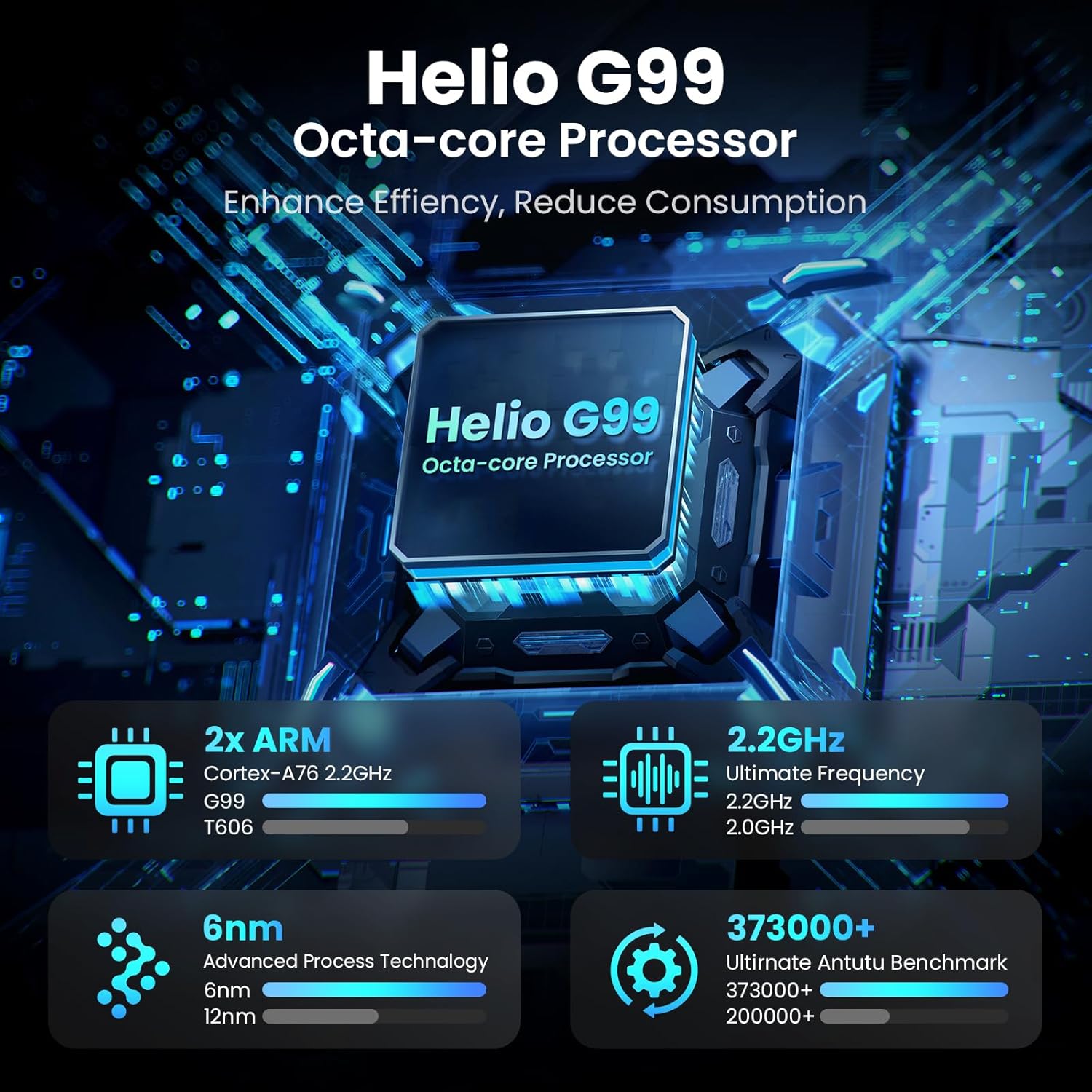
Image: Visual representation of the Helio G99 Octa-core Processor, detailing its architecture and performance metrics like 2.2GHz frequency and 6nm process technology.

Image: The MESWAO tablet screen showing multiple open applications and storage capacity details: 8GB RAM, 256GB ROM, and support for up to 1TB external storage.
3.4 Kushandisa Kamera
The tablet features a 32MP rear camera with flash and a 5MP front camera. Open the Camera application to capture photos, record videos, or engage in video calls. Ensure good lighting for best results.

Image: A visual demonstrating the MESWAO tablet's 5MP front camera and 32MP rear camera, showing a family photo being taken and a video call in progress.
3.5 Kubatana
The tablet supports dual-band Wi-Fi (2.4GHz & 5GHz) for stable internet connectivity. Bluetooth is also available for connecting wireless accessories. Access these settings via the Notification Panel or the main Settings app.
4. Kuchengeta
4.1 Kuchenesa Tablet
Shandisa jira rakapfava, risina lint kuchenesa skrini uye muviri wehwendefa. Pakuoma musoro, zvishoma dampsn jira nemvura kana chidzitiro-chakachengetedzeka chekuchenesa mhinduro. Dzivisa kushandisa makemikari ane hasha kana abrasive zvinhu.
4.2 Zvigadziriso zveSoftware
Gara uchitarisa uye uchiisa zvigadziriso zvesystem kuti uve nechokwadi chekuti tablet yako ine maficha matsva, zvigamba zvekuchengetedza, uye kuvandudzwa kwebasa. Enda ku Settings> System> System update kutarisa zvitsva.
4.3 Kuchengeta Battery
- Dzivisa tembiricha yakanyanyisa, sezvo inogona kukanganisa hupenyu hwebhatiri.
- Usarega bhatiri richipera nguva zhinji.
- Shandisa charger yakapihwa chete kana charger ine chitupa chepamutemo chinoenderana nayo.
5. Kugadzirisa matambudziko
5.1 Tablet Isina Kubatidzwa
- Iva nechokwadi chekuti tablet yachajwa zvakakwana. Ibatanidze nechaja kwemaminitsi makumi matatu usati waedza kuibatidza zvakare.
- Dzvanya wobata bhatani rePower kwemasekondi gumi kusvika gumi nemashanu kuti utangezve zvine simba.
5.2 Matambudziko eWi-Fi
- Check if Wi-Fi is enabled in the Quick Settings or Settings menu.
- Tangazve yako Wi-Fi router uye piritsi.
- Kanganwa network muWi-Fi marongero uye batanidza zvakare.
- Ita shuwa kuti uri mukati mehuwandu hweiyo Wi-Fi chiratidzo.
5.3 Kunonoka Kuita
- Vhara zvisingaite zvemashure maapplication.
- Clear cache data for frequently used apps (Zvirongwa> Zvishandiso> [Zita reApp]> Chengetedza & cache> Bvisa cache).
- Ensure sufficient free storage space. Delete unused files kana mapurogiramu.
- Tangazve piritsi nguva nenguva.
5.4 Sikirini Isingateereri
- Perform a forced restart (hold Power button for 10-15 seconds).
- Iva nechokwadi chekuti sikirini yacho yakachena uye haina hunyoro kana marara.
6. Zvinotsanangurwa
| Feature | Detail |
|---|---|
| Model Name | MES-B3 |
| Kukura Kwekuratidza | 15.6 inches |
| Max Screen Resolution | 1920 x 1080 Pixels (Full HD IPS) |
| Operating System | Android 14 |
| processor | Octa-Core Helio G99 (up to 2.2 GHz) |
| RAM | 8GB |
| Kuchengetera Kwemukati (ROM) | 256GB |
| Expandable Storage | Kusvika 1TB (TF Card) |
| Battery Capacity | 12000mAh |
| Kuchaja | 30W Inokurumidza Kuchaja |
| Rear Camera | 32MP ine Flash |
| Front Camera | 5MP |
| Kubatana | Dual-band Wi-Fi (2.4GHz & 5GHz), Bluetooth |
| Dimensions (LxWxH) | 14.53 x 8.78 x 0.43 inches |
| Item Weight | 3.84 makirogiramu |
7. Warranty uye Tsigiro
7.1 Ruzivo rweWaranti
MESWAO products are covered by a limited warranty. Please refer to the warranty card included in your product packaging for specific terms and conditions. Keep your proof of purchase for warranty claims.
7.2 Mutengi Tsigiro
For technical assistance, troubleshooting, or warranty inquiries, please contact MESWAO customer support. Contact information can typically be found on the official MESWAO websaiti kana pawaranti kadhi.
Online resources such as FAQs and support forums may also be available on the MESWAO website.


